
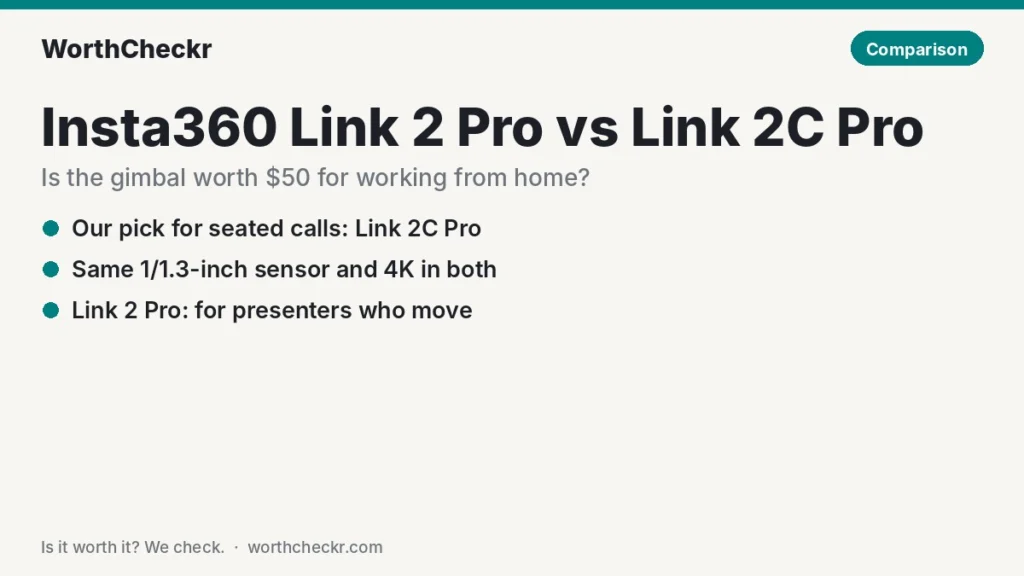
Link 2 Pro vs Link 2C Pro — WorthCheckr pick: Insta360 Link 2C Pro
✓ Worth it for anyone who takes video calls sitting at a desk: it has the same camera inside as the Link 2 Pro for $50 less.
- Same 1/1.3-inch sensor, f/1.9 lens, 4K at 30fps and dual native ISO for dim rooms.
- A physical privacy switch, which the gimbal model can’t have.
- Far smaller and lighter on a laptop lid: about 48g vs 102g for the camera alone.
- Tom’s Guide’s reviewer called it the best upgrade for office workers improving their video calls.
Pay the extra $50 for the Link 2 Pro if you stand, walk, teach at a whiteboard or present to a room. Its motorized gimbal follows you without cropping the picture.
Last updated November 9, 2026 · Research-based analysis by Abid Shehzad, WorthCheckr
Insta360’s Pro webcams arrived in early 2026 as two models with nearly identical names and identical image hardware. One sits on a motorized two-axis gimbal that physically turns to follow you. The other is a small fixed camera that crops and reframes digitally. That leaves one real question in the Link 2 Pro vs Link 2C Pro decision: do you need the gimbal at your desk?
For most people on Zoom, Teams or Meet from a chair, the answer is no, and the 2C Pro is the better buy. The gimbal is genuinely useful in a few specific setups, though, and the two cameras differ in privacy, size and desk-camera handling in ways spec sheets don’t explain well. WorthCheckr hasn’t tested either camera; this comparison is based on Insta360’s published specs, named reviewers, and owner reports from Insta360’s community and support pages.
Running the webcam from a laptop on a monitor setup? Our guide to choosing a monitor for working from home covers the screen side of the desk, including where a webcam should sit.
In this comparison
- Link 2 Pro vs Link 2C Pro: the short answer
- What’s identical: the camera and mics
- The gimbal question: optical tracking vs digital framing
- Privacy, size and laptop-lid fit
- Will it work with your computer? A pre-buy check
- What reviewers say about each camera
- Common Link 2 Pro and Link 2C Pro problems owners report (and fixes)
- Cost per feature: what the extra $50 buys
- Which should you buy? The right Insta360 for your setup
- Setup tips for better video calls with either camera
- Link 2 Pro vs Link 2C Pro FAQ
- Verdict
Link 2 Pro vs Link 2C Pro: the short answer
If you sit for calls, buy the Link 2C Pro. You get the same picture quality, the same microphones and the same software features, plus a privacy switch and a much smaller body, for $199.99 instead of $249.99.
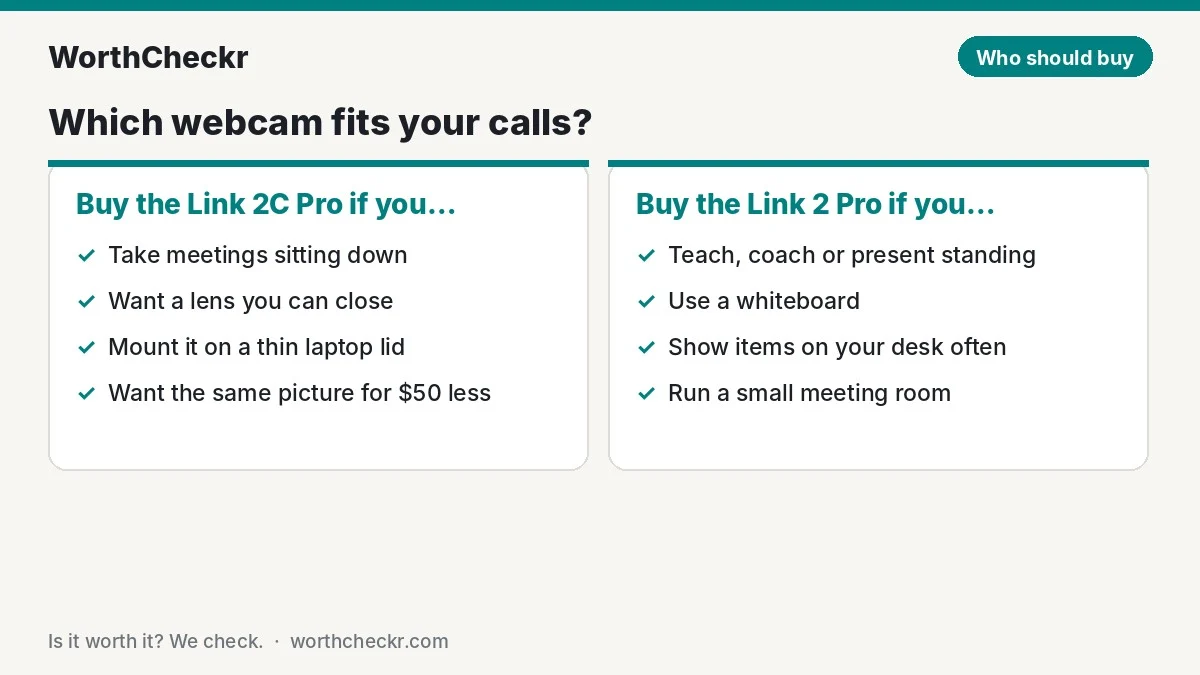
- Choose the Insta360 Link 2C Pro if… you take calls seated, want a camera that disappears on top of your monitor, or like being able to physically close the lens.
- Choose the Insta360 Link 2 Pro if… you teach, coach, demo products or present standing up, use a whiteboard, or need the camera to swing down to your desk automatically.
- Skip the Link 2C Pro if… you move around the room during calls. Its digital framing crops the image to follow you, which costs resolution.
- Skip the Link 2 Pro if… you want a lens cover or a camera that sits low-profile on a thin laptop lid.
- Skip both if… your laptop runs Windows on ARM (see the pre-buy check) and you want the software features.
Check Insta360 Link 2C Pro price → Check Insta360 Link 2 Pro price →
What’s identical: the camera and mics
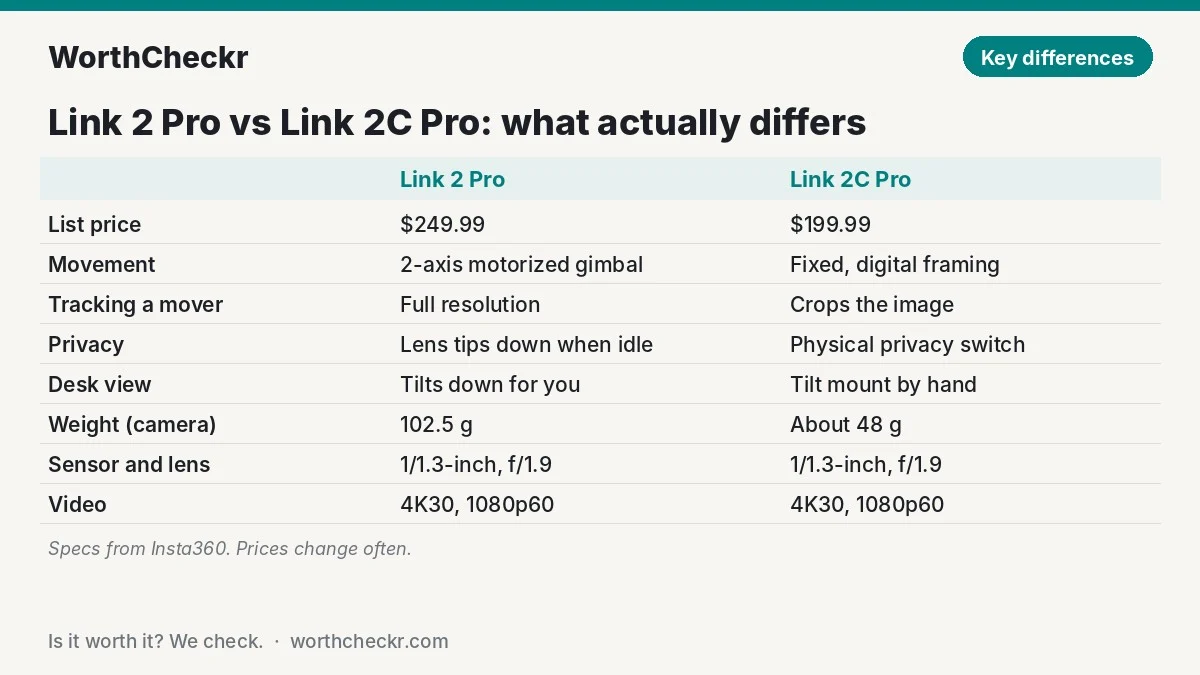
Insta360 publishes one shared spec sheet for both Pro models, and reviewers confirm the image hardware is the same. Tom’s Guide’s Ashley Thieme described the 2C Pro as virtually the same camera as the Link 2 Pro, minus the gimbal.
| Spec | Insta360 Link 2 Pro | Insta360 Link 2C Pro |
|---|---|---|
| Sensor | 1/1.3-inch, dual native ISO (100–3200) | 1/1.3-inch, dual native ISO (100–3200) |
| Lens | f/1.9, 24mm equivalent, 83.9° diagonal view | f/1.9, 24mm equivalent, 83.9° diagonal view |
| Video | 4K at 30fps, 1080p at 60fps, HDR, portrait 4K | 4K at 30fps, 1080p at 60fps, HDR, portrait 4K |
| Focus and zoom | Phase-detection autofocus from 12cm, 4x digital zoom | Phase-detection autofocus from 12cm, 4x digital zoom |
| Microphones | 2 mics, AI noise reduction, 4 pickup modes | 2 mics, AI noise reduction, 4 pickup modes |
| Movement | 2-axis motorized gimbal | Fixed; digital auto-framing |
| Tracking zones / pause zones | Yes | No |
| Privacy | Lens points down when idle; no cover | Physical privacy switch and shutter |
| DeskView (top-down desk shot) | Gimbal tilts down for you | Tilt the mount by hand, then fine-tune in software |
| Size | 71.3 x 58.9 x 38mm | About 63 x 30 x 26mm |
| Weight (camera / with mount) | 102.5g / 167.5g | About 48g / 113g |
| Connection | USB-C (USB 2.0), USB-A adapter included | USB-C (USB 2.0), USB-A adapter included |
| Mount | Magnetic mount with 1/4-inch tripod thread | Magnetic mount with 1/4-inch tripod thread |
| List price | $249.99 | $199.99 |
The jump from the original Link 2 and 2C matters more than the jump between these two. Insta360 says the Pro sensor has about 2.23 times the light-gathering area of the older 1/2-inch sensor, and reviewers consistently point to better low-light video as the Pro generation’s biggest upgrade.
The gimbal question: optical tracking vs digital framing
Both cameras can keep you centered. They just do it differently, and the difference shows up only when you move.
- Link 2 Pro: the gimbal physically pans and tilts to follow you, so the camera can keep you framed at full resolution as you walk across a room. You can draw tracking zones (where it’s allowed to follow) and pause zones (where it stops following). Tom’s Guide found its tracking kept people in frame wherever the camera was placed, and TechRadar’s Christian Guyton said the head tracking stayed locked on even when he briefly left the frame.
- Link 2C Pro: auto-framing digitally zooms and crops the 4K image to keep you, or a small group, centered. Tom’s Guide’s 2C Pro review notes this costs resolution, because a crop uses fewer pixels. GameRevolution’s Mack Ashworth found the digital framing works well for seated setups, adjusting smoothly when you lean or shift.
For a seated call, the crop is small and you’re usually sending 1080p to Zoom or Teams anyway, so the resolution loss is hard to see. Once you stand up and walk to a whiteboard, the 2C Pro has to crop much harder, and that’s where the gimbal earns its $50.
Privacy, size and laptop-lid fit
The fixed camera wins on the everyday practical details.
- Privacy: the 2C Pro has a physical privacy slider. Tom’s Guide pointed out it’s handy when on-screen controls freeze mid-call. The Link 2 Pro can’t fit one on a moving gimbal; instead, it tips its lens down after about 10 seconds idle, or you push it down by hand. TechRadar listed the missing lens cap as a con.
- Size: the Link 2 Pro is roughly twice the weight. TechRadar noted it can feel bulky on a laptop screen unless the hinge is sturdy. The 2C Pro is a slim bar that suits thin laptop lids and monitors with narrow bezels.
- Desk shots: for showing documents or products on your desk, the Link 2 Pro swings down on its own. With the 2C Pro you tilt the mount manually, then adjust the angle in the software.
Will it work with your computer? A pre-buy check
This is the part that catches work-from-home buyers out. Many of the features you’re paying for run through Insta360’s Link Controller app and its virtual camera, and they have system requirements.
- Windows on ARM isn’t supported by Link Controller. Insta360’s spec page lists Windows 10 or later and excludes ARM-based Windows. That includes Snapdragon laptops and tablets such as the Surface Pro 12-inch. Without the app you lose the software features, so confirm with Insta360 before buying for one of these machines.
- Mac: Link Controller needs macOS 11 or later, and the virtual camera (backgrounds, whiteboard mode, effects) needs macOS 13 or later. Natural Bokeh needs an Apple M1 chip or newer.
- Windows PCs: Insta360 lists a 5th-gen Core i5 and 8GB of RAM as the minimum, rising to a 10th-gen i5 and 16GB for advanced features. Background blur and Natural Bokeh need an NVIDIA GPU (GTX 1080 / RTX 2060 or newer for bokeh); AMD graphics have limited support.
- Ports: both cameras use USB-C at USB 2.0 speed and include a USB-A adapter, so a monitor’s or dock’s spare USB port works fine.
Using a work laptop and a personal computer at one desk? A monitor with a KVM switch lets one webcam plugged into the monitor follow whichever computer is on screen.
What reviewers say about each camera
| Round | Winner | What reviewers said |
|---|---|---|
| Image quality | Tie | Same sensor and lens. TechRadar praised the Link 2 Pro’s 4K picture and low-light results; Tom’s Guide found the 2C Pro sharp, with dual native ISO lifting shadows. |
| Tracking people who move | Link 2 Pro | Gimbal tracking keeps full resolution; the 2C Pro crops digitally, which Tom’s Guide said reduces resolution. |
| Seated framing | Tie | GameRevolution found the 2C Pro’s digital framing smooth for seated use. |
| Microphones | Tie | Same dual-mic setup. TechRadar rated it good for casual to intermediate use; Tom’s Guide heard little difference from a MacBook mic but noted typing noise was well reduced. |
| Privacy | Link 2C Pro | Physical privacy switch vs a lens that points down when idle. |
| Size and fit | Link 2C Pro | TechRadar found the Link 2 Pro bulky on laptop lids; the 2C Pro is about half the weight. |
| Extras | Link 2 Pro | Tracking and pause zones, automatic desk view, more gesture-driven control. |
| Value | Link 2C Pro | CGMagazine called the 2C Pro a fantastic choice if you just need an excellent static camera; Tom’s Guide said the missing gimbal is worth giving up for the savings. |
| Overall | Link 2C Pro for desk calls | The Link 2 Pro is the better camera for people who move; for everyone else the extra $50 buys little. |
A couple of reviewer caveats worth knowing: Tom’s Guide found the 2C Pro’s colors cooler than built-in Mac webcams (fixable with a filter in the app), and WellPlayed’s review of the Link 2 Pro called the desk mode underwhelming and the gestures more annoying than useful.
Common Link 2 Pro and Link 2C Pro problems owners report (and fixes)
Both Pro models are recent, so owner feedback specific to them is still thin. They do share Insta360’s Link Controller software and firmware approach with the Link 2 and 2C, and that’s where most owner complaints sit. We’ve labeled which camera each report comes from.
- Camera not detected after a Windows update (Link family). A large r/Insta360 thread from January 2025, with more than 150 comments, described Link cameras vanishing from Windows after an update. Fix: owners and Insta360 resolved it with a firmware update; uninstalling the problem Windows update also worked for some. Keep firmware current through Link Controller.
- Link Controller freezing or crashing (Link 2 owners). Several posts in r/Insta360 mention the app freezing, and Insta360 publishes a support article for controller crashes. Fix: update the app, reinstall the virtual camera from Settings → About Us, and contact support if it persists.
- Virtual camera trouble after macOS updates (Link 2 owners). Owners reported the virtual camera breaking after upgrading to macOS Tahoe. Fix: check that Link Controller is enabled under macOS Camera Extensions and update the app; Insta360 staff answer these in the subreddit’s weekly thread.
- Video flipping vertically in recording apps (Link Controller on Mac). Tella’s help center documents this. Fix: turn off “Portrait Resolution and High Frame Rate” in Link Controller.
- Audio and video out of sync (all Link models). Insta360’s support pages cover it. Fix: confirm your computer meets the virtual camera requirements, update the app, or turn the virtual camera off if you don’t need effects.
- Solid red light / overheating (all Link models, including both Pros). Insta360’s support page says a solid red light can mean the camera has hit heat protection after long, intensive use. Fix: unplug it and let it cool; keep it out of direct sun on hot days.
The pattern: problems are software-side and usually fixed with updates, not hardware failures. If you’d rather never touch a companion app, both cameras still work as standard webcams in Zoom, Teams and Meet; you just lose the extra features.
Cost per feature: what the extra buys
At list prices, the Link 2 Pro costs $50 more, or 25% more than the 2C Pro. Here’s what that buys:
- Bought with the $50: physical tracking at full resolution, tracking and pause zones, automatic desk view, and gimbal-based privacy (lens down).
- Given up for the $50: the physical privacy switch, a smaller and lighter camera, and a lens that can be covered.
- Not affected: sensor, lens, video modes, microphones, whiteboard mode, virtual backgrounds and Stream Deck support.
Deals shift the math. TechRadar reported the Link 2 Pro dropping to $209.99, at which point the gap nearly closes. If you’re on the fence and the Link 2 Pro is within about $10 to $20 of the 2C Pro, the gimbal becomes easier to justify, as long as the bigger body suits your screen.
Check Insta360 Link 2C Pro price → Check Insta360 Link 2 Pro price →
Which should you buy? The right Insta360 for your setup
| If you… | Buy |
|---|---|
| Take meetings sitting at a desk | Link 2C Pro |
| Want a lens you can physically close | Link 2C Pro |
| Mount the camera on a thin laptop lid | Link 2C Pro |
| Teach, coach or present standing up | Link 2 Pro |
| Use a whiteboard or walk to a second screen | Link 2 Pro |
| Often show papers or products on your desk | Link 2 Pro (automatic desk view) |
| Run a small meeting room with people at different seats | Link 2 Pro |
| Use a Snapdragon / Windows on ARM laptop | Check Insta360 support first; the app isn’t supported |
Setup tips for better video calls with either camera
- Put the camera at eye level. Both mount on top of a monitor. If your screen is too low, the camera looks up your nose. Our desk height calculator gives a target monitor height for your body.
- Light your face, not your back. The larger sensor helps in dim rooms, but a window behind you still turns you into a silhouette. Face the window or add a soft lamp in front.
- Pick a pickup mode. For solo calls, the focused mic mode helps cut keyboard and room noise. A quiet keyboard helps too; see our Logitech K950 vs MX Keys S comparison.
- Send 1080p unless you need 4K. Most meeting apps send 1080p or less, and 1080p at 60fps looks smoother for motion.
- Update firmware on day one. Most owner problems above are fixed by keeping the app and firmware current.
Link 2 Pro vs Link 2C Pro FAQ
What is the difference between the Link 2 Pro and Link 2C Pro?
The Link 2 Pro sits on a two-axis motorized gimbal that physically follows you; the Link 2C Pro is a fixed camera that reframes digitally. Both share the same 1/1.3-inch sensor, f/1.9 lens, 4K/30fps video and dual microphones. The 2C Pro adds a privacy switch, is about half the weight and costs $50 less.
Is the Link 2C Pro image quality the same as the Link 2 Pro?
Yes, the image hardware is the same. The only quality difference appears when tracking a moving person: the 2C Pro crops the image to follow you, which reduces resolution, while the Link 2 Pro turns the whole camera.
Do I need a gimbal webcam for Zoom or Teams meetings?
Not for seated calls. Digital auto-framing keeps you centered if you lean or shift, and meeting apps usually send 1080p anyway. A gimbal helps if you stand, walk around, teach or present to a room.
Does the Link 2 Pro have a privacy cover?
No. The lens points down when the camera is idle for about 10 seconds, or you can push it down by hand. The Link 2C Pro has a physical privacy switch that closes the lens.
Do the Link 2 Pro and Link 2C Pro work on a Mac?
Yes. Link Controller needs macOS 11 or later, the virtual camera features need macOS 13 or later, and Natural Bokeh needs an Apple M1 chip or newer.
Is the Link 2C Pro worth it over the older Link 2C?
For dim home offices, yes. The Pro’s larger 1/1.3-inch sensor gathers much more light, and Tom’s Guide’s reviewer recommended the 2C Pro over the $149 Link 2C for its better low-light performance.
Verdict
Winner: Insta360 Link 2C Pro for most people working from home. It delivers the same picture and sound as the Link 2 Pro, adds a privacy switch, and fits neatly on any screen, for $50 less. For seated video calls, the gimbal adds cost and bulk without improving what your colleagues see.
The Link 2 Pro is the right buy if you move while you present: teachers, coaches, trainers, and anyone who uses a whiteboard or demos things on the desk. Its gimbal tracking is the one feature the 2C Pro can’t match. We’ll update this comparison as owner feedback on both Pro models builds up.
Check Insta360 Link 2C Pro price → Check Insta360 Link 2 Pro price →
Sources: Insta360 (Link 2 Pro & 2C Pro specs) · Insta360 (Pro vs non-Pro) · Tom’s Guide (Link 2C Pro review, Ashley Thieme) · Tom’s Guide (Link 2 Pro review) · TechRadar (Link 2 Pro review, Christian Guyton) · CGMagazine · GameRevolution (Mack Ashworth) · WellPlayed · Insta360 Support · Tella Help Center · r/Insta360