Last updated October 28, 2026 · Built by Abid Shehzad, WorthCheckr, from published ergonomics data
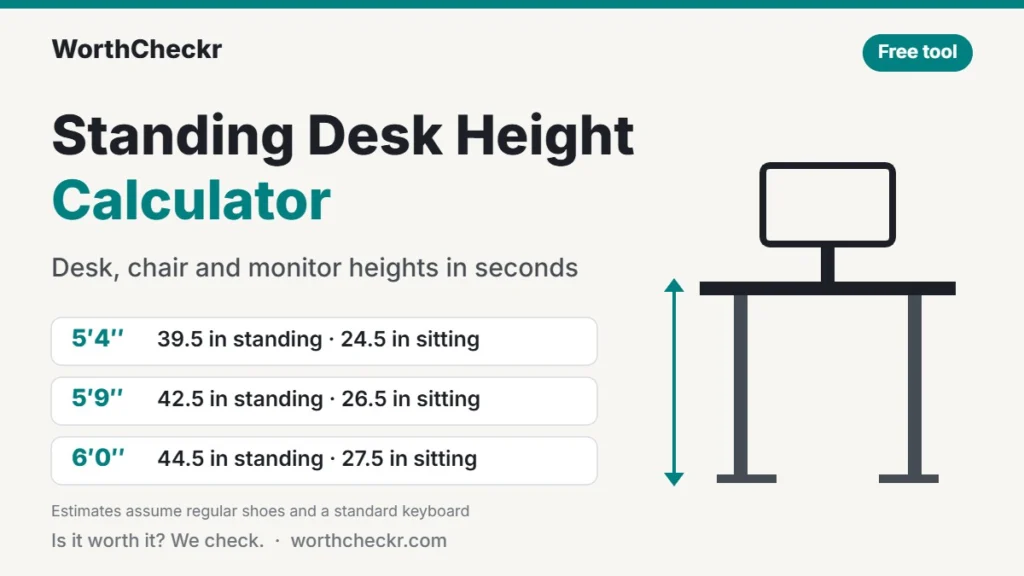
This standing desk height calculator gives you the right desk height for your body in seconds, for both standing and sitting. Enter your height and footwear, and it also works out your chair seat height, where the top of your monitor should sit, and the height range to look for when you choose a standing desk.
Unlike most calculators, it shows its method: every number comes from published U.S. body-proportion data and ergonomics guidance, linked in the sources below.
Standing desk height calculator
Enter your height to get your ideal standing desk, sitting desk, chair and monitor heights.
I measured my elbow height (more accurate)
Floor to the underside of your elbow, standing in your shoes, arms relaxed.
Floor to the underside of your elbow, sitting with thighs level and feet flat.
Estimates use median U.S. body proportions (ANSUR II) and assume a keyboard about 1 in (2.5 cm) tall. Bodies vary, so fine-tune by up to an inch until your elbows rest at about 90° with relaxed shoulders. General guidance, not medical advice.
On this page
Standing desk height chart by height
Find your height for a quick answer. The chart assumes regular shoes or sneakers (about 1 inch) and a standard keyboard. Barefoot, subtract about 1 inch (2.5 cm) from every column.
| Your height | Standing desk height | Sitting desk height | Chair seat height |
|---|---|---|---|
| 4′10″ (147 cm) | 36 in (91 cm) | 22 in (56 cm) | 15 in (38 cm) |
| 4′11″ (150 cm) | 36.5 in (92 cm) | 22.5 in (57 cm) | 15 in (39 cm) |
| 5′0″ (152 cm) | 37 in (94 cm) | 23 in (58 cm) | 15.5 in (39 cm) |
| 5′1″ (155 cm) | 37.5 in (96 cm) | 23.5 in (59 cm) | 15.5 in (40 cm) |
| 5′2″ (157 cm) | 38 in (97 cm) | 24 in (60 cm) | 16 in (41 cm) |
| 5′3″ (160 cm) | 39 in (99 cm) | 24 in (61 cm) | 16 in (41 cm) |
| 5′4″ (163 cm) | 39.5 in (100 cm) | 24.5 in (62 cm) | 16.5 in (42 cm) |
| 5′5″ (165 cm) | 40 in (102 cm) | 25 in (63 cm) | 16.5 in (42 cm) |
| 5′6″ (168 cm) | 40.5 in (103 cm) | 25.5 in (64 cm) | 17 in (43 cm) |
| 5′7″ (170 cm) | 41.5 in (105 cm) | 25.5 in (65 cm) | 17 in (44 cm) |
| 5′8″ (173 cm) | 42 in (107 cm) | 26 in (66 cm) | 17.5 in (44 cm) |
| 5′9″ (175 cm) | 42.5 in (108 cm) | 26.5 in (67 cm) | 17.5 in (45 cm) |
| 5′10″ (178 cm) | 43 in (110 cm) | 27 in (68 cm) | 18 in (45 cm) |
| 5′11″ (180 cm) | 44 in (111 cm) | 27 in (69 cm) | 18 in (46 cm) |
| 6′0″ (183 cm) | 44.5 in (113 cm) | 27.5 in (70 cm) | 18.5 in (47 cm) |
| 6′1″ (185 cm) | 45 in (114 cm) | 28 in (71 cm) | 18.5 in (47 cm) |
| 6′2″ (188 cm) | 45.5 in (116 cm) | 28.5 in (72 cm) | 19 in (48 cm) |
| 6′3″ (191 cm) | 46.5 in (117 cm) | 28.5 in (73 cm) | 19 in (49 cm) |
| 6′4″ (193 cm) | 47 in (119 cm) | 29 in (74 cm) | 19.5 in (49 cm) |
| 6′5″ (196 cm) | 47.5 in (121 cm) | 29.5 in (75 cm) | 19.5 in (50 cm) |
| 6′6″ (198 cm) | 48 in (122 cm) | 30 in (76 cm) | 20 in (50 cm) |
| 6′7″ (201 cm) | 48.5 in (124 cm) | 30.5 in (77 cm) | 20 in (51 cm) |
How the standing desk height calculator works
The goal is the posture ergonomics programs recommend: shoulders relaxed, upper arms hanging by your sides, elbows bent at about 90° or slightly more open, and wrists straight. Your hands should land on the keys at elbow height.
To estimate those heights from your stature, the calculator uses median body proportions from ANSUR II, the U.S. Army’s 2012 anthropometric survey, as summarized by NC State University’s Ergonomics Center. Averaging the male and female medians gives these ratios:
| Body measurement | Share of total height | Used for |
|---|---|---|
| Standing elbow height | 61.7% | Standing desk height |
| Standing eye height | 93.4% | Monitor height, standing |
| Popliteal height (floor to back of knee, seated) | 24.2% | Chair seat height |
| Seated elbow height above the seat | 14.2% | Sitting desk height |
| Seated eye height above the seat | 45.9% | Monitor height, sitting |
Then it makes three practical adjustments:
- Footwear. The survey measured people barefoot, so the calculator adds your shoe height to every result.
- Keyboard. It subtracts about 1 inch (2.5 cm) from elbow height so your hands, not the desk surface, sit at elbow level.
- Chair first. For sitting, it sets the seat so your thighs are level, then adds seated elbow height to find the desk.
Body proportions vary from person to person, especially leg and torso length. Treat the result as a starting point and adjust by up to an inch, or measure your elbow height for a personal answer.
How to measure your elbow height
A tape measure and two minutes give you a more accurate result than any formula. Enter the numbers under “I measured my elbow height” in the calculator.
- Put on the shoes you usually wear at your desk.
- Stand straight with your shoulders relaxed and let your arms hang by your sides.
- Bend your elbows to about 90°, keeping your forearms level and wrists straight.
- Have someone measure from the floor to the underside of your elbow. That is your standing elbow height.
- Sit with your thighs level and feet flat, repeat steps 2 to 4, and measure again for your sitting elbow height.
- Set the desk to the result, type for a few minutes, and adjust by half an inch until your shoulders stay relaxed.
Monitor height and distance
Place the top of your screen at about eye level, so your eyes look slightly down toward the middle of the display. UCSF’s ergonomics guidance puts the screen 18 to 30 inches (45 to 75 cm) away, and the U.S. Office of Congressional Workplace Rights suggests about an arm’s length with a small 10 to 20° tilt to cut glare.
The calculator gives the height of the screen’s top from the floor and from the desk surface. The second number is the one you need when setting a monitor arm. Bigger screens push the top edge higher, which is one reason our guide to 27 vs 32 inch monitors for work looks at desk depth and viewing distance. If you wear bifocals or progressive lenses, set the screen lower.
Check a desk’s height range before you buy
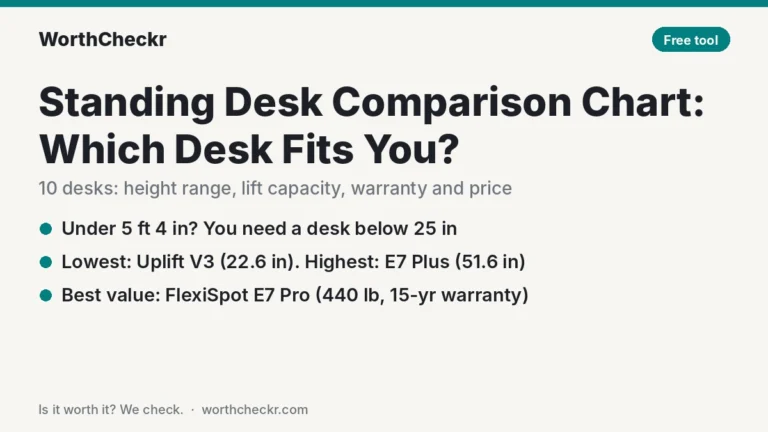
The calculator’s “desk range to look for” tells you how low and how high a sit-stand desk needs to go for you. Compare it with a desk’s listed minimum and maximum height before ordering, and remember that listed heights usually measure to the frame, while a thick desktop adds about an inch. To compare popular desks against your numbers, use our standing desk comparison chart.
- Shorter users should check the minimum height first; many desks bottom out near 25 inches.
- Taller users need a high maximum, which usually means a three-stage frame. Our single vs dual motor standing desk guide explains why stability matters at full height.
- For picks that cover most body sizes, see the best standing desks under $500 and the best standing desks for dual monitors.
Standing desk height calculator FAQ
How high should a standing desk be for my height?
For most people, the desk surface should sit about 1 inch below standing elbow height, so your hands rest on the keyboard with elbows bent at about 90°. At 5′9″ in sneakers that is roughly 42.5 inches; the chart above lists every height from 4′10″ to 6′7″.
Should a standing desk be at elbow height?
Your hands should be at elbow height, which puts the desk surface slightly lower because the keyboard adds about an inch. Ergonomics guidance from UCSF and the U.S. Office of Congressional Workplace Rights both describe relaxed shoulders, elbows at 90° or a little more open, and straight wrists.
How high should my monitor be on a standing desk?
Set the top of the screen at about eye level, so you look slightly down at the middle of the screen, and keep it 18 to 30 inches away. If you wear bifocals or progressive lenses, set it a little lower so you don’t tip your head back.
What height should a sitting desk be?
Set your chair first so your thighs are level and your feet are flat, then bring the desk to just below your seated elbow height. For a 5′9″ person in shoes that is about a 17.5-inch seat and a 26.5-inch desk.
Why is my result different from other standing desk height charts?
Many charts skip shoes and keyboard height or don’t say where their numbers come from. This calculator adds your footwear, subtracts about an inch for the keyboard, and uses published U.S. body-proportion data, so it can differ by an inch or so. If you measure your own elbow height, the result is more accurate than any chart.
What if my desk can’t go low enough when I sit?
Raise your chair until your elbows line up with the desk, then add a footrest so your feet stay supported. A keyboard tray is another fix. Shorter users should check a desk’s minimum height before buying, because many fixed and budget sit-stand desks don’t go below about 25 inches.
Sources: NC State Ergonomics Center, Anthropometry Summary Table (ANSUR II data) · University of California, Work Surface and Monitor Heights · Office of Congressional Workplace Rights, Office Ergonomic Guidance