WorthCheckr quick answer: a dual-motor desk with a 15-year warranty
The safest standing desk choice for most home offices.
✓ Handles monitors, arms and a dock without strain, and should last as long as your job does.
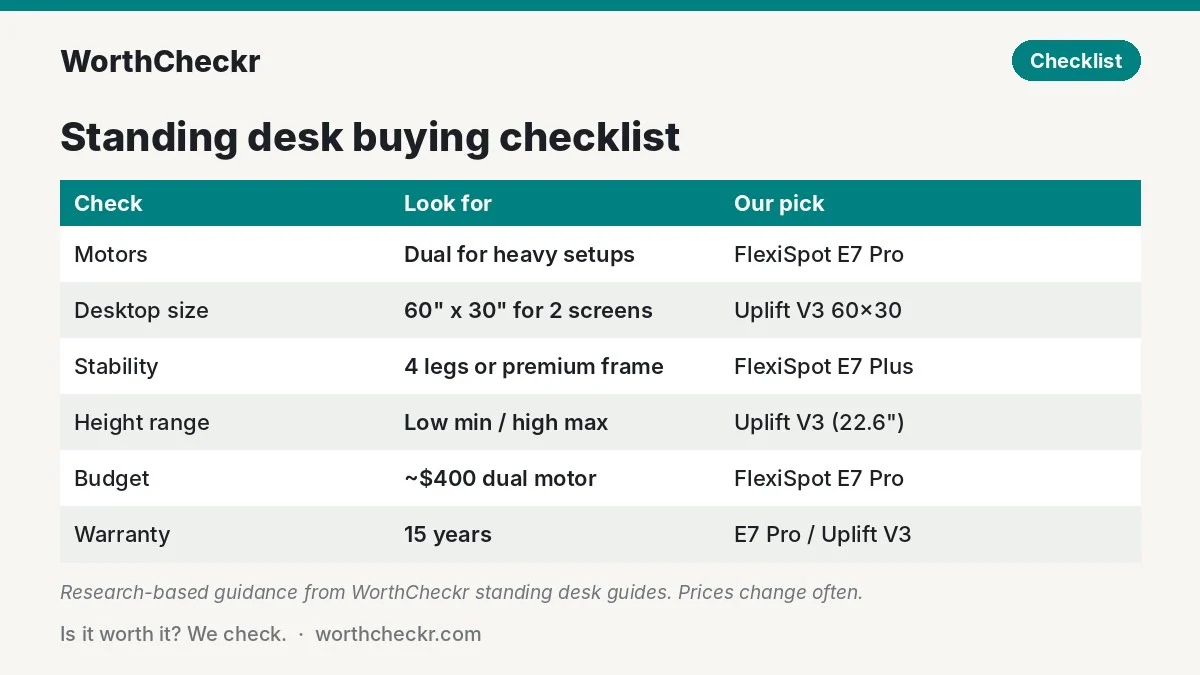
- Motors: dual motor if you run two monitors, a monitor arm or a top wider than about 50 inches.
- Size: 60″ x 30″ fits two 27-inch screens plus a laptop.
- Stability: a four-leg or premium frame if any wobble at standing height bothers you.
- Budget: a strong dual-motor desk now costs around $400; under $200 still gets a decent single-motor frame.
Our overall pick for most people: FlexiSpot E7 Pro. For the steadiest frame and most size options: Uplift V3.
Last updated October 27, 2026 · Research-based analysis by Abid Shehzad, WorthCheckr
Learning how to choose a standing desk is mostly about avoiding the wobbly, underpowered frames that crowd the budget end of the market. A good sit-stand desk for a home office needs enough motor power for your setup, a top big enough for your screens, a height range that fits your body, and a warranty long enough to cover a motor failure years from now.
This buying guide covers each decision step by step and links to our deeper comparisons and buying guides. All WorthCheckr verdicts are research-based: we compare official specs, expert reviews from outlets like TechRadar and Tom’s Guide, and owner feedback on Reddit, rather than testing desks in person.
In this guide
- How to choose a standing desk: the quick answer
- Step 1: Single vs dual motor
- Step 2: Choose a desktop size for your setup
- Step 3: Check stability and weight capacity
- Step 4: Make sure the height range fits you
- Step 5: Set a budget and check the warranty
- Our standing desk picks at a glance
- Every WorthCheckr standing desk guide and comparison
- How to choose a standing desk FAQ
- Bottom line
How to choose a standing desk: the quick answer
- Best for most home offices: FlexiSpot E7 Pro. Dual motors, 440 lb lifting rating, 25″–50.6″ height range, 15-year warranty, often around $399.99.
- Steadiest frame and most sizes: Uplift V3. 355 lb capacity, widths from 42″ to 80″, a low 22.6″ minimum height and a 15-year warranty.
- Two monitors on arms: Uplift V3 at 60″ x 30″, with the FlexiSpot E7 Pro as the value pick.
- Small room: Uplift V3 Essential ($469 with a 46″ x 24″ top).
- Under $200: FlexiSpot EN1 (often about $110).
Step 1: Single vs dual motor
The motor count is the first thing to settle. In our single vs dual motor standing desk guide, the answer for most home offices was dual motor if you can afford it.
- Dual motor frames usually carry far more weight than budget single-motor ones, lift faster, often have 3-stage legs for a wider height range, and support wider desktops.
- A single motor desk is fine if you work on a laptop or one light monitor, use a top under about 50 inches wide, and want to keep costs down.
- Motor quality still matters more than motor count. Check the lifting capacity and lift speed on the spec sheet, not just “dual motor” on the box.
Step 2: Choose a desktop size for your setup
Size your desk around your screens. A 60″ x 30″ top fits two 27-inch monitors with room for a laptop, which is why it’s the size we recommend in our best standing desk for dual monitors guide. Running three screens? An L-shaped desk like the Uplift V3 L-shaped gives you the room.
Depth matters too. If you plan to use a 32-inch monitor, aim for a desk at least 30 inches deep so the screen isn’t too close to your eyes; our 27 vs 32 inch monitor guide explains why. For small rooms, a compact frame such as the Uplift V3 Essential (46″ x 24″) keeps the footprint down.
Step 3: Check stability and weight capacity
Wobble at standing height is the most common complaint about cheap desks, and it gets worse the taller you raise the desk and the heavier your setup.
- Two-leg vs four-leg. In our FlexiSpot E7 Plus vs E7 Pro comparison, the four-leg E7 Plus is the pick if any wobble at standing height drives you mad, you’re tall, or you carry a big multi-monitor setup. The E7 Pro is the better value for most people and its rear-set legs leave more knee room.
- Frame quality. In Uplift V3 vs FlexiSpot E7 Pro, reviewers rated the Uplift the steadier frame at full height, while the FlexiSpot wins on price and its 440 lb rating.
- Weight capacity. Add up your monitors, arms, dock, PC and desktop. Leave headroom: the Uplift V3 carries 355 lb and the Secretlab Magnus Pro 265 lb, as we cover in Secretlab Magnus Pro vs Uplift V3.
Step 4: Make sure the height range fits you
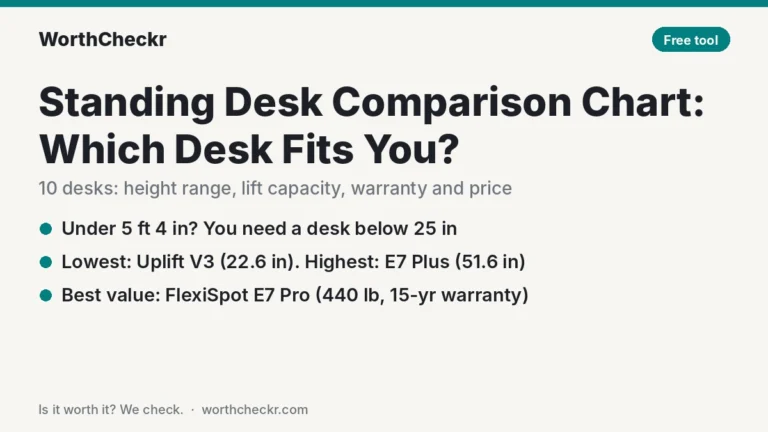
A standing desk is only ergonomic if it reaches your elbow height both sitting and standing. Shorter users should look for a low minimum height; taller users need a high maximum. Our standing desk comparison chart checks popular desks against your height for you.
Not sure what range you need? Our standing desk height calculator works out your ideal sitting and standing desk heights from your height, plus the minimum and maximum to look for.
- Shorter users: the Uplift V3 goes down to a low 22.6″.
- Taller users: the FlexiSpot E7 Pro reaches 50.6″.
- Check what the range includes. Brands differ on whether the listed height range includes the desktop, so check the spec sheet before you compare.
Pair the desk with a chair that adjusts to match. Our best office chairs under $500 guide covers seat depth and height options.
Step 5: Set a budget and check the warranty
You no longer need $800 for a good standing desk. As our best standing desk under $500 guide shows, the FlexiSpot E7 Pro often sells for about $399.99, and decent budget desks like the FlexiSpot EN1 start near $110.
The warranty is your best quality signal. The FlexiSpot E7 Pro and Uplift V3 both carry 15-year warranties, while Secretlab’s Magnus Pro has 5 years. A long warranty on the motors and electronics matters most, since that’s what fails first.
Our standing desk picks at a glance
| If you… | Our pick | Read the full guide |
|---|---|---|
| Want the best value dual-motor desk | FlexiSpot E7 Pro | Best standing desk under $500 |
| Want the steadiest frame and most sizes | Uplift V3 | Uplift V3 vs FlexiSpot E7 Pro |
| Run two monitors on arms | Uplift V3 (60″ x 30″) | Best desk for dual monitors |
| Hate any wobble | FlexiSpot E7 Plus | E7 Plus vs E7 Pro |
| Want hidden cables and built-in power | Secretlab Magnus Pro | Magnus Pro vs Uplift V3 |
| Spend under $200 | FlexiSpot EN1 | Best standing desk under $500 |
Prices change often; check current prices before you buy.
Every WorthCheckr standing desk guide and comparison
Buying guides and explainers
- Standing desk comparison chart: 10 desks side by side, with a filter that shows which ones fit your height, budget and setup weight.
- Best standing desk under $500: our top budget picks, from about $100 to $500.
- Best standing desk for dual monitors: six picks for two-screen setups.
- Single vs dual motor standing desk: which one you actually need.
- Standing desk height calculator: your ideal desk, chair and monitor heights in seconds.
- How to fix standing desk wobble: a 5-minute test and nine fixes, cheapest first.
- Standing desk converter vs standing desk: when a desk riser beats replacing your whole desk, with cost-per-pound math.
Head-to-head comparisons
- Uplift V3 vs FlexiSpot E7 Pro: the two most popular desks compared.
- FlexiSpot E7 Plus vs E7 Pro: four legs or two?
- FlexiSpot E5 vs E7: is the step up from FlexiSpot’s cheapest dual motor desk worth it?
- Secretlab Magnus Pro vs Uplift V3: cable management vs value.
- Vari vs Uplift V3: forearm-friendly ComfortEdge or the higher-capacity dual-motor frame?
- Uplift V2 vs V3: what changed in the new frame, and when a used V2 is still worth buying.
- Autonomous Desk Core vs Pro: is the $150 step up from a single-motor to a dual-motor Autonomous desk worth it?
Browse everything in our Standing Desks category. Choosing a screen for your new desk? Read our guide to choosing a monitor for working from home.
How to choose a standing desk FAQ
Is a dual motor standing desk worth it?
For most home offices, yes. Dual motor desks usually carry more weight, lift faster, offer wider height ranges and support bigger desktops. A single motor desk is fine for a laptop or one light monitor on a top under about 50 inches wide.
What size standing desk do I need for two monitors?
A 60″ x 30″ desktop fits two 27-inch monitors with room for a laptop. Go wider, or choose an L-shaped desk, for three screens or two larger monitors.
How much should I spend on a standing desk?
Around $400 gets a strong dual-motor desk with a long warranty, such as the FlexiSpot E7 Pro on sale. Under $200, the FlexiSpot EN1 is a safe single-motor pick for light setups. Spending more mainly buys extra stability, sizes and accessories.
How do I stop a standing desk from wobbling?
Choose a frame known for stability, such as a four-leg desk or the Uplift V3, keep the setup within the weight rating with headroom to spare, and avoid running the desk at the very top of its height range if you can.
What height range should a standing desk have?
It should reach your seated and standing elbow height. Shorter users should look for a low minimum like the Uplift V3’s 22.6″; taller users need a high maximum such as the FlexiSpot E7 Pro’s 50.6″. Check whether the listed range includes the desktop.
How long should a standing desk warranty be?
Look for long coverage on the frame, motors and electronics. The best-value desks we’ve covered, the FlexiSpot E7 Pro and Uplift V3, both come with 15-year warranties.
Bottom line
The simplest way to work out how to choose a standing desk is to start from your setup: count your monitors and arms, measure your room, and check your height. Then pick a dual-motor frame with enough capacity and a long warranty. For most home offices that’s the FlexiSpot E7 Pro; if stability and size options matter most, it’s the Uplift V3. Use the comparisons above to settle the details. We’ll keep this guide updated as we publish new standing desk guides.
Sources: WorthCheckr’s own research-based standing desk guides linked above, which cite TechRadar · Tom’s Guide · RedditRecs · Uplift Desk · FlexiSpot