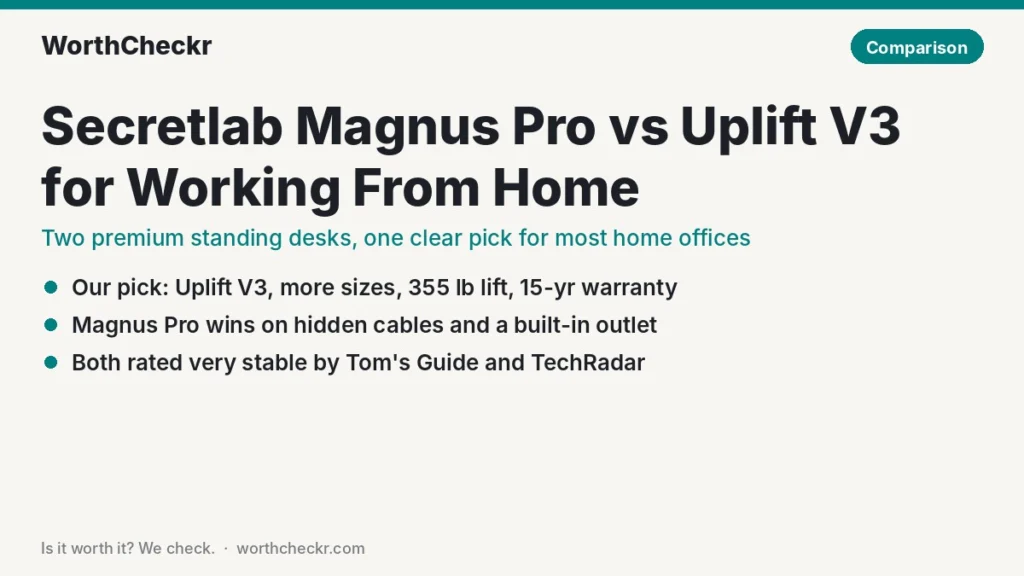
WorthCheckr pick: Uplift V3
Our Secretlab Magnus Pro vs Uplift V3 call for most home offices.
✓ Worth it for remote workers who want a rock-steady dual-motor desk in the exact size their room needs, at a lower price.
- Starts at $599 versus $799, and a similar-size build usually costs less.
- Carries 355 lb versus 265 lb, so heavy monitor-arm setups have more headroom.
- A 15-year warranty against Secretlab’s 5 years.
- Widths from 42″ to 80″ and a lower 22.6″ minimum height suit more rooms and more bodies.
Pick the Magnus Pro instead if hidden cables, a built-in power outlet and magnetic accessories matter more to you than price or size options.
Last updated October 25, 2026 · Research-based analysis by Abid Shehzad, WorthCheckr
The Secretlab Magnus Pro vs Uplift V3 question keeps coming up for a simple reason: they’re two of the most praised premium standing desks you can buy right now, and they take very different routes to a tidy home office. Secretlab built an all-steel desk around cable hiding and magnetic add-ons. Uplift rebuilt its best-selling frame in late 2025 to fix wobble and make setup easier, then gave you dozens of tops to pick from.
TechRadar’s October 2026 standing desk guide still names the Magnus Pro its best desk for gamers, and Tom’s Guide gave both desks an Editor’s Choice badge. So which belongs in a work-from-home setup? We pulled together findings from Tom’s Guide, TechRadar, Cult of Mac, MobileSyrup, GGRecon and WePC, checked the specs against Secretlab’s and Uplift’s own pages, and looked at owner feedback. WorthCheckr hasn’t tested either desk in person; this comparison is research-based.
Still deciding what kind of desk you need? Our standing desk buying guide walks through motors, size, stability and budget, and links every WorthCheckr desk comparison.
In this comparison
- Secretlab Magnus Pro vs Uplift V3: the quick answer
- Magnus Pro vs Uplift V3 specs side by side
- Reviewer scorecard: who wins each round
- Where reviewers agree
- Where they differ: cable management and power
- Where they differ: desk sizes, height range and your room
- Where they differ: price, warranty and long-term value
- What buyers and owners are saying
- Our take: why the Uplift V3 gets the edge
- Which standing desk should you buy for working from home?
- Accessories for either desk
- Secretlab Magnus Pro vs Uplift V3 FAQ
- Verdict
Secretlab Magnus Pro vs Uplift V3: the quick answer
Both desks are sturdy, dual-motor and well reviewed. The choice comes down to whether you value a spotless, cable-free look or flexibility and value.
Choose the Uplift V3 if…
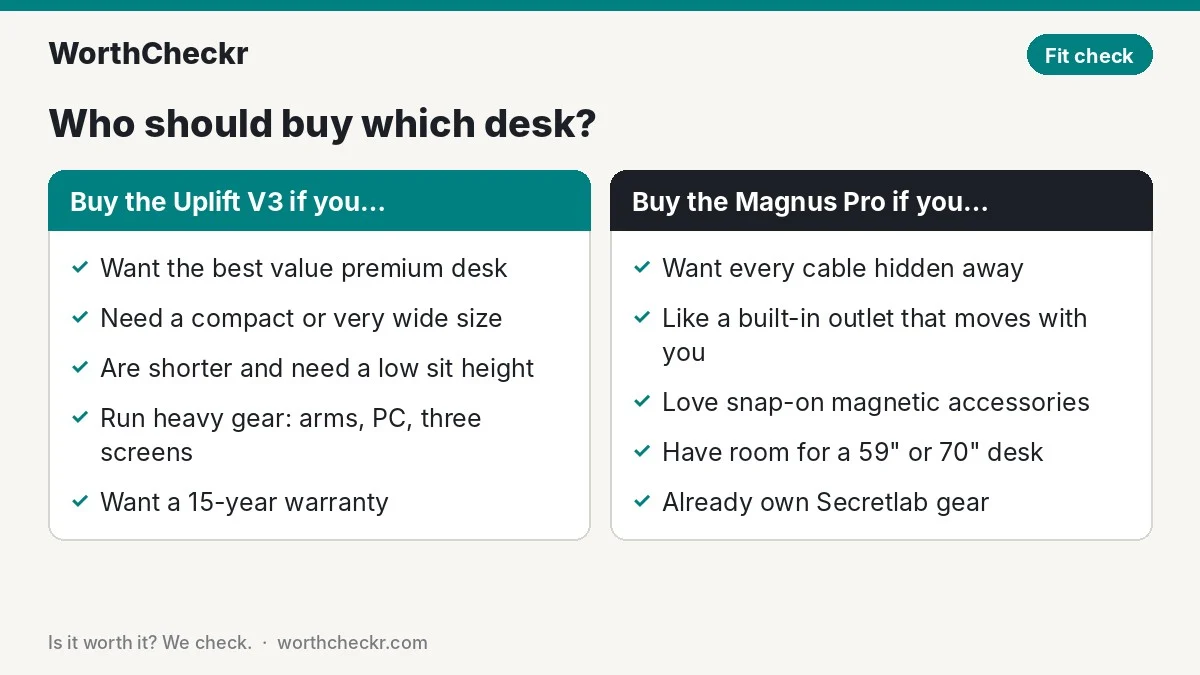
- You want the best desk for the money in the premium bracket.
- Your room needs a specific size: something compact (42″ or 48″ wide), a shallow 24″ depth, or a big 72″–80″ top.
- You’re on the shorter side and need the desk to drop low for seated typing.
- You pile on gear: several screens on arms, a tower PC, speakers and a dock.
- You want a long warranty, since a desk should last a decade.
Choose the Secretlab Magnus Pro if…
- Cable clutter drives you mad and you want everything hidden in one built-in tray.
- You’d like a power outlet built into the desk that moves with it.
- You love the idea of magnetic accessories that snap on without screws.
- You have room for a large desk (about 59″ or 70″ wide) and a matching budget.
Check Uplift V3 price → Check Secretlab Magnus Pro price →
Magnus Pro vs Uplift V3 specs side by side
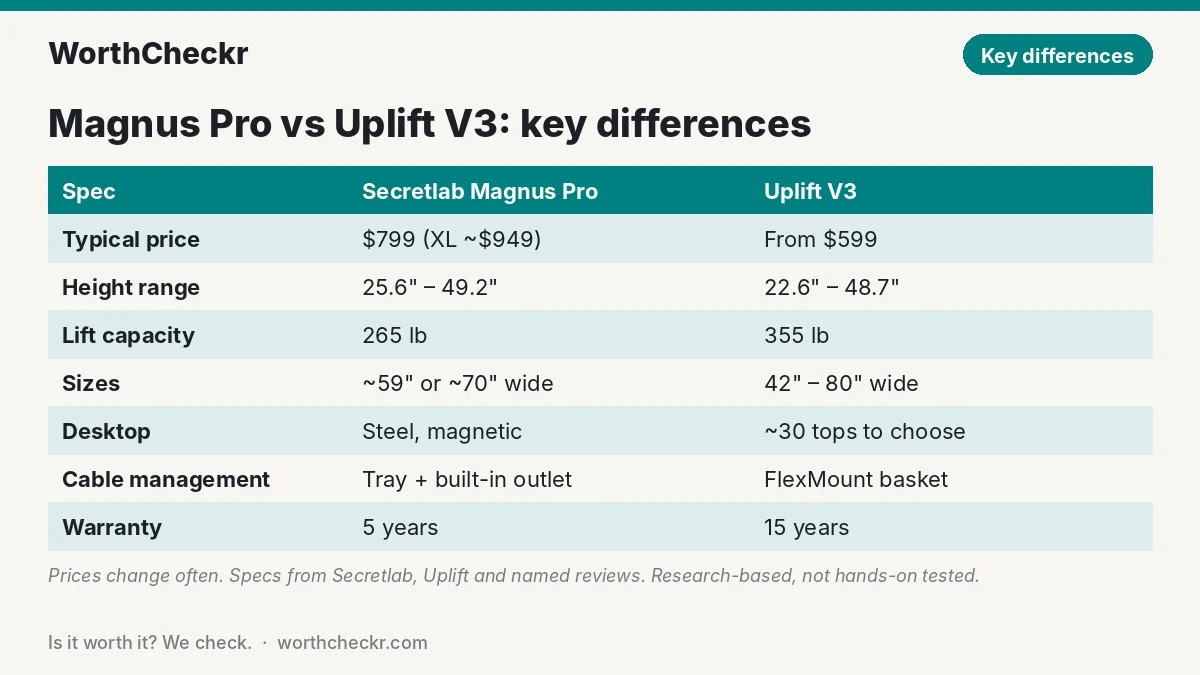
Specs come from Secretlab and Uplift where they publish them, with gaps filled from named reviews. Prices change often, so treat them as typical rather than fixed.
| Spec | Secretlab Magnus Pro | Uplift V3 |
|---|---|---|
| Typical price | $799 (standard); about $949 (XL) | From $599 at Uplift; roughly $700–$1,000+ with bigger or premium tops |
| Motors | Dual | Dual |
| Height range | 25.6″–49.2″ | 22.6″–48.7″ (with a 1″ top) |
| Lift capacity | 265 lb | 355 lb |
| Desktop sizes | 59.1″ x 27.6″ (standard); about 70″ x 31.5″ (XL) | 42″ to 80″ wide; 24″ or 30″ deep |
| Desktop surface | Steel (magnetic) | About 30 options: laminate, bamboo, solid wood and more |
| Frame colors | Black on reviewed units | Four frame colors |
| Memory presets | 3 | 2–4, depending on keypad |
| Lift speed | About 1.2″/sec (30 mm/s, per WePC) | About 2″/sec (Uplift) |
| Noise | Under 50 dB (spec listed by WePC) | Under 48 dB (Uplift claim); 54 dB peak measured by Tom’s Guide |
| Cable management | Full-length tray with hinged cover; power column with AC outlet in left leg | FlexMount cable manager included; grommets |
| Desk weight | About 125 lb (standard), 150 lb (XL) | Varies by top; reviewers call it heavy |
| Warranty | 5 years | 15 years |
Reviewer scorecard: who wins each round
| Category | Winner | What reviewers said |
|---|---|---|
| Stability | Tie | Tom’s Guide found the Magnus Pro didn’t sway at full height; GGRecon called it possibly the sturdiest desk it had seen. Tom’s Guide and TechRadar both rate the V3 frame as extremely steady, and steadier than the V2. |
| Cable management | Magnus Pro | MobileSyrup’s Jonathan Lamont named the outlet-equipped rear tray the desk’s best feature. TechRadar liked the V3’s included FlexMount manager but said its look could be better. |
| Size options | Uplift V3 | Tom’s Guide’s main complaint about the Magnus Pro is that it only comes in large and extra-large. The V3 spans 42″ to 80″. |
| Height range | Uplift V3 | The V3 drops three inches lower, which matters for shorter users; the Magnus Pro tops out half an inch higher. |
| Load capacity | Uplift V3 | 355 lb versus 265 lb on paper. |
| Accessories | Magnus Pro | Reviewers love the snap-on magnetic add-ons, though Tom’s Guide called them pricey. Uplift’s range is bigger but more conventional. |
| Assembly | Uplift V3 | Tom’s Guide built the V3 in under 30 minutes thanks to pre-assembled parts. GGRecon took about an hour on the Magnus Pro, and MobileSyrup needed a second pair of hands. |
| Value and warranty | Uplift V3 | Lower starting price and three times the warranty length. |
| Buyer sentiment | Tie | The Magnus Pro shows a 4.9/5 average from over 5,000 reviews on Secretlab’s store; Uplift desks are consistently described as “rock solid” in Reddit threads. |
| Overall | Uplift V3 | Wins more rounds that matter for a home office, at a lower price. |
Where reviewers agree
On the basics, the two desks are closer than the price gap suggests.
- Both are very stable. No major reviewer flagged real wobble on either. Cult of Mac’s David Snow noticed only a slight tremor on the V3 at full height and called it minor.
- Both are heavy. Expect a two-person job to move them, and a helper for at least part of the build.
- Both get expensive fast. TechRadar’s Collin Probst found a fully customized V3 could top $2,000, while MobileSyrup says a kitted-out Magnus Pro can double its base price in Canada.
- Both suit long workdays. Dual motors, memory presets and anti-collision features are standard on each.
If you’re still deciding whether dual motors matter for your setup, our single vs dual motor standing desk explainer walks through it.
Where they differ: cable management and power
This is the Magnus Pro’s whole reason to exist, and it delivers. A tray runs the full width of the desk’s back edge and closes with a hinged lid, so power strips, chargers and spare cable disappear. Power runs up through the left leg into a built-in socket, which means one cord reaches the wall and nothing gets tugged as the desk rises.
The steel surface adds a second trick: Secretlab’s cable anchors, headphone hook, desk mat and monitor arm all attach magnetically. TechRadar’s Collin Probst called the cable setup a standout, and Tom’s Guide’s Anthony Spadafora said it suits anyone who prizes a tidy desk above all.
There are trade-offs. The power column only sits in the left leg. You can’t screw third-party accessories into a metal top. And reviewers, plus a write-up from rival desk maker Autonomous, point out that a bare steel surface feels cold and hard, so a desk mat becomes close to essential for typing comfort.
The Uplift V3 takes a more traditional route. Its FlexMount cable manager is a flexible basket that now comes in the box, and Tom’s Guide noted it has five mounting spots and four height settings that work around monitor arms and power bricks. It’s a clear step up from the V2’s plastic tray, but it won’t give you the sealed, nothing-visible look of the Magnus Pro.
Where they differ: desk sizes, height range and your room
For most home offices, this is the deciding round, and it favors the Uplift V3 by a wide margin.
Width and depth. The standard Magnus Pro is about 59″ wide and 27.6″ deep, and the XL grows to roughly 70″ x 31.5″. There’s no compact version. That’s fine in a dedicated office, but tight in a spare bedroom or living room corner. The V3 comes in widths from 42″ to 80″ and two depths, so you can match it to the wall you actually have.
Height. The V3’s 22.6″ minimum is unusually low and helps people under about 5′5″ get their elbows level when sitting. The Magnus Pro starts at 25.6″, which can leave shorter users with raised shoulders unless they add a keyboard tray. Taller users will find both top out near 49″, which by our estimate suits most people up to about 6′2″ when standing.
Monitors. If you run two screens, depth and width matter as much as lift. Our 27 vs 32 inch monitor guide explains why a 30″-deep desk is the comfortable minimum for a 32-inch screen, and our new best standing desk for dual monitors guide covers the widths you need for two displays.
Where they differ: price, warranty and long-term value
The Magnus Pro costs $799 in its standard size, and TechRadar’s October 2026 guide still lists it at that price. Accessories add up: Tom’s Guide lists the MagPad desk mat at $79, cable anchors at $25 and the monitor arm at $149.
Uplift lists the V3 from $599 with free accessories in its current promotion. A larger top or premium material pushes a typical build to roughly $700–$1,000, so the real gap depends on the configuration you choose. Even so, a V3 sized like the standard Magnus Pro usually lands noticeably cheaper.
The warranty is the bigger story. Uplift covers the V3 for 15 years; Secretlab covers the Magnus Pro for five. On something you’ll lean on every day for a decade, that difference is worth real money. Uplift also publishes stronger specs: 355 lb lift capacity, about 2″ per second and an ANSI/BIFMA-compliant height range.
If even the V3 is more than you want to spend, our best standing desk under $500 guide has strong cheaper options, and our Uplift V3 vs FlexiSpot E7 Pro comparison shows how the V3 stacks up against the top budget-premium rival.
What buyers and owners are saying
Secretlab Magnus Pro. Secretlab’s US store shows a 4.9 out of 5 average from more than 5,100 ratings, with owners praising sturdiness, the clean look, easy cable hiding and clear instructions. The rare complaints focus on delivery and customer support rather than the desk itself, plus the price. Keep in mind these are ratings on the brand’s own store. Independent reviewers echo the praise but add two practical notes: the steel top feels cold without a mat, and the MagPad mat can be fiddly to align because its magnets grab early (MobileSyrup).
Uplift V3. Reddit discussion of Uplift desks is consistently positive, with owners describing them as “rock solid” and still going strong after years of use. The most common complaint about the older V2, slight wobble at full height, is exactly what Uplift targeted with the V3’s new crossbar and feet. Owner feedback specific to the V3 is thinner because it’s only been on sale since late 2025, so we’ll watch for long-term reports.
Our take: why the Uplift V3 gets the edge
- It fits more homes. Most remote workers don’t have room for a 59″-plus desk. The V3’s range of widths and depths means you buy the desk your room can hold.
- It fits more bodies. A 22.6″ minimum height is a real ergonomic advantage for shorter users, and the top height is nearly identical.
- It carries more. A 90 lb higher lift rating gives more headroom for multiple monitors on arms, a desktop PC and a laptop dock.
- It’s better value. A lower starting price plus a 15-year warranty beats $799 plus five years for most buyers.
- Reviewers rate its stability just as highly. The Magnus Pro’s sturdiness is a strength, but the V3 matches it according to Tom’s Guide and TechRadar, so you don’t trade steadiness for savings.
The Magnus Pro still wins on cable hiding and built-in power, and if a clutter-free look is your top priority, it’s the one you’ll be happier with.
Which standing desk should you buy for working from home?
| If you… | Buy |
|---|---|
| Want the best value premium standing desk | Uplift V3 |
| Have a small room or need a 42″–48″ desk | Uplift V3 |
| Are under about 5′5″ | Uplift V3 |
| Run three monitors, arms and a desktop PC | Uplift V3 (or a V3 L-shaped) |
| Hate visible cables above all else | Secretlab Magnus Pro |
| Want a built-in outlet that moves with the desk | Secretlab Magnus Pro |
| Already use Secretlab gear and want a matched setup | Secretlab Magnus Pro |
| Need a wide, deep surface for a big gaming-and-work rig | Secretlab Magnus Pro XL |
Pairing the desk with a Secretlab chair? Our Secretlab Atlas vs Titan Evo comparison helps you choose the right seat.
Check Uplift V3 price → Check Secretlab Magnus Pro price →
Accessories for either desk
- A monitor arm. It frees up depth and lets you set screen height separately from the desk. Magnus owners can use Secretlab’s magnetic arm; on a V3, any clamp arm works.
- A desk mat. Close to essential on the Magnus Pro’s steel top; nice to have on any laminate surface.
- An anti-fatigue mat. A cushioned mat makes long standing stretches far more comfortable than bare flooring.
- A surge protector that mounts under the desk. Keeps the V3’s cable basket tidy and protects your gear.
- A keyboard tray. Worth considering on the Magnus Pro if you’re short, though note the metal top limits screw-in options.
Check monitor arm prices → Check anti-fatigue mat prices →
Secretlab Magnus Pro vs Uplift V3 FAQ
Is the Secretlab Magnus Pro worth it for working from home?
Yes, if you have room for a large desk and care most about hidden cables and a clean look. Its built-in outlet, full-length tray and magnetic accessories are genuinely useful. If you need a smaller desk, a lower sitting height or a longer warranty, the Uplift V3 is the better buy.
Is the Uplift V3 more stable than the Secretlab Magnus Pro?
Reviewers rate both as very stable. Tom’s Guide said the Magnus Pro didn’t sway at maximum height, and both Tom’s Guide and TechRadar called the V3 one of the steadiest frames they’ve tested. Neither has published independent wobble measurements, so we call it a tie.
Can you put two monitors on the Secretlab Magnus Pro?
Yes. At about 59″ wide, the standard Magnus Pro fits two 27-inch monitors comfortably, and its 265 lb lift rating covers a typical dual-monitor setup with arms. Two 32-inch screens are more comfortable on the roughly 70″ XL.
Does the Magnus Pro have a wood desktop?
No. The Magnus Pro uses a steel surface so magnetic accessories can attach. Reviewers note it feels cold and hard, so most owners add a desk mat. If you want wood or bamboo, the Uplift V3 offers about 30 desktop options.
How long is the warranty on the Uplift V3 vs the Magnus Pro?
The Uplift V3 has a 15-year warranty. The Secretlab Magnus Pro has a 5-year warranty.
Which is better for short people, the Magnus Pro or the Uplift V3?
The Uplift V3. It lowers to 22.6″ with a 1″ top, three inches lower than the Magnus Pro’s 25.6″ minimum, which helps shorter users keep their elbows at a comfortable angle while sitting.
Verdict
Winner: Uplift V3. In the Secretlab Magnus Pro vs Uplift V3 matchup, the V3 makes more sense for the majority of remote workers. It matches the Magnus Pro on stability, comes in far more sizes, lowers further, lifts more and carries a warranty three times as long, all for less money.
The Magnus Pro remains a superb desk for one kind of buyer: someone with a large room who wants every cable out of sight and loves the magnetic accessory system. For everyone else, the V3 is the desk to get. If Vari is your other shortlist pick, see our Vari vs Uplift V3 head-to-head. As V3 owners log more months of use, we’ll revisit this comparison and update it.
Browse more head-to-heads in our standing desk reviews and comparisons.
Check Uplift V3 price → Check Secretlab Magnus Pro price →
Sources: Tom’s Guide (Magnus Pro) · Tom’s Guide (Uplift V3) · TechRadar (Magnus Pro) · TechRadar (Uplift V3) · TechRadar best standing desks · Cult of Mac · MobileSyrup · GGRecon · WePC · Secretlab · Uplift Desk · GummySearch (Reddit reviews)