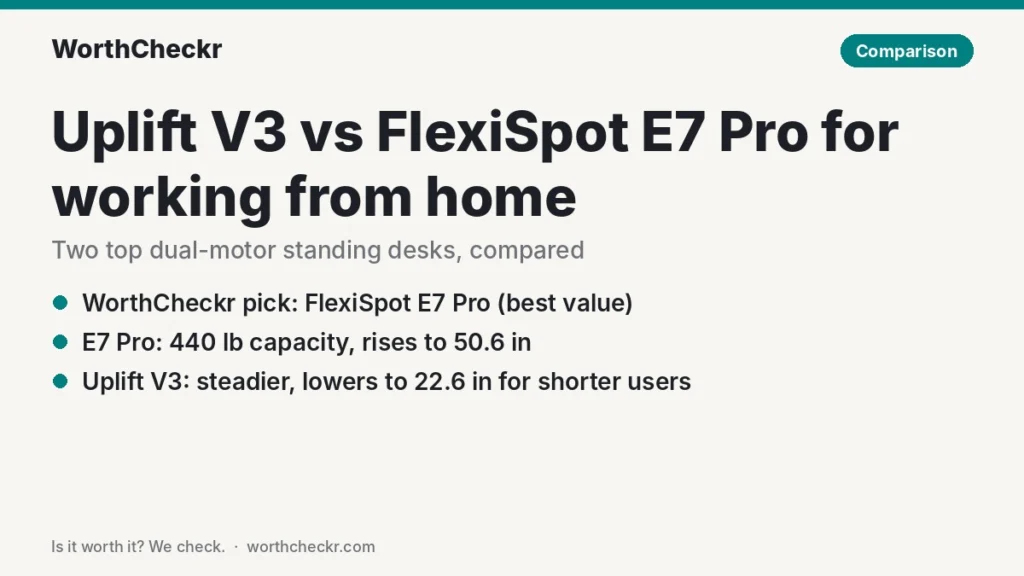
WorthCheckr pick: FlexiSpot E7 Pro
Our Uplift V3 vs FlexiSpot E7 Pro call for most home offices.
✓ Worth it for remote workers who want a sturdy, high-capacity sit-stand desk without paying premium-brand prices.
- It usually costs noticeably less than a comparable Uplift V3 build.
- Its 440 lb rating and 50.6-inch top height beat the Uplift on paper.
- Reddit owners rate it among the best-liked standing desks around.
- TechRadar currently names it the best standing desk overall.
Pick the Uplift V3 instead if you’re on the shorter side, want the steadiest frame at full height, or care about picking from dozens of desktops and add-ons.
Last updated October 21, 2026 · Research-based analysis by Abid Shehzad, WorthCheckr
Two standing desks keep coming up whenever remote workers ask what to buy: the Uplift V3, which replaced the long-running V2 in late 2025, and the FlexiSpot E7 Pro, which TechRadar moved to the top of its best standing desk list in its October 14, 2026 update. If you’re weighing Uplift V3 vs FlexiSpot E7 Pro for a home office, you’re choosing between the two most-recommended dual-motor desks of the year.
Both are excellent, so the right one comes down to your height, your budget and how much gear you’ll pile on top. We’ve gathered findings from TechRadar, Tom’s Guide, Cult of Mac, GamesRadar+, iMore, Creative Bloq and GameRevolution, checked the specs against Uplift’s and FlexiSpot’s own pages, and looked at what owners say on Reddit. WorthCheckr hasn’t tested either desk in person; this is a research-based comparison.
Still deciding what kind of desk you need? Our standing desk buying guide walks through motors, size, stability and budget, and links every WorthCheckr desk comparison.
In this comparison
- Uplift V3 vs FlexiSpot E7 Pro: the quick answer
- Uplift V3 vs FlexiSpot E7 Pro specs side by side
- Reviewer scorecard: who wins each round
- Where reviewers agree
- Where they differ: height range and your body
- Where they differ: stability at full height
- Where they differ: price, options and value
- What buyers and owners are saying
- Our take: why the E7 Pro gets the edge
- Which standing desk should you buy for working from home?
- Accessories for your standing desk setup
- Uplift V3 vs FlexiSpot E7 Pro FAQ
- Verdict
Uplift V3 vs FlexiSpot E7 Pro: the quick answer
Here is the Uplift V3 vs FlexiSpot E7 Pro decision in 30 seconds.
Choose the FlexiSpot E7 Pro if…
- You want the most desk for the money and are happy to buy during one of FlexiSpot’s frequent sales.
- You run a heavy setup: two or three monitors on arms, a desktop PC on top, speakers.
- You’re tall and need the desk to rise past 48 inches.
- You like extras in the box: a USB charging port on the keypad, a child lock and four memory presets.
Choose the Uplift V3 if…
- You’re shorter, or share the desk with someone who is, and need it to drop low for seated typing (down to 22.6 inches).
- Wobble at standing height bothers you more than price does.
- You want a specific look: Uplift offers around 30 desktop finishes, curved tops and lots of keypads.
- You want a desk that rises faster (2 inches per second, per Uplift).
Check FlexiSpot E7 Pro price → Check Uplift V3 price →
Uplift V3 vs FlexiSpot E7 Pro specs side by side
Specs below come from Uplift’s V3 frame spec sheet and product page, and from FlexiSpot’s E7 Pro product page and blog. Where a reviewer measured something different, we’ve noted it.
| Spec | Uplift V3 (2-leg) | FlexiSpot E7 Pro |
|---|---|---|
| Motors | Dual | Dual |
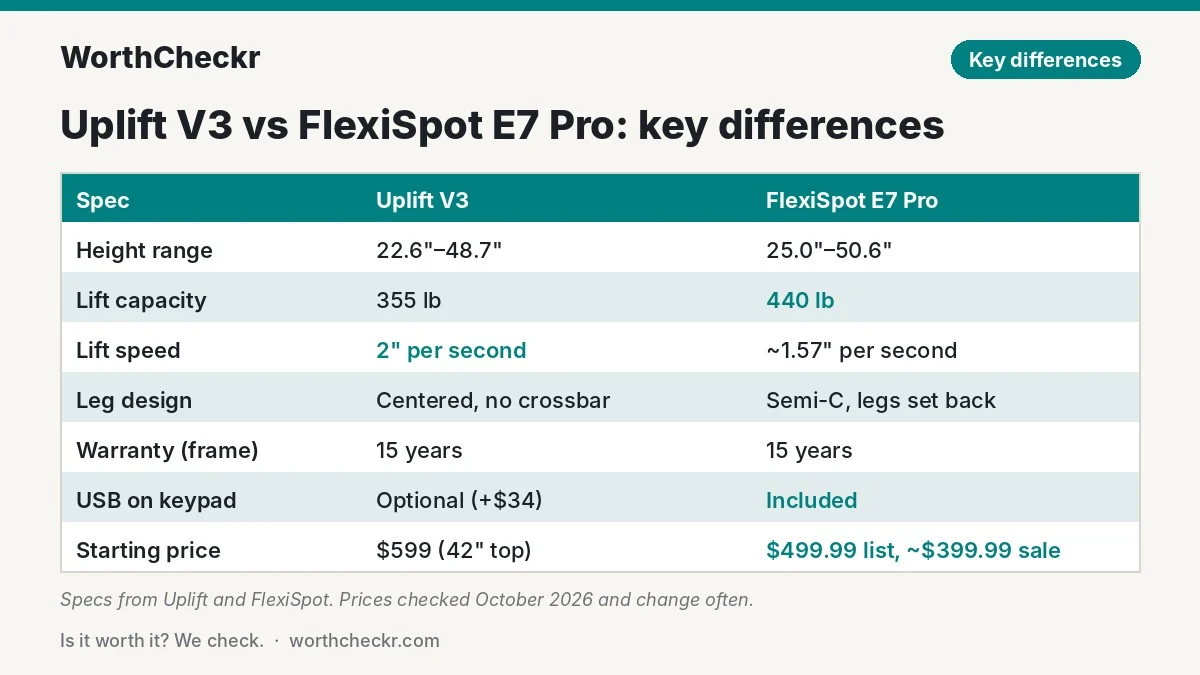
| Height range | 22.6″–48.7″ (with a 1″ top) | 25.0″–50.6″ |
| Lift capacity | 355 lb | 440 lb |
| Lift speed | 2″ per second | About 1.57″ per second |
| Noise | Under 48 dB claimed (Tom’s Guide measured a 54 dB peak) | Not rated in decibels by FlexiSpot |
| Leg design | Centered legs, central I-beam, no lower crossbar | Semi-C frame with legs set toward the back |
| Frame width | 41.3″–72.2″ | 43.3″–74.8″ |
| Desktop widths | 42″, 48″, 60″, 72″, 80″ | Tops from about 47″ to 80″ wide |
| Memory presets | 2–4, depending on keypad | 4 |
| USB charging | Optional USB keypad (+$34) | Built into the keypad |
| Safety | Anti-collision | Anti-collision, child lock |
| Certifications | UL listed, ANSI/BIFMA X5.5 | Not listed on the product page |
| Warranty | 15 years | 15 years on frame, motors and electronics; 2–5 years on desktops |
| Starting price | $599 (42″ x 30″ laminate, Uplift.com) | $499.99 list, often around $399.99 on sale |
Prices change often, especially for FlexiSpot, which runs promotions most months. Treat the figures above as a guide and check the current price before you buy.
Reviewer scorecard: who wins each round
We scored the Uplift V3 vs FlexiSpot E7 Pro matchup round by round, based on published reviews.
| Category | Winner | What reviewers said |
|---|---|---|
| Stability | Uplift V3 | TechRadar’s Collin Probst listed “best in class stability” as a top reason to buy. GameRevolution found the refreshed E7 Pro steadier than before but still saw some sway at full height. |
| Height range | Tie (depends on you) | The V3 goes about 2.4 inches lower; the E7 Pro goes about 1.9 inches higher. |
| Load capacity | FlexiSpot E7 Pro | GamesRadar+ called its 440 lb rating industry-leading. |
| Speed and noise | Uplift V3 | Cult of Mac found the V3 quieter than other desks it had used. Creative Bloq said the E7 Pro wasn’t the quietest it had tried. |
| Assembly | Uplift V3 | Tom’s Guide built the pre-assembled V3 frame in under 30 minutes. E7 Pro reviewers reported an hour to a couple of hours, ideally with two people. |
| Features in the box | FlexiSpot E7 Pro | iMore and GamesRadar+ liked the USB port, four presets and cable tray included as standard. |
| Customization | Uplift V3 | Every V3 reviewer highlighted the huge choice of tops, keypads and accessories. |
| Value | FlexiSpot E7 Pro | TechRadar rates the V3’s value 4/5; the E7 Pro regularly sells for $100–$200 less. |
| Buyer sentiment | FlexiSpot E7 Pro | RedditRecs tracks 93% positive mentions for the E7 Pro from 96 Reddit users. |
| Overall | FlexiSpot E7 Pro | Close call. The E7 Pro wins on value and capacity; the V3 wins on polish and stability. |
Where reviewers agree
Across reviews of the Uplift V3 vs FlexiSpot E7 Pro, a few points come up again and again.
- Both are built to last. Each has a steel frame, dual motors and a 15-year warranty on the parts that matter. Neither reviewer group reported sagging or motor trouble.
- Both are heavy. The E7 Pro weighs about 77 lb, and the larger V3 builds are just as hefty. Plan for two people on delivery day.
- Both handle a full work setup. Even the Uplift’s “lower” 355 lb rating is far more than a typical two-monitor home office needs.
- Cable management is decent but not perfect. TechRadar wished the V3’s FlexMount tray were metal or black; GamesRadar+ found the E7 Pro’s tray only just big enough for a busy desk.
- Memory presets and anti-collision work well on both. Reviewers found it easy to save sitting and standing heights and switch between them.
Where they differ: height range and your body
This is the difference most buyers miss, and for some people it decides the whole Uplift V3 vs FlexiSpot E7 Pro question.
The Uplift V3 drops to 22.6 inches with a 1-inch top, and Uplift says the frame fits over 95% of users under the ANSI/BIFMA ergonomic guideline. The FlexiSpot E7 Pro bottoms out at 25 inches. That 2.4-inch gap matters when you sit: your desk should be close to your elbow height so your shoulders can relax while you type.
A simple check: sit in your office chair at your normal height, let your arms hang, bend your elbows to 90 degrees and measure from the floor to the underside of your forearm. If that number is under 25 inches, the E7 Pro will sit too high for comfortable typing unless you add a keyboard tray. If it’s above 25 inches, the lower limit doesn’t matter to you.
At the other end, tall users benefit from the E7 Pro’s 50.6-inch maximum, about 1.9 inches more than the V3. Creative Bloq singled out the E7 Pro’s height range as a highlight. If you’re well over six feet and like your monitors high, that extra reach is useful.
Where they differ: stability at full height
Every two-leg desk sways a little when raised high and loaded with monitors. The question is how much, and how far you can reduce it: our standing desk wobble fix guide ranks nine fixes from free tweaks to a new frame.
Uplift redesigned the V3 frame around a central I-beam, steel plates over the motor housings and a new foot design, and claims roughly 30% less wobble than the V2 at full height (our Uplift V2 vs V3 comparison covers every change, plus when a used V2 still makes sense). Reviewers back that up. Tom’s Guide called the frame extremely stable even at maximum height, and Cult of Mac saw only a faint tremor in its monitors while typing.
The E7 Pro is also sturdy, but its legs sit toward the back of the desk. That gives you more knee and chair room up front, which many people like, but it puts more of the desktop out ahead of the legs. GameRevolution’s Mack Ashworth, reviewing the updated 2026 version, found stability had improved but noted some sway remains at the top of the range, and suggested a four-leg desk for anyone who’s very sensitive to it. If stability is your top concern, FlexiSpot’s four-leg sibling is worth a look; see our FlexiSpot E7 Plus vs E7 Pro comparison.
What it means for you: if you type hard at standing height with big monitors on arms, the Uplift is the safer bet. If you mostly stand for calls and reading, or use a single monitor, you’re unlikely to notice a difference.
Where they differ: price, options and value
Uplift’s site lists the V3 from $599 with a 42″ x 30″ laminate top, and bigger tops add $60 to $320. Upgraded keypads, a USB keypad, power grommets and premium finishes push the total up quickly. Tom’s Guide warned that the sheer number of options can overwhelm first-time buyers. To soften the price, Uplift bundles a FlexMount cable manager and several free accessories with each desk.
FlexiSpot lists the E7 Pro at $499.99, but TechRadar’s October 2026 roundup found it at $399.99, and sales at that level are common. The standard package already includes a USB port, child lock, four presets and a cable tray. Third-party retailers often charge more (Best Buy listed a 48-inch E7 Pro at $679.99), so buying direct from FlexiSpot during a sale usually gets the best deal.
Put simply, on price the Uplift V3 vs FlexiSpot E7 Pro gap is real: a basic E7 Pro gets you most of what a well-equipped V3 offers for around $100 to $200 less. The Uplift earns its premium mainly through finish options, faster lifting and slightly better stability. If you’re instead weighing the V3 against a pricier rival built around cable hiding, see our Secretlab Magnus Pro vs Uplift V3 comparison.
What buyers and owners are saying
On the Uplift V3 vs FlexiSpot E7 Pro question, both desks have strong reputations among owners, though data specific to the V3 is still limited because it’s about a year old.
- FlexiSpot E7 Pro: RedditRecs, which tallies recommendations across Reddit threads, ranks it as the top standing desk on Reddit, with 93% positive sentiment from 96 users. Owners praise its price and stability; the most common complaint is confusing assembly instructions, which iMore also flagged. Another recurring tip is to wait for a sale rather than pay list price.
- Uplift V3: RedditRecs doesn’t track the V3 separately yet, but the V2 it replaced scores 89% positive from 72 users and ranks first for long-term durability. Uplift owners on Reddit describe the desks as solid enough to carry triple-monitor setups and praise the company’s support for shipping damage. The main complaint is price, plus shipping costs on some orders.
- Retail reviews: Retailer feedback is still thin. Best Buy’s E7 Pro listing showed no customer reviews when we checked, so we’ve leaned on reviewer reports and Reddit for owner sentiment.
Our take: why the E7 Pro gets the edge
- Better value for the same core hardware. Both have dual motors, steel frames and 15-year warranties. The E7 Pro usually costs $100 to $200 less, and that money can go toward a monitor arm or a better chair.
- More headroom for heavy setups. A 440 lb rating means you’ll never think twice about adding a third monitor or a desktop tower.
- Better for tall users. The 50.6-inch maximum fits people who find most desks a bit short when standing.
- Owners like it the most. Its Reddit sentiment is the best of any desk RedditRecs tracks, and TechRadar now names it the best standing desk overall.
- More included out of the box. A USB port, child lock and four presets come as standard instead of as upgrades.
The Uplift V3 is the more refined desk, and if you can afford it and value stability and finish, you won’t regret it. But for most people working from home, the E7 Pro gives you more for less.
Which standing desk should you buy for working from home?
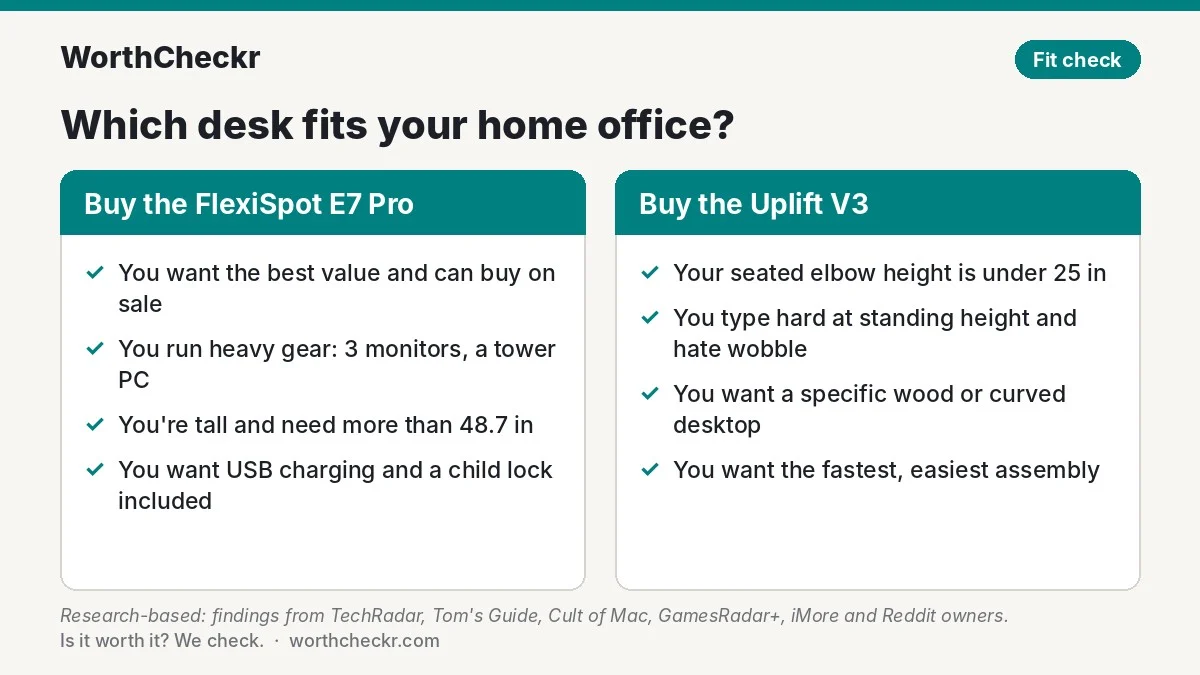
| If you… | Buy |
|---|---|
| Want the best value in a premium dual-motor desk | FlexiSpot E7 Pro |
| Have a seated elbow height under 25 inches | Uplift V3 |
| Are tall and want a standing height above 48.7 inches | FlexiSpot E7 Pro |
| Run three monitors, a tower PC or other heavy gear on top | FlexiSpot E7 Pro |
| Type hard at standing height and hate monitor wobble | Uplift V3 |
| Want a particular wood, curved top or premium finish | Uplift V3 |
| Want the easiest build | Uplift V3 |
| Want USB charging and a child lock without upgrades | FlexiSpot E7 Pro |
Not sure your setup needs either? Our explainer on single vs dual motor standing desks walks through when a cheaper single-motor desk is enough and when dual motors are worth paying for.
Check FlexiSpot E7 Pro price → Check Uplift V3 price →
Accessories for your standing desk setup
Whichever side of the Uplift V3 vs FlexiSpot E7 Pro debate you land on, these add-ons make a sit-stand setup work better.
- A monitor that fits the desk. With a 60-inch top you have room for a 27-inch 4K screen and a laptop; see our picks for the best 27-inch 4K USB-C monitors for working from home. Going wider? Our Samsung ViewFinity S8 vs Dell U4025QW ultrawide comparison covers two screens that suit a big desk.
- A monitor arm. It frees up desk space and lets you fine-tune screen height when you switch between sitting and standing. Both desks have the capacity for dual arms.
- An anti-fatigue mat. Standing on a hard floor gets uncomfortable fast. Uplift includes a mat among its free accessory options.
- A chair that tucks in. You’ll still sit for most of the day. Our guide to the best office chairs under $500 for working from home covers chairs that pair well with a sit-stand desk, and our Secretlab Atlas vs Titan Evo comparison covers a higher-end option.
- A cable spine or extra tray. Reviewers said both included trays fill up quickly with a laptop dock, power strip and chargers.
Uplift V3 vs FlexiSpot E7 Pro FAQ
Is the Uplift V3 better than the FlexiSpot E7 Pro?
It depends on what you value. The Uplift V3 is more stable at full height, lifts faster, goes lower and offers far more finishes. The FlexiSpot E7 Pro costs less, carries more weight and goes higher. For most home office buyers, the E7 Pro is the better value.
Does the FlexiSpot E7 Pro wobble?
A little, at the top of its range. GameRevolution found the 2026 version steadier than before but still noticed some sway at maximum height. For calls, reading and normal typing it isn’t a problem for most people; very heavy typists with big monitors may prefer the Uplift V3 or a four-leg desk.
Is the Uplift V3 worth the extra money?
It is if you’re shorter than average, want a specific desktop finish, or are bothered by monitor shake. Otherwise, the extra $100 to $200 mostly buys polish rather than practical gains for a typical home office.
Does the Uplift V3 need a crossbar?
No. Uplift says the V3’s central I-beam and reinforced legs keep it stable without a lower crossbar, which also gives you more room for your legs and chair.
Which is easier to assemble, Uplift V3 or FlexiSpot E7 Pro?
The Uplift V3. Its frame arrives largely pre-assembled, and Tom’s Guide finished the build in under 30 minutes. E7 Pro reviewers took between one and two hours and recommended a second person.
What is the minimum height of the FlexiSpot E7 Pro?
FlexiSpot lists a range of 25 to 50.6 inches. If your seated elbow height is lower than 25 inches, the Uplift V3, which goes down to 22.6 inches, is the better fit.
Verdict
Winner: FlexiSpot E7 Pro. In the Uplift V3 vs FlexiSpot E7 Pro matchup, the E7 Pro gives most remote workers a strong, high-capacity dual-motor desk with a 15-year warranty for clearly less money, and owners love it. The Uplift V3 is the more polished desk, and it’s the one to get if you need a lower sitting height, want the steadiest frame or care about finishes. Either way, you’re buying one of the two best standing desks of 2026.
Also considering Vari’s sloped-edge desk? Our Vari vs Uplift V3 comparison shows how the two premium desks differ on weight capacity, edge comfort and height range.
We’ll update this comparison as more long-term owner feedback on the Uplift V3 and the refreshed E7 Pro comes in.
Check FlexiSpot E7 Pro price → Check Uplift V3 price →
More from WorthCheckr: browse all standing desk coverage and our head-to-head comparisons.
Sources: Uplift Desk · Uplift V3 spec sheet · Uplift blog · FlexiSpot · FlexiSpot blog · TechRadar (Uplift V3) · TechRadar (best standing desks) · Tom’s Guide · Cult of Mac · GamesRadar+ · iMore · Creative Bloq · GameRevolution · RedditRecs · GummySearch · Best Buy