WorthCheckr top pick: Dell UltraSharp 27 4K Thunderbolt Hub (U2725QE)
✓ Worth it for laptop users who want one cable to run their whole desk
- 120Hz 4K IPS Black panel with a rated 3,000:1 contrast
- Thunderbolt 4 with up to 140W of charging, enough for big laptops
- Built-in KVM, 2.5GbE Ethernet and a large USB hub
- Best value: Dell 27 Plus S2725QC, with 4K at 120Hz and 65W USB-C, often around $250–$300
Last updated November 7, 2026 · Research-based analysis by Abid Shehzad, WorthCheckr
In this guide
- Quick answer
- 27-inch 4K USB-C monitors compared
- Will a 27-inch USB-C monitor charge your laptop?
- Price per watt of USB-C charging
- Best overall: Dell U2725QE
- Best value: Dell S2725QC
- Best for MacBooks: BenQ MA270UP
- Best for photo work: Asus PA279CRV
- How to choose
- Common problems owners report
- What buyers say
- FAQ
- Bottom line
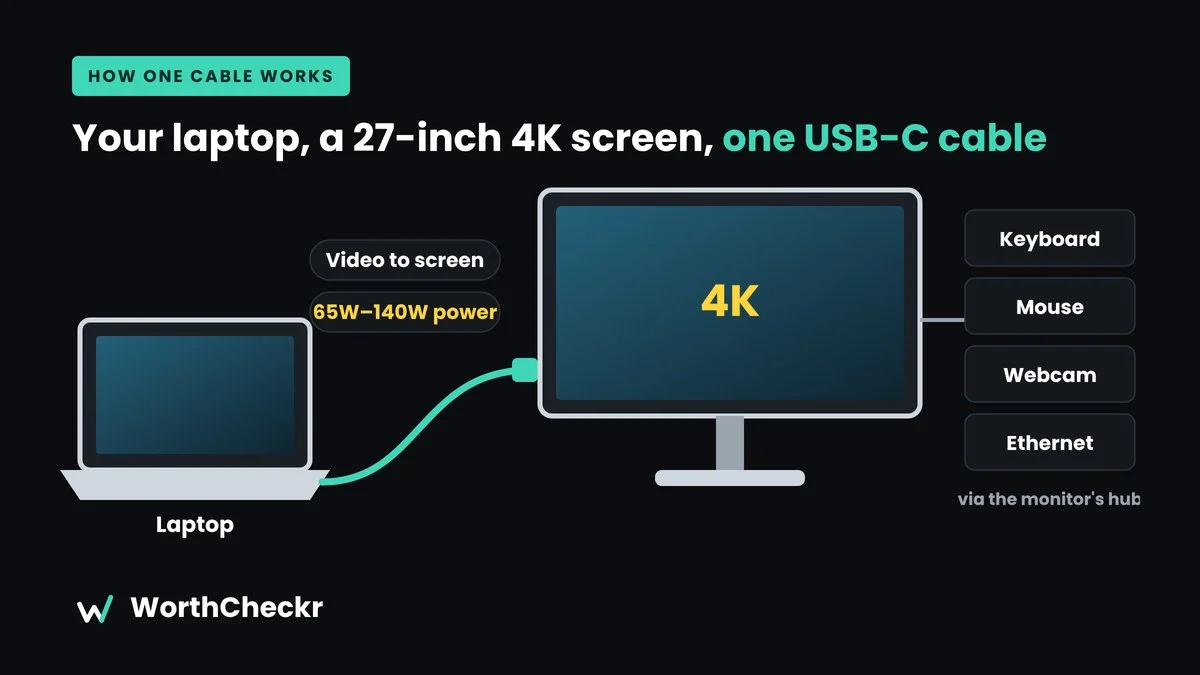
If you work from a laptop, the best 27-inch 4K USB-C monitor for working from home is the one upgrade that changes your whole day. Plug in one cable and your laptop charges, your screen lights up, and your keyboard, mouse and webcam connect through the monitor’s hub. At 27 inches, 4K gives you about 163 pixels per inch, so text looks crisp without needing a huge desk.
We compared official specs, expert reviews and buyer ratings to find four models worth your money in 2026, from a budget favorite to a full Thunderbolt docking monitor. Want something bigger? See our Samsung ViewFinity S8 vs Dell U4025QW comparison of 40-inch ultrawides, or check our 27 vs 32 inch monitor for work guide to see whether a larger screen suits your desk.
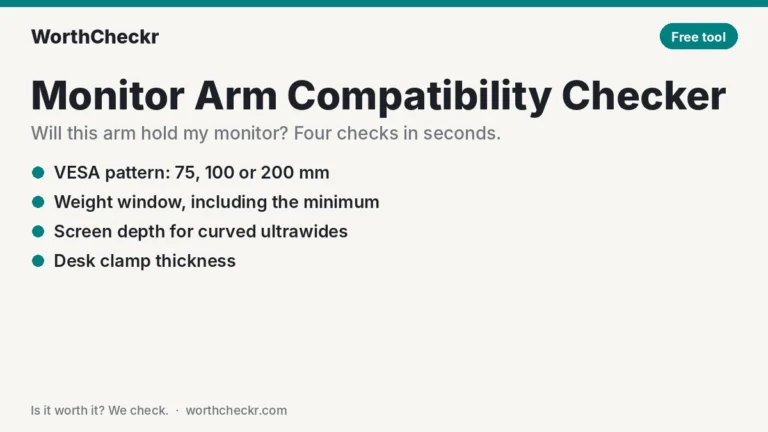
New to buying a home office monitor? Start with our guide to choosing a monitor for working from home, which links every WorthCheckr monitor pick and comparison.
Quick answer: the best 27-inch 4K USB-C monitors
- Choose the Dell UltraSharp U2725QE if… you want a premium one-cable dock with 140W charging, a KVM and Ethernet.
- Choose the Dell 27 Plus S2725QC if… you want 4K at 120Hz and laptop charging for the lowest price.
- Choose the BenQ MA270UP if… you use a MacBook and want a glossy, Mac-like picture for far less than Apple’s Studio Display.
- Choose the Asus ProArt PA279CRV if… you edit photos or do design work and need wide, factory-calibrated color.
Check Dell U2725QE price at B&H → Check Dell S2725QC price at Dell →
27-inch 4K USB-C monitors compared
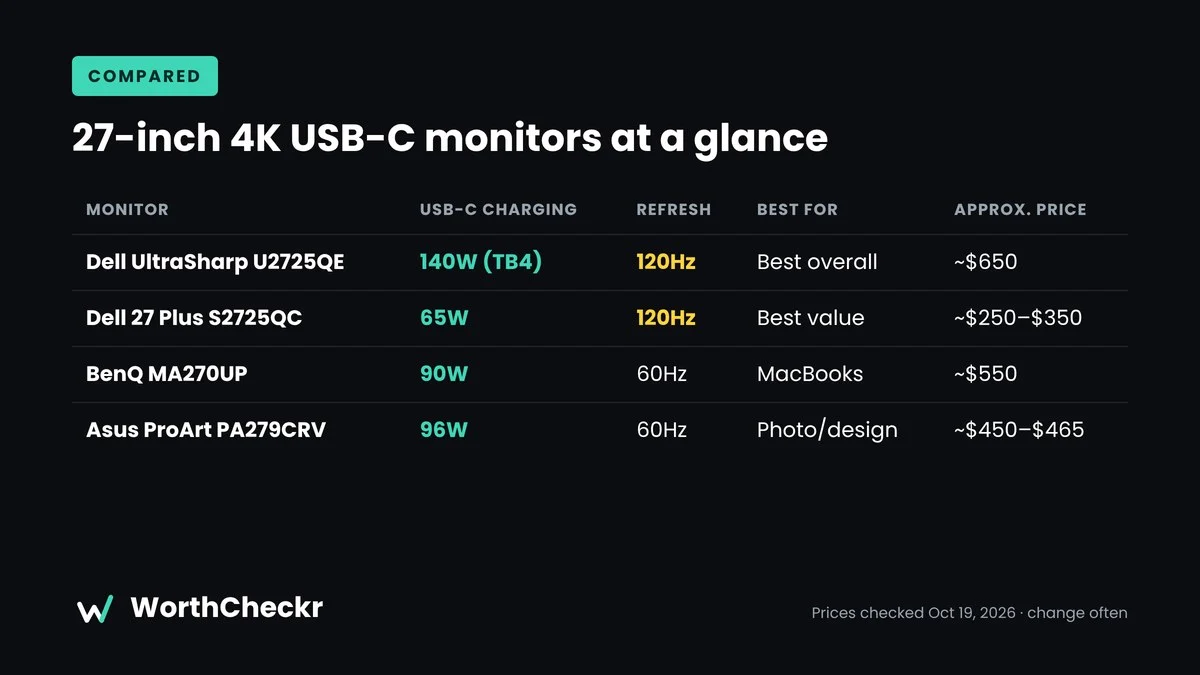
Every pick below is 27 inches, 3840 x 2160 and IPS-based. Not sure 27 inches suits your desk? Try our monitor size calculator. Specs come from manufacturer pages and major retailers. Prices were checked at major US retailers on October 19, 2026 and change often.
| Monitor | Best for | USB-C charging | Refresh | Contrast (rated) | Extras | Approx. price |
|---|---|---|---|---|---|---|
| Dell UltraSharp U2725QE | Best overall | Thunderbolt 4, 140W | 120Hz | 3,000:1 (IPS Black) | KVM, 2.5GbE, daisy chain | ~$650 (B&H) |
| Dell 27 Plus S2725QC | Best value | USB-C, 65W | 120Hz | 1,500:1 | Speakers, height-adjust stand | ~$250–$350 ($349.99 at Dell; deals often under $300) |
| BenQ MA270UP | MacBooks | USB-C, 90W | 60Hz | 1,200:1 | Glossy “Nano Gloss” screen | ~$550 (Adorama) |
| Asus ProArt PA279CRV | Photo/design | USB-C, 96W | 60Hz | 1,000:1 | 99% Adobe RGB, Calman verified | ~$450–$465 (Newegg) |
Will a 27-inch USB-C monitor charge your laptop?
This is the question most 27-inch USB-C monitor buyers get wrong. The wattage printed on the box is the most the monitor can send, and your laptop only charges at full speed if that number meets the charger it shipped with. Apple’s own guidance says a Mac will charge from a lower-wattage USB-C display, just more slowly, and that the source must support USB Power Delivery. Here’s how our four picks line up with common work laptops.
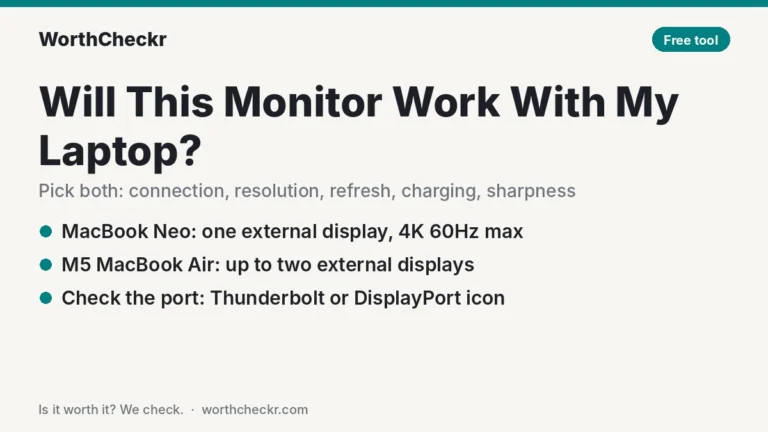
Want a quick answer for your exact laptop? Try our free USB-C monitor charging checker: pick your laptop and a monitor, and it tells you whether it charges at full speed.
| Laptop (typical charger) | Dell U2725QE (140W) | Dell S2725QC (65W) | BenQ MA270UP (90W) | Asus PA279CRV (96W) |
|---|---|---|---|---|
| MacBook Air 13/15 (30–70W) | ✓ Full speed | ✓ Full speed for most models | ✓ Full speed | ✓ Full speed |
| MacBook Pro 14 (67–96W) | ✓ Full speed | ! Charges, slower under heavy load | ✓ Near full speed | ✓ Full speed |
| MacBook Pro 16 (140W) | ✓ Full speed | ! Slow; may drain under heavy load | ! Charges, slower | ! Charges, slower |
| Windows ultrabook (usually 45–65W) | ✓ | ✓ | ✓ | ✓ |
| 14-inch performance Windows laptop (usually 90–100W) | ✓ | ! Slower under load | ✓ Close | ✓ |
| Gaming laptop with a barrel charger (150W+) | ✗ None will power it fully. Keep the laptop’s own charger plugged in and use USB-C for video only. | |||
Check the wattage on your own laptop’s charger before you buy; it’s printed on the brick. Also confirm your laptop’s USB-C port supports DisplayPort Alt Mode, Thunderbolt or USB4, or you’ll get power but no picture.
The takeaway: if you own a 16-inch MacBook Pro or a big Windows workstation laptop, the Dell U2725QE is the only pick here that runs it at full speed over one cable. For a MacBook Air or a typical ultrabook, the budget Dell S2725QC already gives you everything you need.
Price per watt of USB-C charging
Prices on 27-inch 4K USB-C monitors swing a lot, so we worked out what each pick costs per watt of laptop charging, using the approximate prices in the comparison table above. Lower is better value if one-cable charging is why you’re buying.
| Monitor | Approx. price | USB-C charging | Cost per watt | What else you get |
|---|---|---|---|---|
| Dell S2725QC | ~$300 on deal ($349.99 list) | 65W | ~$4.62 ($5.38 at list) | 120Hz, speakers |
| Dell U2725QE | ~$650 | 140W | ~$4.64 | Thunderbolt 4, KVM, 2.5GbE, daisy chain, 120Hz |
| Asus ProArt PA279CRV | ~$450–$465 | 96W | ~$4.77 | 99% Adobe RGB, Calman verified |
| BenQ MA270UP | ~$550 | 90W | ~$6.11 | Glossy Mac-tuned screen |
Prices change often; cost per watt is approximate.
The surprise is that the expensive U2725QE costs about the same per watt as the budget S2725QC, and it adds a full dock on top. If you’d otherwise buy a separate Thunderbolt dock, the UltraSharp is better value than its price suggests. The BenQ costs the most per watt; you’re paying for its glossy, Mac-matched picture rather than charging power.
Best overall: Dell UltraSharp U2725QE
Who it’s for: people who dock a laptop every day and want the monitor to be the dock.
The U2725QE is Dell’s 27-inch flagship for office work. If you’re weighing it against the older model, our U2723QE vs U2725QE comparison shows when a refurbished U2723QE is the smarter buy. It uses an IPS Black panel, which roughly doubles normal IPS contrast, and it runs at 120Hz, so scrolling and window dragging feel smoother. The big draw is the hub. Thunderbolt 4 delivers up to 140W of charging, and there are five USB-A ports, several USB-C ports, 2.5GbE Ethernet and a DisplayPort output for daisy-chaining.
- Key specs: 4K IPS Black, 120Hz, 3,000:1 rated contrast, 99% DCI-P3, Thunderbolt 4 (140W), KVM, 2.5GbE, height/tilt/swivel/pivot stand
- Pros: excellent connectivity, smooth 120Hz, deep contrast for an IPS, a fully adjustable stand
- Cons: no speakers; Expert Reviews’ Sasha Muller flagged backlight uniformity and slow response times; RTINGS notes reflections take on a pink tint
Muller calls it “a capable all-rounder” that suits modern laptop users well. That matches our read of the specs: it isn’t for gamers or HDR fans, but for a work desk it’s hard to beat.
Check Dell U2725QE price at B&H →
Best value: Dell 27 Plus S2725QC
Who it’s for: anyone moving up from a 1080p or 60Hz screen on a budget.
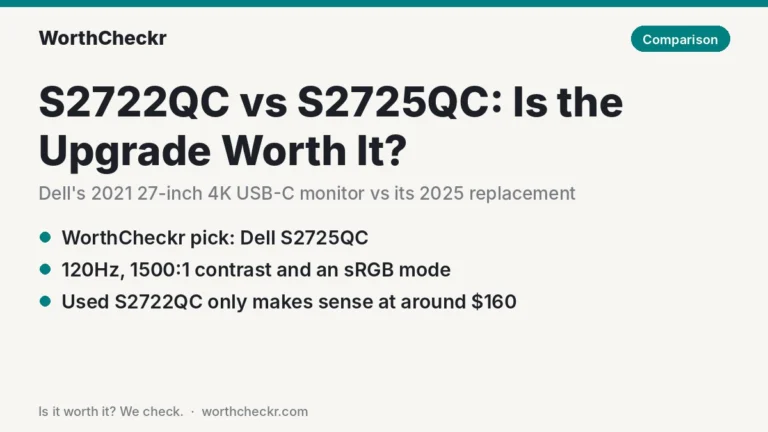
The S2725QC is the easy recommendation for most home offices. It pairs a 4K IPS panel with a 120Hz refresh rate, which is rare at this price. A single USB-C cable delivers up to 65W, enough for most ultrabooks. Dell’s spec sheet also lists two HDMI ports, built-in speakers and a stand that adjusts for height, tilt, swivel and pivot. PCWorld spotted it at $251.72 in June 2026, an all-time low at the time. Weighing it against the 60Hz model it replaced? Our S2722QC vs S2725QC comparison covers what changed and when a used S2722QC still makes sense.
- Key specs: 4K IPS, 120Hz, 350 nits, 1,500:1 contrast, USB-C (65W) plus a 15W downstream USB-C port, 2x HDMI, speakers
- Pros: 120Hz for the price, a full ergonomic stand, laptop charging, a clean design
- Cons: 65W may not keep a powerful 16-inch laptop fully charged under load; the speakers and brightness are only average
The AU Review’s Pace Proctor gave it 4.5/5 and called it “one of the most well-rounded 4K monitors you can buy right now.” He also noted that the speakers are underwhelming and that it can struggle in direct light.
Check Dell S2725QC price at Dell →
Best for MacBook users: BenQ MA270UP
Who it’s for: MacBook owners who want an Apple-style glossy look without Apple’s price.
BenQ’s MA series is tuned for Macs, and the MA270UP adds a glossy “Nano Gloss” front. Macworld’s Roman Loyola said the glossy finish gives blacks, whites and colors more pop. He judged the image close to Apple’s Studio Display for far less money. USB-C charging tops out at 90W, which covers MacBook Air and most 14-inch MacBook Pro workloads. Wondering if a sharper 5K screen is worth the extra money? Our 4K vs 5K monitor for Mac guide breaks it down.
- Key specs: 4K IPS, 60Hz, 400 nits, 1,200:1 contrast, USB-C (90W), 2x HDMI 2.0, height/tilt/pivot stand
- Pros: vivid glossy picture, Mac-friendly tuning, strong image quality
- Cons: only 60Hz; no webcam; glossy glass can reflect lamps and windows
If your desk faces a window, consider the matte MA270U instead. Macworld says it has the same specs and controls.
Check BenQ MA270UP price at Adorama →
Best for photo and design work: Asus ProArt PA279CRV
Who it’s for: home-based creatives who need accurate color on a budget.
The ProArt PA279CRV covers 99% of Adobe RGB and 99% of DCI-P3, and it ships factory-calibrated with Calman verification. TechRadar’s Jeremy Laird said it delivers “near pro-levels of performance and precision.” It also has a practical side for laptop users: USB-C with 96W charging, two DisplayPort inputs (one supports daisy-chaining) and a stand that rotates into portrait mode.
- Key specs: 4K IPS, 60Hz, 400 nits, 1,000:1 contrast, 99% Adobe RGB / DCI-P3, USB-C (96W), 2x DP, 2x HDMI, full ergonomic stand
- Pros: wide, accurate color for the price; strong charging; lots of inputs
- Cons: entry-level DisplayHDR 400; somewhat plasticky build; 60Hz
Check Asus ProArt PA279CRV price at ASUS →
How to choose a 4K USB-C monitor for home office work
- Match the charging wattage to your laptop. Check your laptop’s charger. 65W suits most ultrabooks. 90–96W suits 14-inch performance laptops. 140W suits 16-inch MacBook Pros and big Windows laptops.
- Check that your laptop’s USB-C port carries video. Look for DisplayPort Alt Mode, Thunderbolt or USB4 support. Some cheaper laptops only offer data and charging on USB-C.
- Decide if you want a dock built in. Ethernet, a KVM and many USB ports (like on the U2725QE) can replace a separate dock. Sharing the screen with a second computer? See our picks for the best monitor with a KVM switch for working from home.
- Think about 120Hz. It’s not essential for spreadsheets, but scrolling and cursor movement feel noticeably smoother.
- Glossy or matte? Glossy looks punchier but reflects light. Matte is safer in bright rooms. Weighing a glossy OLED instead? Our explainer on whether an OLED monitor is good for office work covers burn-in, text clarity and setup.
- Get a height-adjustable stand. All four picks have one, which helps you set the top of the screen at eye level.
Working from a tablet-style laptop? Our Surface Pro 12-inch (2nd Edition) for work guide covers how it handles external displays. You can also browse more laptops and accessories.
Thinking about going bigger than 27 inches? Our Dell U3226Q vs U3225QE comparison covers Dell’s 32-inch UltraSharp options (QD-OLED vs IPS Black), and our AW3226Q vs XG32UQWMS face-off compares two 32-inch OLEDs for work. If you want a 32-inch IPS dock monitor from HP instead, our HP 732xk vs Dell U3225QE comparison shows which Thunderbolt model is the better value.
Common problems owners report (and fixes)
Every monitor here is well rated overall, so treat this as a checklist of things to watch for, not a reason to avoid any of them. We gathered these from Dell’s own support notes, Apple and Dell community forums, MacRumors, Reddit and retailer reviews.
Dell U2725QE
- USB hub drops to USB 2.0 speed on Macs. The most-discussed issue. Dell’s support article confirms the U2725QE’s hub can show up as a USB 2.0 device over Thunderbolt, mainly with MacBooks. A long Apple Community thread adds that it tends to happen after a reboot or cold start, and it slows the built-in 2.5Gb Ethernet to well under its rated speed.
- Auto brightness keeps changing, and wake-from-sleep problems. Also listed in Dell’s support article.
- Fix: install Dell’s M2T102 firmware (or newer) from the monitor’s support page. Dell says it addresses these issues. Some Mac owners on macOS Tahoe 26.1 couldn’t install it (“not for this monitor” errors); owners in Dell’s community forum report it worked after updating to macOS Tahoe 26.2, or by running the Windows updater from a Windows laptop.
- Ethernet or USB not reconnecting after KVM switching. A smaller number of forum reports say the Ethernet connection doesn’t come back after switching inputs away from a Mac and back, even on the new firmware. Unplugging and replugging the Thunderbolt cable is the usual workaround.
- Reflections with a pink tint. RTINGS notes that reflections on the matte coating look pinkish, which some owners notice in bright rooms.
Dell S2725QC
- Flicker worries on Macs. The older S2722QC had a known flicker problem with M1 Macs, so Mac buyers ask about it a lot. In a long MacRumors owners thread, 17 of 19 poll voters said they were happy with the S2725QC, and owners report 4K at 120Hz working on Apple silicon Macs. One M1 MacBook Air owner did report the screen repeatedly turning off and on. If you see flicker, try a different cable and set a fixed refresh rate in macOS display settings before returning it.
- Slightly warm color. One owner in the same thread found the picture a bit warm next to a MacBook. Turning on True Tone on the Mac, or adjusting color in the monitor menu, closes the gap.
- Speakers and brightness. The most common caveats in reviews: the built-in speakers are basic, and 350 nits isn’t bright enough to fight strong glare.
BenQ MA270UP
- Few complaints so far. On Spain’s PcComponentes it holds 4.8 out of 5 from 131 buyer reviews, with no reviews below four stars when we checked. The glossy screen is the main trade-off, though Macworld reported no reflection problems under office lighting.
- Charging handshake. A few buyers have mentioned needing to turn off the monitor’s power-on charging setting to fix laptop charging hiccups. Treat this as an occasional report rather than a widespread fault.
Asus ProArt PA279CRV
- Yellowish white point out of the box. A Reddit r/Monitors thread warned buyers about a white point that was noticeably off, and a Staples reviewer described fixing a yellow cast and low brightness through the settings. If yours looks yellow, switch picture modes or adjust the color temperature before deciding to return it.
- No firmware updates. Owners on Asus’s forum have asked for firmware updates, but the support page doesn’t offer any, so bugs are less likely to be fixed after purchase.
What buyers say
- Dell U2725QE: it averages 4.3/5 from 313 reviews on Dell Canada’s store, a solid score for a premium monitor. Expert reviewers praise its hub and picture, and their main caveat is backlight uniformity, so inspect yours when it arrives.
- Dell S2725QC: it’s a frequent deal pick on sites like Slickdeals and PCWorld, mostly because of its low price for 4K at 120Hz. The most common caveats are the speakers and brightness.
- BenQ MA270UP and Asus PA279CRV: we found less reliable public owner feedback for these models, so we’ve relied mainly on expert reviews. We’ll add owner impressions as more appear.
27-inch 4K USB-C monitor FAQ
What is the best 27-inch USB-C monitor for working from home?
For most laptop users, the Dell UltraSharp 27 4K Thunderbolt Hub (U2725QE). It pairs a 120Hz 4K IPS Black panel with up to 140W of laptop charging, a KVM switch and Ethernet. If you want a cheaper 27-inch 4K USB-C monitor, the Dell 27 Plus S2725QC gives you 4K at 120Hz and 65W USB-C, often for around $250–$300.
Is 4K worth it on a 27-inch monitor for office work?
Yes. At about 163 pixels per inch, text is noticeably sharper than on 1440p. That makes long reading and writing sessions easier on the eyes. Most people run it with scaling (for example 150%) for comfortable text size.
Is 65W USB-C enough to charge my laptop?
For most ultrabooks and MacBook Air models, yes. Larger performance laptops may charge slowly or drain under heavy load at 65W. If yours shipped with a 96W or 140W charger, pick a monitor that matches.
Will a USB-C monitor work with my Windows laptop?
Yes, if the laptop’s USB-C port supports video (DisplayPort Alt Mode, Thunderbolt or USB4). Check for a DisplayPort or Thunderbolt logo next to the port, or check the laptop’s spec sheet.
Do I need Thunderbolt, or is USB-C enough?
USB-C is enough for one 4K screen plus charging and a basic hub. Thunderbolt monitors like the U2725QE add faster USB ports, Ethernet and daisy-chaining, which is handy if the monitor is replacing a dock.
Is 120Hz worth it for work?
It’s a nice-to-have. Scrolling documents and moving windows feel smoother, and the Dell S2725QC offers it at a budget price. Color-focused monitors usually stick to 60Hz.
Should I get one 40-inch ultrawide instead of a 27-inch 4K?
Only if you have the desk space and budget. A 40-inch 5K2K ultrawide costs several times more but replaces two monitors. Compare options in our ViewFinity S8 vs Dell U4025QW guide.
Bottom line
For most people working from home on a laptop, the Dell UltraSharp U2725QE is the best 27-inch 4K USB-C monitor. It’s a true one-cable dock with 140W charging, 120Hz and strong contrast. If you want to spend far less, the Dell 27 Plus S2725QC is the value pick and delivers most of the everyday experience. Mac users should look at the glossy BenQ MA270UP, and creatives at the color-accurate Asus ProArt PA279CRV.
Check Dell U2725QE price at B&H → Check Dell S2725QC price at Dell →
This guide is research-based. We summarize manufacturer specs, expert reviews and buyer ratings; we didn’t test these monitors hands-on. Prices were checked on October 19, 2026 and change often. See How We Test and more Best Picks.
Sources: B&H Photo · CDW · Dell Canada · Dell (S2725QC specs) · Expert Reviews · RTINGS · The AU Review · PCWorld · Macworld · TechRadar · Adorama · Apple Support (Mac power adapters) · Newegg · Slickdeals · Dell support (U2725QE/U3225QE issues) · Apple Community · Dell Community · MacRumors Forums · Reddit r/Monitors · PcComponentes