Last updated November 7, 2026 · Built by Abid Shehzad, WorthCheckr, using standard screen geometry and OSHA workstation guidance
What size monitor should you get for your desk? It depends on two things most size charts ignore: how far your eyes are from the screen, and how many pixels the screen has. This free monitor size calculator takes your viewing distance and tells you, for every common monitor size and resolution, whether text will look sharp, whether the screen fits comfortably in your view, and what display scaling to start with on Windows or Mac.
Everything is calculated live from the screen’s real dimensions, so there are no guesses or lookup tables. The method is explained below the calculator.
Monitor size and viewing distance calculator
Enter how far your eyes are from the screen, then pick a monitor to check it. The table underneath rates every common size at your distance.
Sharpness uses pixels per degree (PPD) at the center of the screen: about 60 PPD matches 20/20 vision. Fit uses the screen’s horizontal viewing angle. Sizes use real panel diagonals (for example, “32-inch” monitors are 31.5 inches). OSHA’s preferred viewing distance is 20 to 40 inches.
What size monitor should I get? The quick answer
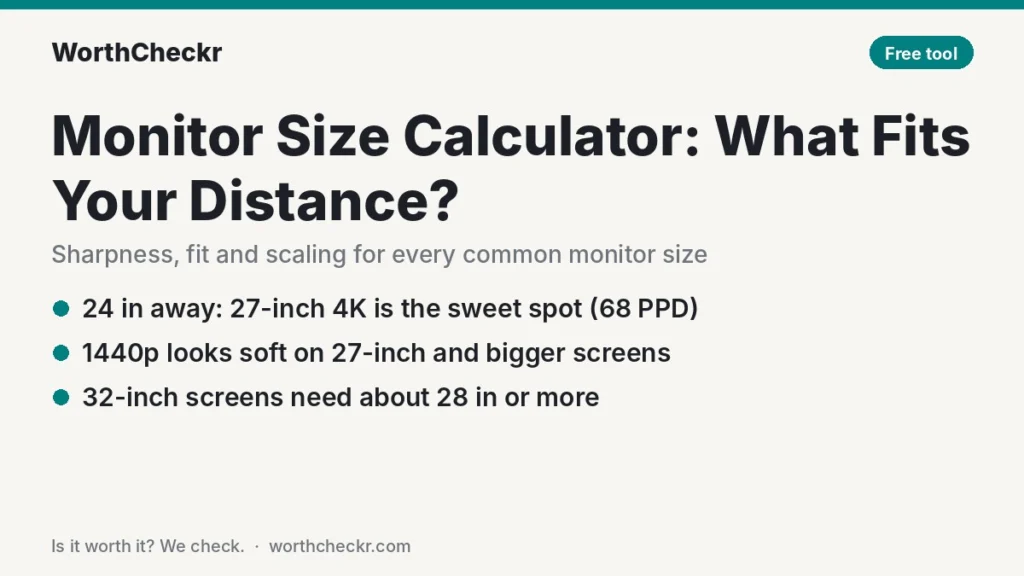
For most home office desks, where your eyes sit about 24 to 30 inches from the screen, a 27-inch 4K monitor is the sweet spot: very sharp text, and the whole screen fits comfortably in your view. Here’s what the calculator shows at common distances:
| Your distance | Best fit | Why |
|---|---|---|
| 20 inches (51 cm) | 24-inch 1440p or 27-inch 5K | A 27-inch screen fills about 61° of your view this close, so it feels wide. A 27-inch 4K lands just under the 60 PPD sharpness mark (57 PPD). |
| 24 inches (61 cm) | 27-inch 4K | 68 PPD (very sharp) at a comfortable 52° wide. |
| 28 inches (71 cm) | 27-inch 4K or 32-inch 4K | The 32-inch 4K reaches 68 PPD at 52°, so the bigger screen now looks just as sharp. |
| 32 inches (81 cm) | 32-inch 4K, or a 34-inch ultrawide | The 32-inch 4K hits 78 PPD at 46°; a 34-inch 3440 x 1440 ultrawide reaches 61 PPD at 52°. |
Two patterns stand out. First, 1440p looks soft on 27-inch and bigger screens at normal desk distances (46 PPD at 24 inches on a 27-inch, 39 PPD on a 32-inch). Second, 32-inch screens need you to sit back: at 24 inches a 32-inch monitor is 60° wide, so it only becomes comfortable from about 28 inches.
Weighing those two sizes directly? Our 27 vs 32-inch monitor for work guide covers desk space and workload, and our guide to choosing a monitor for working from home covers everything else.
How the monitor size calculator works
The calculator uses three numbers, all worked out from the screen’s diagonal and resolution:
- Pixel density (PPI): pixels along the diagonal divided by the diagonal in inches. A 27-inch 4K screen is about 163 PPI; a 27-inch 1440p screen is about 109 PPI.
- Pixels per degree (PPD): how many pixels fit into one degree of your view at your distance. This is the number that decides how sharp text looks, because the same screen looks sharper the farther back you sit. 20/20 vision resolves about one arcminute, which works out to about 60 pixels per degree. A 2025 University of Cambridge study found people can detect detail up to about 94 PPD, so screens above 60 PPD still look a little crisper to sharp eyes.
- Horizontal viewing angle: how wide the screen appears from where you sit. Our rule of thumb: up to about 55° is comfortable to take in at a glance, 55° to 70° means moving your eyes or head to the edges (normal for ultrawides), and beyond 70° you’ll be turning your head. This is WorthCheckr’s guideline from the geometry, not an official standard.
Sharpness ratings: 60 PPD or more is “very sharp”, 45 to 60 is “sharp enough”, and under 45 is “soft”.
How far should you sit from your monitor?
OSHA’s computer workstation guidance gives a preferred viewing distance of 20 to 40 inches (50 to 100 cm) from your eyes to the screen, with the top of the screen at or slightly below eye level. Most people at a home office desk land between 22 and 30 inches.
Your desk depth limits how far back the screen can go, and the monitor’s stand base takes up part of it. If you want a 32-inch or ultrawide screen, a deeper desk (30 inches) or a monitor arm that holds the screen at the back edge makes the comfortable distance much easier to reach. If you’re shopping for a desk too, our standing desk buying guide covers desktop sizes.
What display scaling should you use?
- Windows: the calculator suggests a starting scale based on pixel density and distance. A 27-inch 4K at 24 inches usually works best at 150%; a 32-inch 4K at 125%; 1440p at 27 inches at 100%. Adjust in Settings, then Display, then Scale.
- Mac: macOS looks its sharpest at about 220 PPI, which is why Apple’s 5K and 6K displays run at a clean 2x. A 27-inch 4K (163 PPI) works well with a scaled “looks like 2560 x 1440” setting. Lower-density screens, like 27-inch 1440p, run at 1x and look less crisp than a MacBook screen.
Charging your laptop from the monitor too? Our USB-C monitor charging checker tells you whether a monitor can power your laptop over one cable.
Monitor size calculator FAQ
What size monitor is best for a 24-inch-deep desk?
Usually a 27-inch monitor. On a 24-inch desk, most people’s eyes end up about 22 to 26 inches from the screen, where a 27-inch 4K is both very sharp (around 63 to 74 PPD) and comfortable to take in. A 32-inch screen will feel wide unless you use a monitor arm to push it back.
Is 1440p good enough on a 27-inch monitor?
It’s usable, but text is noticeably softer than 4K. At 24 inches a 27-inch 1440p screen gives about 46 PPD, below the roughly 60 PPD that matches 20/20 vision. For mostly text work, 4K is the better buy; 1440p makes more sense for gaming, where higher refresh rates matter more.
How far should I sit from a 32-inch 4K monitor?
About 28 to 36 inches. At 28 inches a 32-inch 4K gives about 68 PPD at a comfortable 52° wide. Closer than about 26 inches, the screen fills too much of your view and you’ll turn your head to read the edges.
How far should I sit from a 34-inch ultrawide?
About 30 to 36 inches. A 34-inch 3440 x 1440 ultrawide is wide by design, so even at 32 inches it fills about 52° of your view, and it reaches about 61 PPD there. Closer than that, keep your main window in the center.
Does sitting closer to the monitor hurt your eyes?
OSHA recommends keeping the screen at least 20 inches away, and preferably 20 to 40 inches. If text is hard to read at that distance, increase text size or scaling rather than leaning in. Regular breaks also help with eye strain.
Related guides
- Will this monitor work with my laptop?
- Best 27-inch 4K USB-C monitors for working from home
- Dell U2723QE vs U2725QE
- 27 vs 32-inch monitor for work
- Ultrawide vs dual monitors for work
- 4K vs 5K monitor for Mac
- Standing desk height calculator
Sources: OSHA Computer Workstations eTool (Monitors) · Ashraf et al., University of Cambridge: Resolution limit of the eye · Texas Instruments (display resolution and 1 arcminute)