Last updated November 5, 2026 · Built by Abid Shehzad, WorthCheckr, from official laptop and monitor specs
Will a USB-C monitor charge your laptop? Pick your laptop and a monitor below, and this free checker tells you in one line whether the monitor charges it at full speed, charges it slowly, or can’t keep up. It also lists which monitors fully power your laptop over one cable, so you can turn the monitor into your whole desk dock.
Every laptop wattage comes from the maker’s own spec sheet or a named review, and every monitor wattage comes from the monitor reviews on WorthCheckr. All of them are linked below the checker.
USB-C monitor charging checker
Choose your laptop, then a monitor. Results update instantly.
Pick a laptop and a monitor
How every monitor here works with your laptop
| Monitor | Laptop charging | Result |
|---|
Monitor wattages are the maximum the port is rated for. Real delivery can be a few watts lower, and you need a USB-C cable rated for 100W (5A) or more to get above 60W.
Will a USB-C monitor charge my laptop? The quick answer
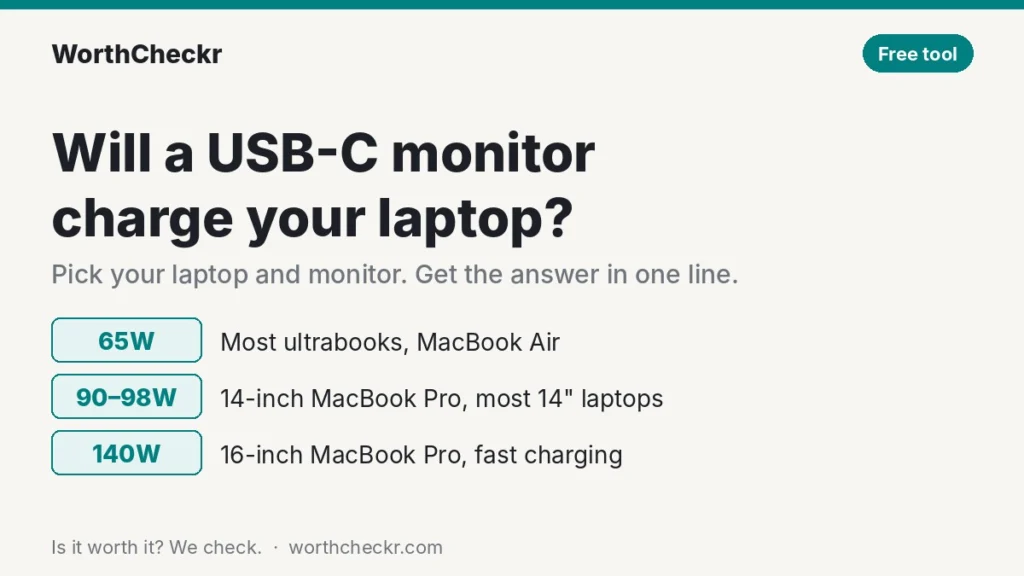
Yes, if the monitor’s USB-C or Thunderbolt port supplies at least as many watts as the charger that came with your laptop. Match the charger in the box and the laptop charges at full speed. Go a little below it and the laptop still charges during normal work, but it can lose ground under heavy load.
- 65W monitor: enough for most thin-and-light Windows laptops, the MacBook Neo and the MacBook Air.
- 90W to 98W monitor: enough for 14-inch MacBook Pros and most 14-inch performance Windows laptops.
- 140W monitor: enough for the 16-inch MacBook Pro and nearly every USB-C laptop, including fast charging.
- Gaming laptops with round barrel chargers: no USB-C monitor powers them fully. Use the monitor for video and keep the laptop’s charger plugged in.
If you’re still choosing a monitor, our guide to choosing a monitor for working from home covers size, resolution and ports, and our best 27-inch 4K USB-C monitors roundup compares the top one-cable docks.
How the USB-C monitor charging checker decides
The checker compares two numbers: the most power the monitor’s laptop port can supply, and what your laptop needs. It then gives one of three results.
- Full speed: the monitor supplies as much as, or more than, the charger in your laptop’s box. Where the maker publishes a fast-charging threshold, the checker also tells you whether you’ll get fast charging.
- Charges, but slower: the monitor supplies less than the box charger. For MacBook Pros, Apple publishes a minimum recommended wattage; if the monitor is above it, normal work is fine and only long, heavy tasks charge more slowly.
- May not keep up: the monitor is below the maker’s minimum, or the laptop needs a barrel charger. The battery can drain while plugged in during demanding work.
Laptops rarely draw their charger’s full rating all the time. A 96W MacBook Pro writing emails might use a fraction of that. So “slower” results mostly matter for video exports, big builds, games and other sustained heavy work.
Laptop charger wattage at a glance
| Laptop | Charger in the box | Maker’s minimum | Fast charging |
|---|---|---|---|
| MacBook Neo | 20W (none in UK/EU) | – | Takes about 30W at most |
| MacBook Air 13 and 15-inch (M5) | 40W (60W max) | – | 70W or more |
| MacBook Pro 14-inch (M6) | 70W | 60W | 96W or more |
| MacBook Pro 14-inch (M5 Pro or Max) | 70W or 96W | 70W | 96W or more |
| MacBook Pro 16-inch (M5 Pro or Max) | 140W | 70W to 94W | 140W |
| Dell XPS 14 (2026) | 100W USB-C | – | – |
| Lenovo ThinkPad X1 Carbon Gen 14 | 65W USB-C | – | – |
| HP EliteBook 8 G2i 14-inch | 65W USB-C | – | – |
| Surface Laptop 13.8-inch (8th Edition) | 39W (select markets) | – | – |
| Surface Laptop 15-inch (8th Edition) | 65W (select markets) | – | – |
| Surface Pro 12-inch (2nd Edition) | None; 45W+ recommended | – | – |
Not on the list? Look at the small print on your laptop’s charger: the wattage is usually printed as “Output” or as a number followed by W. Choose “Other” in the checker and type it in.
Why a USB-C monitor can charge slower than its rating
- The cable: anything above 60W needs a USB-C cable rated for 5A (100W) or more. A thin phone cable caps charging at 60W or less. Use the cable that came with the monitor.
- The port: on monitors with several upstream USB-C or Thunderbolt inputs, the full wattage is often on one port only, or shared between them. Check the label on the back.
- The rating is a maximum: the number on the spec sheet is the most the port can supply. Real-world delivery can be a few watts lower.
- Your laptop’s settings: battery-care modes that stop at 80% can look like slow charging. That’s the laptop protecting its battery, not the monitor failing.
USB-C monitor charging FAQ
Is 65W USB-C enough to charge a laptop?
For most thin-and-light laptops, yes. 65W covers the MacBook Air, the MacBook Neo and most Windows ultrabooks at full speed. It also charges a 14-inch MacBook Pro, but more slowly during heavy work.
Can a 90W monitor charge a MacBook Pro?
Yes. A 14-inch MacBook Pro charges well from a 90W monitor, and it’s above Apple’s recommended minimum. You’ll miss fast charging, which needs 96W or more. A 16-inch model also charges, but more slowly under heavy load, because it ships with a 140W charger.
Can I use a higher-wattage monitor than my laptop needs?
Yes. USB-C Power Delivery lets the laptop and monitor agree on how much power to send, so a 140W monitor safely charges a laptop that only needs 45W.
Why does my laptop say it’s plugged in but not charging?
Usually the monitor supplies less power than the laptop is using at that moment, the cable isn’t rated for high wattage, or a battery-care setting is holding the charge at 80%. Try the monitor’s own cable and check your battery settings.
Do I still need my laptop charger if I use a USB-C monitor?
Not at your desk if the checker shows “Full speed.” Keep the charger for travel, and keep it plugged in if you have a gaming laptop with a barrel charger.
Is Thunderbolt charging different from USB-C charging?
Not for power. Thunderbolt ports use the same USB-C Power Delivery standard. Thunderbolt adds faster data and better daisy-chaining, but the watts work the same way.
Related guides
- Will this monitor work with my laptop? Compatibility checker
- Best 27-inch 4K USB-C monitors for working from home
- Best monitors with a built-in KVM switch
- Dell U3226Q vs U3225QE
- Apple Studio Display vs LG UltraFine 6K
- Standing desk height calculator
Sources: Apple, MacBook Air tech specs · Apple, MacBook Pro tech specs · MacRumors, MacBook Neo charging test · Digital Trends, Dell XPS 14 (2026) review · Lenovo PSREF, ThinkPad X1 Carbon Gen 14 · B&H, HP EliteBook 8 G2i 14 · Microsoft, Surface Laptop 8th Edition tech specs · Monitor wattages: the linked WorthCheckr reviews and the manufacturer pages cited in each.