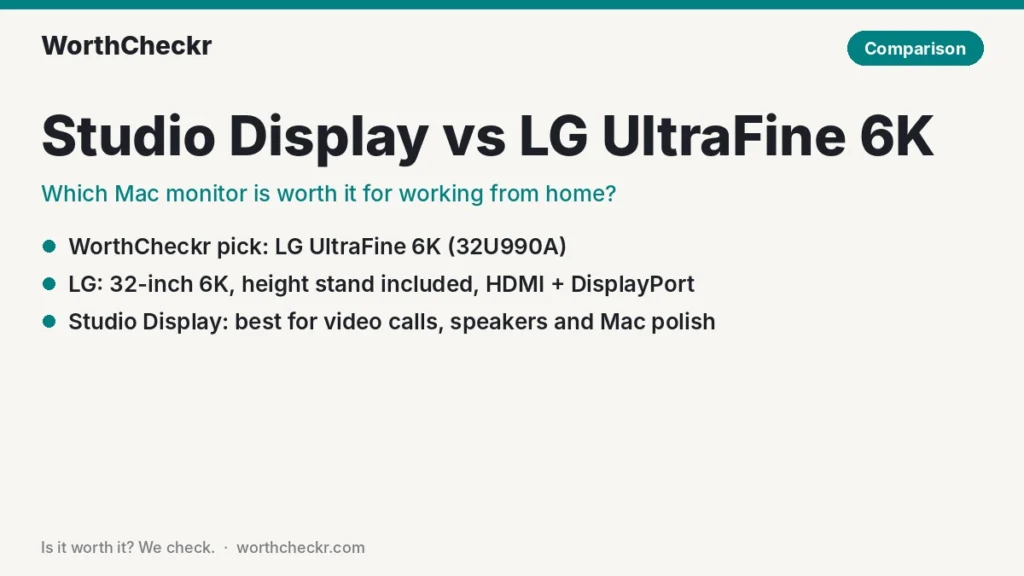
Studio Display vs LG UltraFine 6K · WorthCheckr pick: LG UltraFine 6K (32U990A)
✓ Worth it for Mac users who spend the workday juggling windows and want the most sharp screen space for the money.
- A bigger 32-inch screen with 44% more pixels, still at Retina-level sharpness.
- A height, tilt and pivot stand is included; Apple charges $400 extra for height.
- HDMI 2.1 and DisplayPort 2.1 alongside Thunderbolt 5, so a Windows work laptop plugs in too.
- Regular sales have pushed it well below the Studio Display’s price.
Pick the Apple Studio Display instead if you’re on video calls all day, want great built-in speakers and a webcam, or prefer a 27-inch screen that works with your Mac’s keyboard brightness keys.
Last updated October 26, 2026 · Research-based analysis by Abid Shehzad, WorthCheckr
Apple refreshed its Studio Display in March 2026 with Thunderbolt 5, a much better webcam and new speakers, but kept the same 27-inch 5K panel and the same $1,599 starting price. Meanwhile, LG’s UltraFine 6K has spent most of this year on sale, often hundreds below its $1,999.99 list price. That makes Studio Display vs LG UltraFine 6K one of the most common questions Mac users ask when setting up a home office.
We read the reviews from Macworld, MacRumors, PCWorld, iCulture and others, plus owner threads on the MacRumors forums, so you don’t have to. WorthCheckr hasn’t tested either monitor; this is a research-based comparison, and we name who found what.
New to buying a home office monitor? Start with our guide to choosing a monitor for working from home, which links every WorthCheckr monitor pick and comparison.
In this comparison
- Studio Display vs LG UltraFine 6K: the quick answer
- Studio Display vs LG UltraFine 6K specs side by side
- Reviewer scorecard: who wins each round
- Where reviewers agree
- Where they differ: screen size and sharpness
- Where they differ: video calls and audio
- Where they differ: ports, stand and Mac integration
- Where they differ: price and value
- What buyers and owners are saying
- Our take: why the LG UltraFine 6K gets the edge
- Studio Display or LG UltraFine 6K: which should you buy?
- Accessories for a Mac monitor setup
- Studio Display vs LG UltraFine 6K FAQ
- Verdict
Studio Display vs LG UltraFine 6K: the quick answer
Choose the LG UltraFine 6K if…
- You run several apps side by side (spreadsheets, code, docs, email) and want more room.
- You want a height-adjustable stand without paying extra.
- You also plug in a Windows laptop or PC, or need HDMI or DisplayPort.
- You already own a webcam, or you’re happy using your iPhone as one.
- You can catch it on sale (it has dropped as low as $1,099.99).
Choose the Apple Studio Display if…
- You take lots of video calls and want a good camera, mics and speakers in one box.
- You prefer a 27-inch screen, or your desk is shallow.
- You want macOS to control brightness and volume natively, with zero extra apps.
- You care about an all-aluminum build that matches a MacBook or Mac mini.
Check LG UltraFine 6K price → Check Apple Studio Display price →
Studio Display vs LG UltraFine 6K specs side by side
Figures come from Apple, EveryMac, TechCrunch’s launch coverage and the spec tables in the PCWorld, MacRumors and iCulture reviews. Measured numbers are labeled as such.
| Spec | Apple Studio Display (2026) | LG UltraFine 6K (32U990A) |
|---|---|---|
| On sale since | March 11, 2026 | Late 2025 (shown at CES 2025) |
| List price (US) | $1,599 (tilt stand); +$400 height stand; +$300 nano-texture | $1,999.99; frequently on sale ($1,099.99–$1,699.98 seen this year) |
| Screen size | 27 inches | 31.5 inches |
| Resolution / sharpness | 5120 x 2880 (5K), about 218 PPI | 6144 x 3456 (6K), about 224 PPI |
| Panel | IPS, P3 wide color, glossy (nano-texture optional) | Nano IPS Black, matte/semi-gloss anti-glare |
| Brightness | 600 nits (Apple) | 450 nits rated; PCWorld measured about 480 nits SDR |
| HDR | No real HDR (Macworld) | VESA DisplayHDR 600 |
| Refresh rate | 60Hz | 60Hz |
| Thunderbolt | 2x Thunderbolt 5 (one upstream with 96W charging, one downstream) | 2x Thunderbolt 5 (one upstream with 96W charging, one downstream for daisy-chaining) |
| Other inputs and ports | 2x USB-C (10Gb/s); no HDMI or DisplayPort | HDMI 2.1, DisplayPort 2.1, USB-C upstream, 2x USB-C downstream; no USB-A or Ethernet |
| Webcam | 12MP Center Stage with Desk View | None |
| Speakers / mics | Six speakers with force-cancelling woofers; three-mic array | 2x 5W speakers (iCulture); no mics listed |
| Stand | Tilt only (height costs extra); VESA version available | Height, tilt and pivot included; 100 x 100mm VESA |
| Build | Aluminum | Mostly plastic (iCulture) |
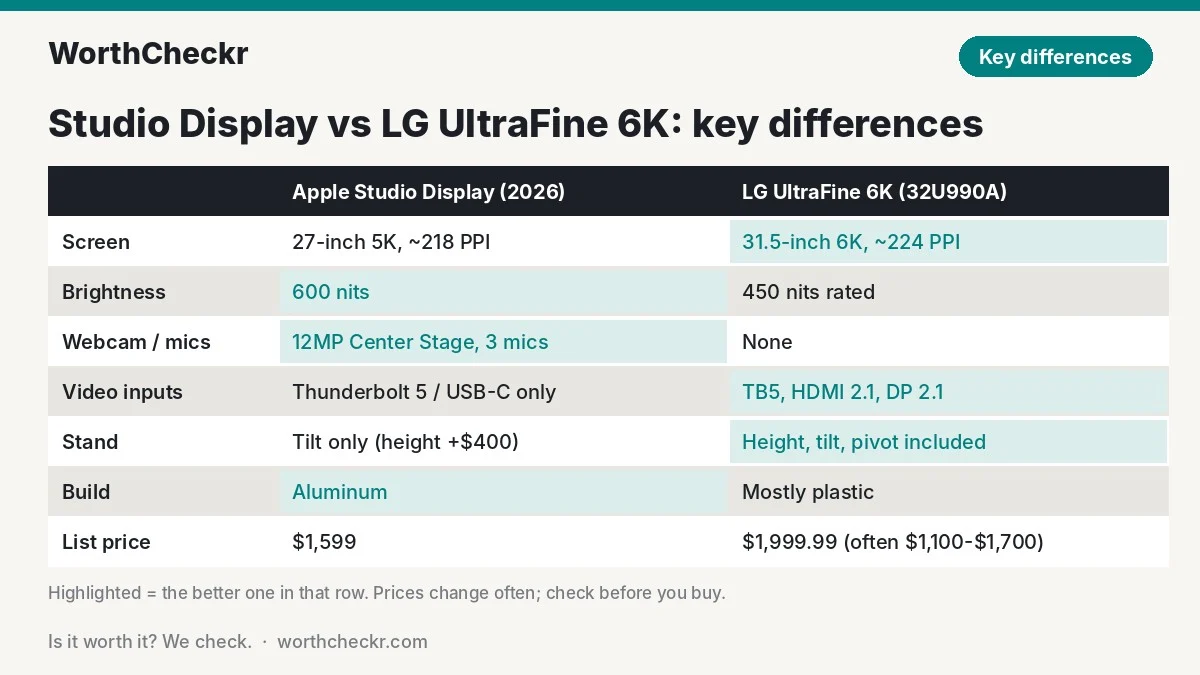
Reviewer scorecard: who wins each round
Here is how the Studio Display vs LG UltraFine 6K matchup plays out, round by round, based on what reviewers found.
| Category | Winner | What reviewers said |
|---|---|---|
| Screen space and sharpness | LG UltraFine 6K | MacRumors’ Eric Slivka found 32 inches of native-looking Retina text the LG’s biggest strength. |
| Brightness and glossy pop | Studio Display | 600 nits vs about 450–480; MacRumors noted Apple’s glossy glass looks a touch more vivid. |
| Color accuracy | Tie | PCWorld measured an average error of 0.73 on the LG; Macworld called Apple’s color accuracy good. |
| Video calls (camera and mics) | Studio Display | Macworld’s Jason Cross called the new webcam a big improvement; the LG has no camera at all. |
| Speakers | Studio Display | iCulture rated the LG’s speakers fine for meetings; Apple’s six-speaker system is in another league. |
| Ports and PC compatibility | LG UltraFine 6K | HDMI 2.1 and DisplayPort 2.1 mean it isn’t Mac-only, which PCWorld highlighted. |
| Stand and ergonomics | LG UltraFine 6K | Height, tilt and pivot are standard; Macworld flagged Apple’s $400 height upcharge. |
| Mac integration | Studio Display | MacRumors found the LG’s brightness and volume controls need the LG Switch app. |
| Build quality | Studio Display | iCulture’s Sasha Koevoets said the LG’s plastic body doesn’t match its price. |
| Price and value | LG UltraFine 6K | 9to5Toys tracked it as low as $1,099.99; Macworld judged the Studio Display poor value at full price. |
| Buyer sentiment | Split | Studio Display owners love the image but argue over price; LG owner feedback is thinner but mostly about reliability and space. |
| Overall | LG UltraFine 6K | More screen, more ports and an included stand for less money, if you can live without a webcam. |
Where reviewers agree
Before the differences, it helps to know what the Studio Display vs LG UltraFine 6K debate is not about.
- Both look sharp on a Mac. At about 218–224 pixels per inch, both run macOS at a clean 2x “Retina” setting, so text doesn’t look soft the way it can on a 27-inch 4K screen. (Our explainer on 4K vs 5K monitors for Mac covers why this matters.)
- One cable does it all. Each has a Thunderbolt 5 port that carries video, data and 96W of charging, which MacRumors confirmed keeps even a 16-inch MacBook Pro topped up. Buying a new MacBook Pro to pair with one? See our M6 vs M5 MacBook Pro comparison.
- Both are stuck at 60Hz. Neither scrolls as smoothly as a 120Hz screen. PCWorld’s Matthew S. Smith noted visible ghosting on the LG, and Macworld called motion clarity weak on the Apple.
- Neither is a true HDR monitor. The LG carries a DisplayHDR 600 badge, but iCulture found HDR video underwhelming, and Apple’s HDR model is the separate $3,299 Studio Display XDR.
Where they differ: screen size and sharpness
This is the heart of the Studio Display vs LG UltraFine 6K decision. The LG’s 31.5-inch panel has about 36% more screen area and 44% more pixels than Apple’s 27-inch panel, while staying just as sharp. At its default Retina setting, macOS gives you a workspace that looks like 3072 x 1728 on the LG versus 2560 x 1440 on the Studio Display.
In practice, that’s the difference between two comfortable windows side by side and three. If your day is a spreadsheet next to a browser next to Slack, the LG gives each one breathing room. If you mostly work in one app at a time, 27 inches is plenty and easier to take in without turning your head.
One caution from iCulture’s review: at full native 6K, macOS text is tiny, so you’ll want the scaled Retina setting. That’s normal and doesn’t hurt sharpness. Not sure which size suits your desk? Our 27 vs 32 inch monitor for work guide walks through desk depth and viewing distance.
Where they differ: video calls and audio
For remote workers, this is where Apple fights back hardest. The 2026 Studio Display keeps a 12MP Center Stage camera, now with Desk View, and Macworld found its image quality noticeably better than the disappointing 2022 version. Add a three-mic array and six speakers, and you can run a whole day of meetings without a headset or a separate webcam.
The LG has no webcam. iCulture suggested using an iPhone with Continuity Camera instead, which works well but means mounting your phone on the monitor every morning. Its 2x 5W speakers are fine for calls and quick videos, per iCulture, but they won’t replace desk speakers. If you’d buy a webcam anyway, budget roughly $70–$200 (our estimate) on top of the LG’s price.

Where they differ: ports, stand and Mac integration
Ports. Apple gives you two Thunderbolt 5 ports and two 10Gb/s USB-C ports, and that’s it. There’s no HDMI or DisplayPort, so connecting a work-issued Windows laptop without Thunderbolt or USB-C video is a non-starter. The LG adds HDMI 2.1 and DisplayPort 2.1, plus KVM features, so one screen can serve a personal Mac and a work PC. Neither has USB-A or Ethernet, which PCWorld called out on the LG.
Stand. The standard Studio Display only tilts. Height adjustment pushes the price to $1,999, and some MacRumors forum owners found the fixed stand sits higher than they expected. The LG’s stand adjusts height and tilt and rotates to portrait out of the box, and it accepts a standard VESA arm. For long workdays, a screen you can set at eye level matters more than most specs on this page.
Mac integration. Apple wins this cleanly. Your keyboard’s brightness keys just work, and the camera and speakers show up like built-in parts. MacRumors found the LG reliable over weeks of daily use, but brightness and volume need LG’s Switch app, which the reviewer found finicky, and iCulture had trouble getting LG’s calibration software to recognize the display on a Mac.
Where they differ: price and value
On paper, the Studio Display starts $400 cheaper. In reality, the comparison usually flips:
- Studio Display: $1,599 with the tilt-only stand, or $1,999 with height adjustment. Some retailers have listed it at $1,499–$1,549. Nano-texture glass adds $300.
- LG UltraFine 6K: $1,999.99 list, but MacRumors listed it at $1,299.99 in June and 9to5Toys spotted $1,099.99 at B&H in August.
Compare like for like (both with height-adjustable stands) and a sale-priced LG can cost $700–$900 less than the Apple. Macworld’s verdict on the Studio Display sums up the value problem: it’s a good monitor that needs to be “better, cheaper, or both.” Prices on both move often, so check before you buy.
Check LG UltraFine 6K price → Check Apple Studio Display price →
What buyers and owners are saying
Studio Display (2026) owners, in the MacRumors owners thread, mostly praise the picture: sharp text, rich color and an image several said beat the other monitors they compared. Most like the speakers, and several said the camera looks clean on calls. The complaints are consistent too:
- Glossy glass picks up reflections from lamps and windows.
- The tilt-only stand sits too high for some desks.
- Some camera features need macOS Tahoe; one owner on an older macOS couldn’t use the camera with a closed laptop.
- Many feel the price is hard to justify for a panel unchanged since 2022.
LG UltraFine 6K owners are harder to find in numbers, since it’s a pricier niche monitor. The feedback that exists, including MacRumors’ weeks of daily use, centers on dependable wake-from-sleep, the matte screen handling bright rooms, and the extra space. The recurring gripes are the menu system, the LG Switch app and the plastic build. iCulture also noted the screen runs warm. We’ll add more owner feedback as it comes in.
Our take: why the LG UltraFine 6K gets the edge
- More useful screen for work. A third more space at the same Retina sharpness is a daily productivity gain, not a spec-sheet win.
- The stand is included. Getting a height-adjustable Studio Display costs $1,999, which erases Apple’s price advantage.
- It isn’t Mac-only. HDMI and DisplayPort make it a safer long-term buy for anyone who also uses a work PC.
- The sale price changes the math. At $1,100–$1,300, the LG plus a good webcam still costs less than a height-adjustable Studio Display.
- Apple’s best features are add-ons you can buy. A webcam and speakers can be bought separately; a bigger 6K panel can’t be added to a Studio Display.
So who wins Studio Display vs LG UltraFine 6K for a home office? The Studio Display is still the more polished product, and for camera-heavy jobs it’s the simpler choice. But on worth for the money, the LG wins.
Studio Display or LG UltraFine 6K: which should you buy?
| If you… | Buy |
|---|---|
| Work across 3+ windows all day | LG UltraFine 6K |
| Spend hours a day on video calls and want one tidy box | Apple Studio Display |
| Also connect a Windows work laptop or PC | LG UltraFine 6K |
| Have a shallow desk (under about 24 inches deep) | Apple Studio Display |
| Want height adjustment without paying extra | LG UltraFine 6K |
| Want macOS brightness and volume keys to just work | Apple Studio Display |
| Work by a bright window | LG UltraFine 6K (matte) or Studio Display with nano-texture |
| Want the best value | LG UltraFine 6K on sale |
Check LG UltraFine 6K price → Check Apple Studio Display price →
Want something cheaper? Our guide to the best 27-inch 4K USB-C monitors for working from home includes Mac-friendly picks for a fraction of the price, and our Dell U3226Q vs U3225QE comparison covers two strong 32-inch Thunderbolt options.
Accessories for a Mac monitor setup
- Webcam (for the LG): a 1080p or 4K webcam, or a magnetic mount for your iPhone with Continuity Camera. Check webcam prices
- Monitor arm: both work with a VESA arm (Apple needs its VESA version). An arm frees desk space and fixes the Studio Display’s height. Check monitor arm prices
- USB-A hub: neither monitor has USB-A, so a small hub helps with older keyboards, receivers and drives. Check USB hub prices
- Standing desk: a 32-inch screen likes a deeper, sturdier desk. See our pick of the best standing desks for dual monitors, which also handle one big screen well.
Studio Display vs LG UltraFine 6K FAQ
Is the LG UltraFine 6K better than the Apple Studio Display?
For most work-from-home Mac users, yes on value and screen space: it’s bigger, equally sharp, includes a height-adjustable stand and has more inputs. The Studio Display is better for video calls, audio, build quality and seamless macOS controls.
Does the LG UltraFine 6K have a webcam?
No. The LG 32U990A has no built-in camera or microphones, so you’ll need a separate webcam or your iPhone via Continuity Camera. It does have 2x 5W speakers.
Is the 2026 Studio Display worth it over the 2022 model?
Only if you value the upgrades around the panel: Thunderbolt 5, a much better webcam with Desk View and improved speakers. Macworld and MacRumors forum owners note the 5K 60Hz panel itself is unchanged.
Can I use the LG UltraFine 6K or Studio Display with a Windows laptop?
The LG works with Windows over HDMI 2.1, DisplayPort 2.1 or USB-C. The Studio Display needs a Thunderbolt or USB-C video connection and has no HDMI or DisplayPort. It’s designed first and foremost for Macs.
Does the LG UltraFine 6K need Thunderbolt 5 to run at 6K?
According to iCulture’s review, the full native 6K signal needs a Thunderbolt 5 or DisplayPort 2.1 connection. iCulture used it with a MacBook Air at a scaled Retina setting, so check LG’s compatibility notes for your exact Mac before buying.
Is 6K worth it over 5K for office work?
If you multitask heavily, yes. A 32-inch 6K screen keeps Retina sharpness while adding roughly a third more space than 27-inch 5K. If you mostly work in one window, 5K at 27 inches is enough.
Verdict
Winner: LG UltraFine 6K (32U990A). In the Studio Display vs LG UltraFine 6K matchup, the LG is the better buy for most home offices. It gives you more sharp screen space, a proper stand and wider compatibility, and on sale it costs far less than a comparably equipped Studio Display.
The Apple Studio Display is the right call if video calls run your day and you want camera, mics and speakers built in, or if you prefer a smaller screen that feels like part of your Mac.
We’ll keep this comparison updated as prices shift and more owner feedback comes in.
Check LG UltraFine 6K price → Check Apple Studio Display price →
More from WorthCheckr: browse all monitor coverage and our head-to-head comparisons.
Sources: Macworld · MacRumors · PCWorld · iCulture · TFTCentral · TechCrunch · EveryMac · Apple Support · 9to5Toys · MacRumors Forums (owners) · MacRumors Forums (buyer’s guide)