M6 vs M5 MacBook Pro: which should you buy? · ✅ The M6, unless you find a deep M5 discount
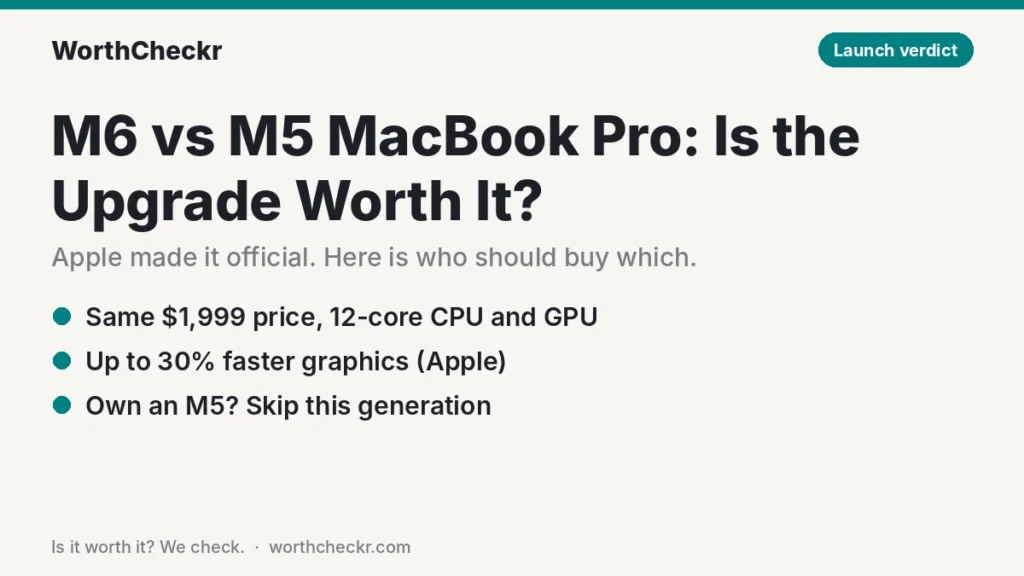
- It’s official: Apple announced the M6 14-inch MacBook Pro on October 27, 2026; it ships November 6
- Same $1,999 starting price as the M5 model, with 1TB storage standard
- Faster where it counts: 12-core CPU and GPU (up from 10), Wi-Fi 7, dual 4K displays at up to 165Hz
- Already own an M5? Don’t upgrade. The jump is a normal yearly bump, not a must-have
Last updated November 3, 2026, after Apple’s October 27 announcement · Research-based analysis by Abid Shehzad, WorthCheckr
The wait is over. Apple announced the M6 MacBook Pro on October 27, 2026, so the question is no longer “should I wait?” but M6 vs M5 MacBook Pro: is the new one worth it, or is a discounted M5 the smarter buy? The M6 model takes over the entry 14-inch slot at the same $1,999 starting price, with orders open now and deliveries from Friday, November 6.
Below we compare what Apple confirmed against the M5 model, add real-world M6 test results from the Mac mini, and explain where the new touchscreen OLED MacBook Pro fits. Every verdict here is research-based, drawn from Apple’s specs and named reviewers.
In this guide
M6 vs M5 MacBook Pro: quick answer
- Buying a new 14-inch MacBook Pro today? Get the M6. It costs the same as the M5 model did and is faster across the board.
- Found an M5 MacBook Pro at least $300 below the M6? That’s a fair buy for office work, calls and browsing. The M5 is still far more than most home office jobs need.
- Already own an M5? Keep it. Apple’s own figures put the M6 roughly 25–30% ahead in graphics and AI, which won’t change a typical workday.
- On an M1 or an Intel Mac? This is the upgrade to make. Apple claims up to 11x faster graphics than M1 and up to 14 more hours of battery than Intel models.
- Want touch, OLED or more power for video? Look at the new OLED MacBook Pro instead, but expect to pay at least $2,899.
M6 vs M5 MacBook Pro specs side by side
Apple kept the design, display and ports, so the M6 vs M5 MacBook Pro story is mostly about the chip, wireless and external display support. Everything in this table is confirmed by Apple or by MacRumors’ launch breakdown.
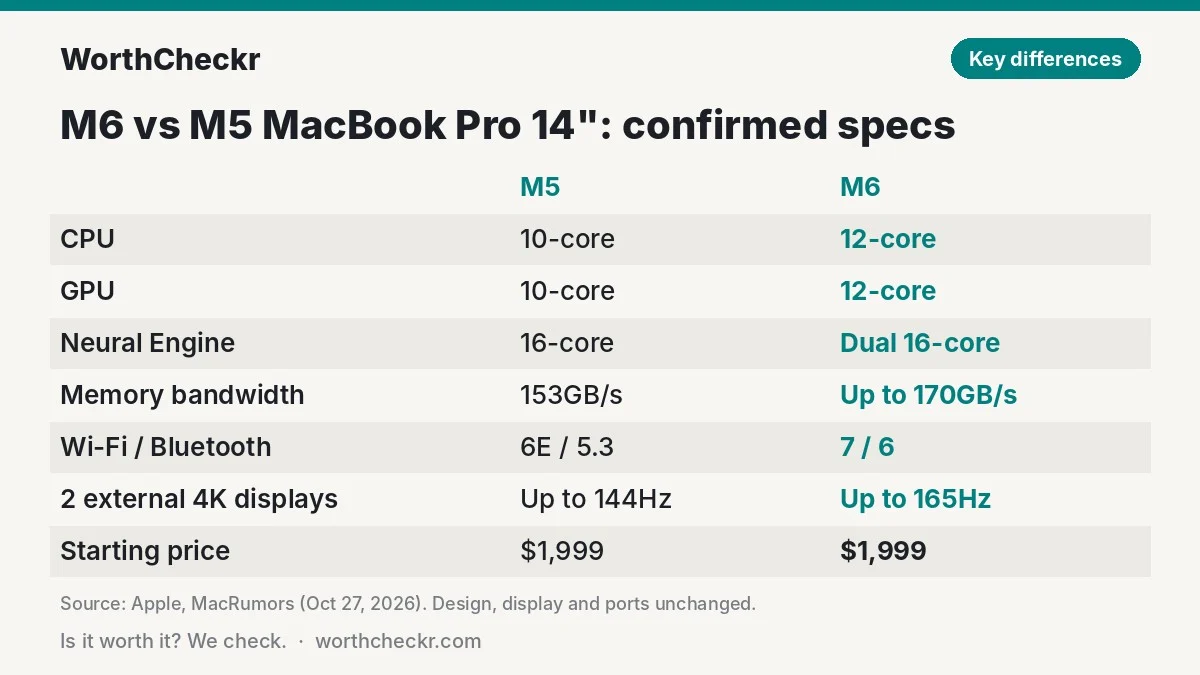
| M5 MacBook Pro 14″ | M6 MacBook Pro 14″ | |
|---|---|---|
| CPU | 10-core (4 super, 6 efficiency) | 12-core (2 super, 4 performance, 6 efficiency) |
| GPU | 10-core | 12-core, Neural Accelerator in each core |
| Neural Engine | 16-core | Dual 16-core |
| Memory bandwidth | 153GB/s | Up to 170GB/s (24GB and 32GB configs) |
| Memory | 16GB standard | 16GB standard, up to 32GB |
| Storage | 1TB standard (512GB dropped in March 2026) | 1TB standard |
| Wireless | Wi-Fi 6E, Bluetooth 5.3 | Wi-Fi 7, Bluetooth 6 (Apple N1 chip) |
| External displays | Up to 2, 4K at up to 144Hz | Up to 2, 4K at up to 165Hz |
| Display | 14.2″ Liquid Retina XDR (mini-LED), up to 1,600 nits HDR, optional nano-texture | |
| Ports | 3× Thunderbolt 4, HDMI, SDXC, MagSafe 3, headphone jack | |
| Starting price (US) | $1,999 (before replacement) | $1,999 ($1,899 education) |
M5 wireless specs are from Apple’s 2025 spec sheet; MacRumors notes the rest of the M6 model is unchanged from the M5 version.
How much faster is M6 than M5?
Apple’s own launch claims for the M6 MacBook Pro against the M5 model are all “up to” figures:
- Graphics: up to 30% faster
- On-device AI (large language model prompt processing): up to 25% faster
- Xcode project builds and Blender ray tracing: up to 1.3x faster
- Affinity image processing: up to 1.2x faster
Independent numbers line up with that. The M6 chip shipped first in the M6 Mac mini, and in Six Colors’ testing Jason Snell measured it at 11% faster than the M5 in single-core CPU work, 23% faster in multi-core and 24% faster in graphics. He described it as a typical generational step. A laptop can behave a little differently from a desktop under sustained load, but the MacBook Pro’s cooling is strong, so similar gains are likely.
What that means in practice: for email, documents, spreadsheets, browser tabs and video calls, you won’t feel the difference between M5 and M6. You’ll notice it in exports, code builds, 3D work and local AI tools, where 20–30% shaves real minutes off long jobs.
M6 MacBook Pro price and release date
- Announced: October 27, 2026
- Pre-orders: opened October 28 in 35 countries and regions
- In stores and delivering: Friday, November 6, 2026
- Price: from $1,999 (16GB, 1TB), or $1,899 with education pricing
- Colors: space black and silver
The price matches what the M5 model cost before it was replaced. Remember that the M5 MacBook Pro launched at $1,599 in 2025 and rose to $1,999 during 2026, so “same price” means the M6 holds the higher price point rather than bringing it back down. That’s also why leftover M5 stock at retailers is worth watching: discounts on outgoing models are common after a launch.
M6 MacBook Pro vs the OLED touchscreen MacBook Pro
Apple announced a second, premium MacBook Pro a day later: the first Mac with a touchscreen, using a new OLED panel Apple calls PROLED XDR. Here’s how it compares with the M6 model.
| M6 MacBook Pro 14″ | OLED MacBook Pro (PROLED XDR) | |
|---|---|---|
| Chips | M6 | M5 Pro or M5 Max |
| Screen | Mini-LED, no touch | OLED touchscreen |
| Sizes | 14-inch | 14-inch and 16-inch |
| Weight | Unchanged design | 14″: 1.4 kg (3 lb); 16″: 1.8 kg (4 lb), thinner and lighter than before |
| Starting price | $1,999 | $2,899 (14″ M5 Pro) · $3,399 (16″ M5 Pro) · $4,499 (14″ M5 Max) · $4,799 (16″ M5 Max) |
| Available | November 6, 2026 | |
Don’t assume the newer chip is the faster laptop. The M5 Pro and M5 Max have more CPU and GPU cores and far more memory bandwidth than the base M6, so the OLED models are the more powerful machines. The catch is the price: per ppc.land’s breakdown of Apple’s pricing, the OLED 14-inch M5 Pro costs $400 more than the same-chip mini-LED model, which stays on sale at $2,499. If you need M5 Pro power but not touch or OLED, that mini-LED model is the better value.
Should you upgrade to the M6 from your current Mac?
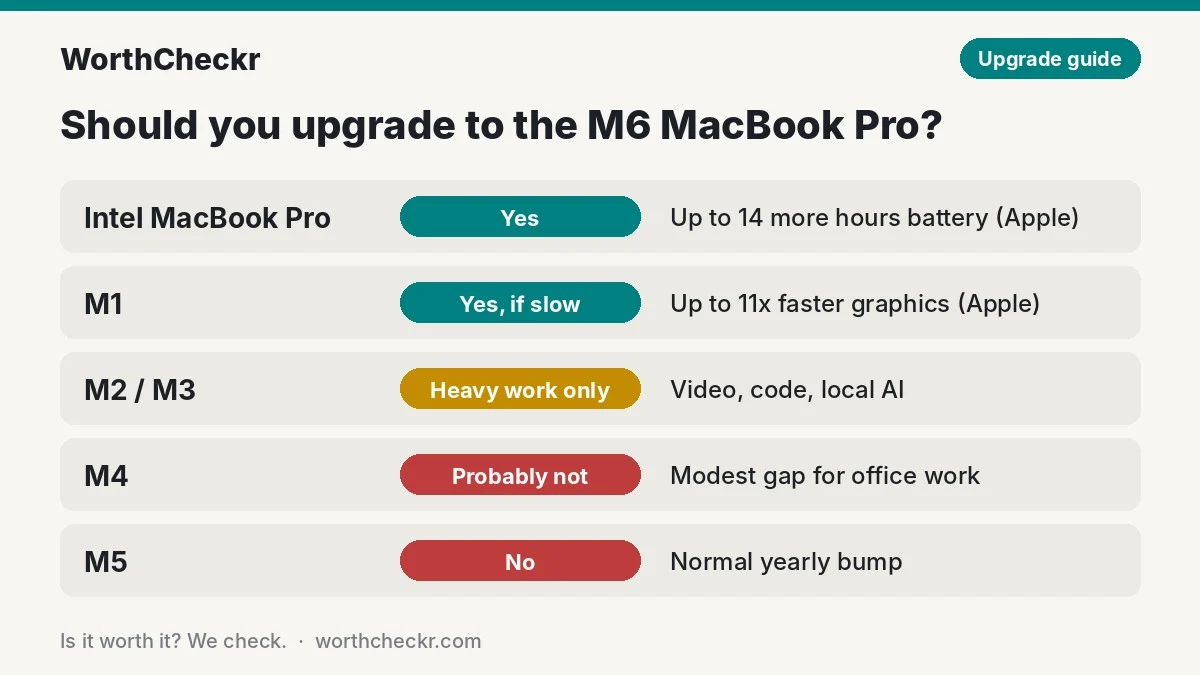
| Your current laptop | Upgrade to M6? | Why |
|---|---|---|
| Intel MacBook Pro | ✅ Yes | Apple claims up to 14 more hours of battery, and you gain modern macOS and AI features |
| M1 MacBook Pro or Air | ✅ Yes, if it feels slow | Apple claims up to 11x faster graphics, up to 4 more hours of battery and an extra Thunderbolt port |
| M2 or M3 | ⚖️ Only for heavy work | Worth it for video, code or local AI; not needed for office tasks |
| M4 | ❌ Probably not | Two generations is a modest gap for typical work |
| M5 | ❌ No | Roughly 11–30% faster depending on the task; a normal yearly bump |
What M6 vs M5 means for home office buyers
- Two monitors: both models drive two external 4K displays, and the M6 raises the refresh ceiling to 165Hz. A pair of 27-inch 4K USB-C monitors is the classic setup; a Thunderbolt monitor with 96W or more of charging can also power the laptop over one cable.
- Wi-Fi 7: helps on busy home networks and with fast fiber, but only if your router supports it.
- AI tools: the dual Neural Engine is the biggest real-world change if you run on-device AI features or local models.
- Fast charging: Apple says it reaches 50% in about 30 minutes with a 96W or higher USB-C adapter.
- Storage: 1TB standard on both means you no longer need to pay extra to escape a cramped base model.
M6 vs M5 MacBook Pro: which should you buy?
| If you… | Buy |
|---|---|
| Want the best 14″ MacBook Pro for the money | M6 MacBook Pro ($1,999) |
| Find an M5 model $300+ cheaper and mostly do office work | The discounted M5 MacBook Pro |
| Edit video, build code or run heavy pro apps | Mini-LED M5 Pro MacBook Pro ($2,499) for more cores |
| Want touch, OLED or the lightest design | OLED MacBook Pro (from $2,899) |
| Mostly work at one desk | The M6 Mac mini plus a good monitor |
Not set on a Mac? See whether a Googlebook can replace your work laptop or how the Surface Pro 12-inch 2nd Edition holds up, or browse all laptops & accessories.
M6 vs M5 MacBook Pro FAQ
When is the M6 MacBook Pro released?
Apple announced it on October 27, 2026. Pre-orders opened October 28, and it arrives in stores and with customers on Friday, November 6, 2026.
How much does the M6 MacBook Pro cost?
It starts at $1,999 in the US with 16GB of memory and 1TB of storage, or $1,899 with education pricing. That’s the same as the M5 model it replaces.
Is the M6 MacBook Pro worth it over the M5?
For a new purchase at the same price, yes. Apple claims up to 30% faster graphics and 25% faster AI, and it adds Wi-Fi 7. If you already own an M5, the gain is too small to justify upgrading.
How much faster is the M6 than the M5?
Apple quotes up to 1.3x faster in Xcode and Blender and up to 30% faster graphics. In Six Colors’ Mac mini tests, the M6 was 11% faster single-core, 23% faster multi-core and 24% faster in graphics.
Does the M6 MacBook Pro have an OLED or touch screen?
No. It keeps the mini-LED Liquid Retina XDR display. OLED and touch are only on the separate PROLED XDR MacBook Pro, which uses M5 Pro or M5 Max chips and starts at $2,899.
Should I buy the M5 MacBook Pro on sale instead?
If it’s at least a few hundred dollars cheaper and you mainly do office work, video calls and browsing, yes. The M5 handles that easily. Pay full price only for the M6.
Bottom line
Winner: the M6 MacBook Pro, for anyone buying new at full price. It costs the same as the M5 model did and is faster in every area Apple measured, with Wi-Fi 7 and better external display support on top. A discounted M5 is a sensible budget choice for everyday office work, and M5 owners can skip this generation. We’ll update this guide as full M6 MacBook Pro reviews and battery tests come in.
Sources: Apple Newsroom · MacRumors · 9to5Mac · RedShark News · ppc.land · Six Colors