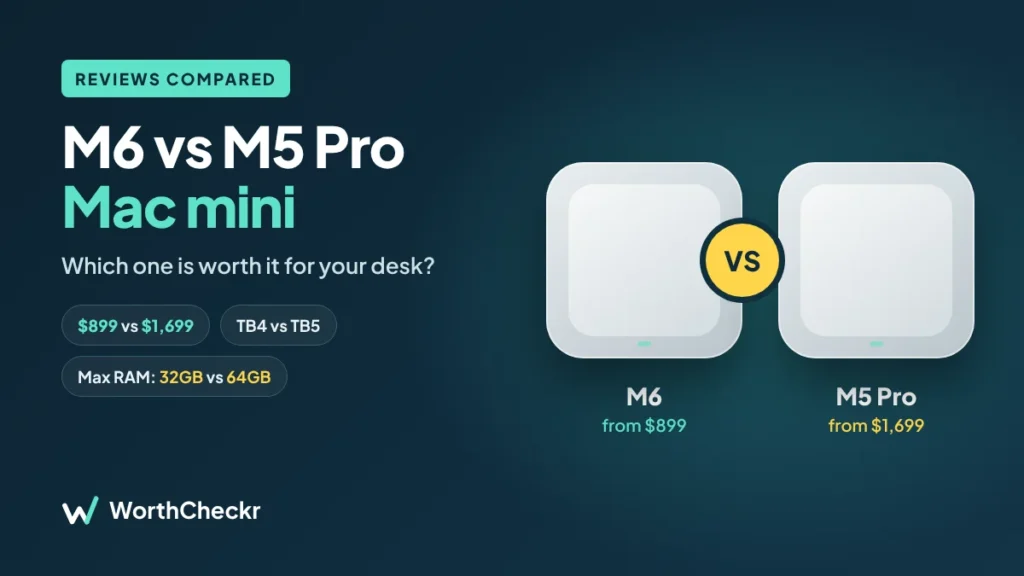
For years, picking a Mac mini was easy: buy the cheap one unless you were a pro. Apple’s 2026 lineup makes that choice trickier. Both new models went on sale on September 22, 2026, and oddly, the cheaper one has the newer chip. The $899 Mac mini runs the brand-new M6, Apple’s first 2-nanometer chip, while the $1,699 model uses the older-generation M5 Pro.
So in the M6 vs M5 Pro Mac mini matchup, does the higher number win, or the higher price? Instead of repeating spec sheets, we went through reviews from Six Colors, WIRED, The Verge, Macworld, Cult of Mac, BGR and others to see where the two actually differ for real work. Here’s what reviewers agree on, where the $800 gap is worth it, and which one belongs on your desk.
WorthCheckr pick: M6 Mac mini · ✓ Worth it for most home offices
- Value for money: M6 wins by $800
- Everyday speed: M6 is newer, with faster single-core performance
- Heavy pro work: M5 Pro wins
- What buyers want most: more storage and Thunderbolt 5. Only the M5 Pro has both, but at nearly double the price
In this guide
- Quick answer
- M6 vs M5 Pro Mac mini specs side by side
- M6 vs M5 Pro Mac mini reviewer scorecard: who wins each round
- Where reviewers agree
- Newer chip vs Pro chip: which is faster?
- Memory: the biggest real difference
- Ports: Thunderbolt 4 vs Thunderbolt 5
- The upgrade trap: when the M6 gets close to the M5 Pro
- What buyers and owners are saying
- Our take: why the M6 gets the edge
- M6 vs M5 Pro Mac mini: which should you buy?
- Accessories to finish your Mac mini setup
- M6 vs M5 Pro Mac mini FAQ
- Verdict
Quick answer
- Choose the M6 Mac mini ($899) if you do office work, video calls, browsing, light photo editing and want up to three monitors. It’s the one most reviewers recommend for most people.
- Choose the M5 Pro Mac mini ($1,699) if you edit video seriously, write code all day, run larger AI models locally or need Thunderbolt 5 accessories.
- Skip both if you need to work away from your desk. A laptop is the better fit.
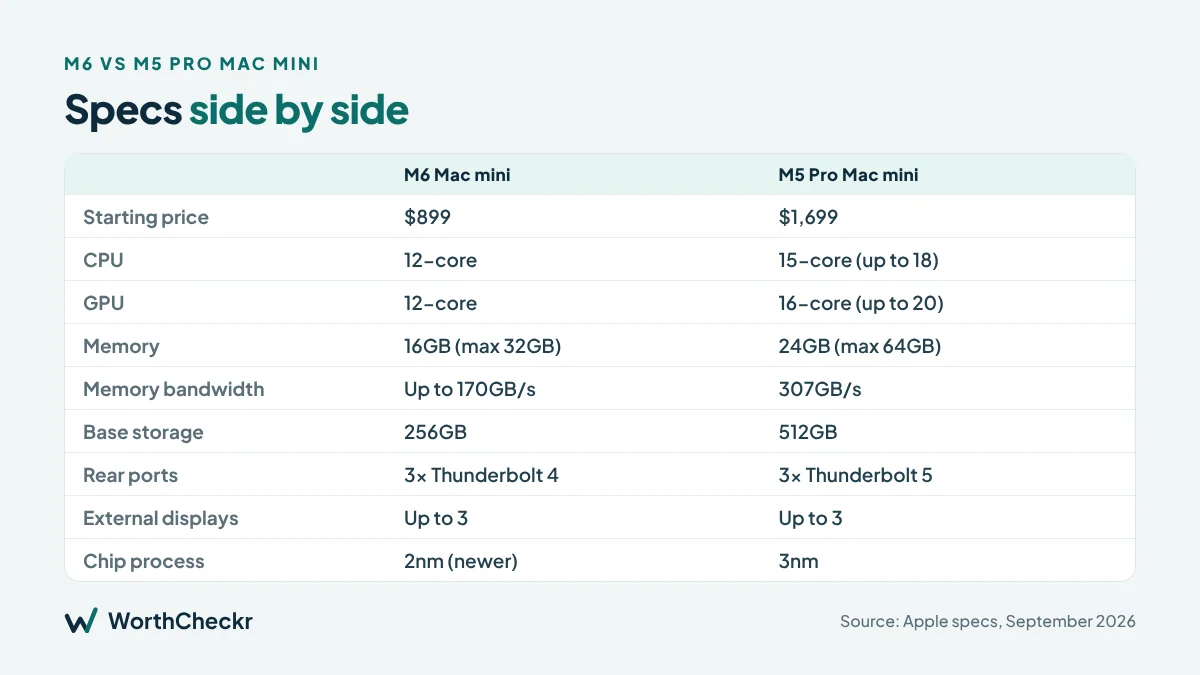
M6 vs M5 Pro Mac mini specs side by side
| M6 Mac mini | M5 Pro Mac mini | |
|---|---|---|
| Starting price (US) | $899 | $1,699 |
| Education price | $799 | $1,599 |
| CPU | 12-core (2 super, 4 performance, 6 efficiency) | 15-core, up to 18-core |
| GPU | 12-core | 16-core, up to 20-core |
| Base memory | 16GB | 24GB |
| Maximum memory | 32GB | 64GB |
| Memory bandwidth | Up to 170GB/s | 307GB/s |
| Base storage | 256GB | 512GB (up to 8TB) |
| Rear ports | 3x Thunderbolt 4, HDMI, Ethernet | 3x Thunderbolt 5, HDMI, Ethernet |
| Front ports | 2x USB-C (both models) | |
| External displays | Up to 3 | Up to 3 |
| Networking | Wi-Fi 7, Bluetooth 6, 2.5Gb Ethernet (10Gb optional) | |
| Weight | 1.5 lb | 1.6 lb |
| Chip process | 2nm (newer) | 3nm |
| Release | September 22, 2026 | September 22, 2026 |
M6 vs M5 Pro Mac mini reviewer scorecard: who wins each round
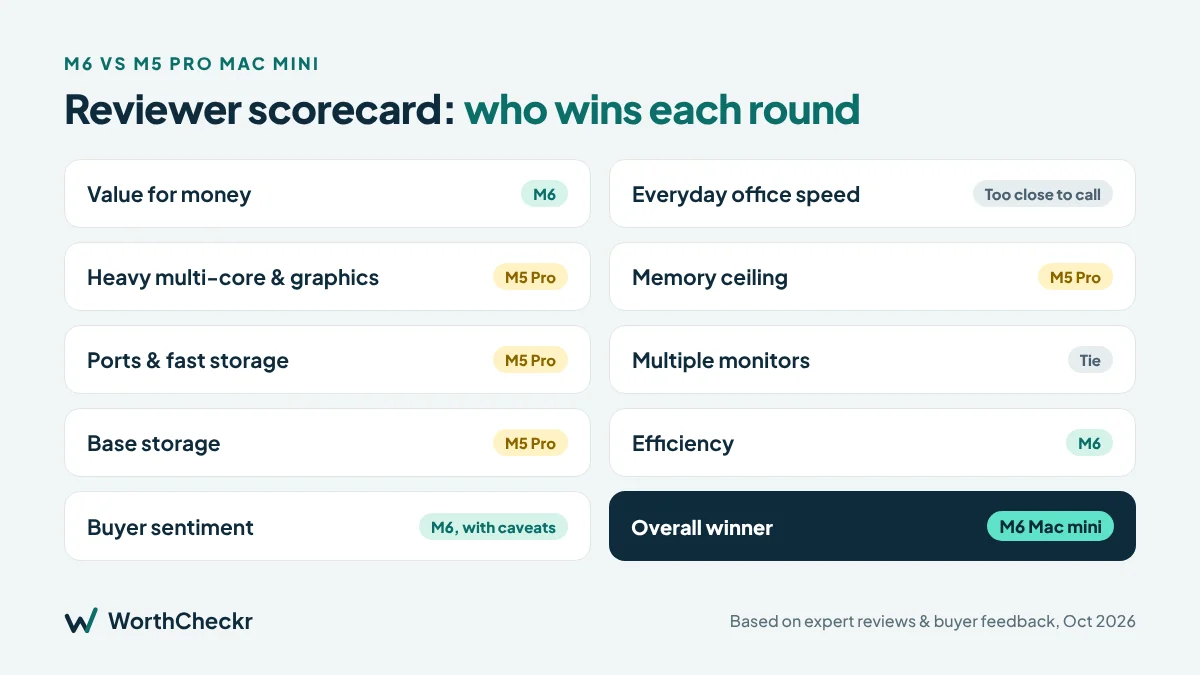
| Category | Winner | What reviewers said |
|---|---|---|
| Value for money | M6 | Macworld recommends the $899 M6 for most buyers |
| Everyday office speed | Too close to call | Both are far faster than typical office work demands |
| Heavy multi-core and graphics work | M5 Pro | Cult of Mac notes it has far more CPU and GPU muscle |
| Memory ceiling | M5 Pro | 64GB vs 32GB, which matters for local AI and big projects |
| Ports and fast storage | M5 Pro | Thunderbolt 5 vs Thunderbolt 4 |
| Multiple monitors | Tie | Both drive up to three displays; M5 Pro has more bandwidth for high-res combos |
| Base storage | M5 Pro | 512GB vs 256GB out of the box |
| Efficiency | M6 | Newer 2nm chip uses less power on lighter workloads |
| Buyer sentiment | M6, with caveats | Buyers like the speed but dislike the price, 256GB base storage and Thunderbolt 4 |
| Overall | M6 | Best worth for most buyers |
Where reviewers agree
Three points come up again and again. First, both Mac minis are excellent: the same tiny 5-inch aluminum box, quiet, and powerful enough to hide behind a monitor and forget about. Second, the prices are up. The previous M4 model launched at $599, and The Verge and Ars Technica both felt the higher pricing weakens the Mac mini’s old value story. Third, for most people, the M6 is enough. Six Colors’ Jason Snell says the base M6 handles more than most regular people will ever ask of it, and Macworld lands on the same advice.
Newer chip vs Pro chip: which is faster?
This is the confusing part. The M6 is newer, but newer doesn’t mean faster across the board. Apple says the M6 delivers the world’s fastest single-threaded performance, and Six Colors measured it at 11% faster than the M5 in single-core tests and 23% faster in multi-core. That single-core speed is what makes apps open and everyday tasks feel snappy.
But Cult of Mac points out that the M5 Pro simply has more of everything: more CPU cores, a much bigger GPU, more memory and higher memory bandwidth. For long exports, big code builds, 3D work and heavy multitasking, those extra cores win. In short, the M6 feels quick for daily work, while the M5 Pro keeps going when the work gets heavy.
Memory: the biggest real difference
If one spec should decide your purchase, it’s memory. The M6 starts at 16GB and maxes out at 32GB. The M5 Pro starts at 24GB and goes up to 64GB. Neither can be upgraded later.
For email, documents, Slack and video calls, 16GB is fine. For AI, it’s tight. WIRED, which gave the M6 a 9/10, called 16GB the limiting factor for more ambitious local AI work and pointed buyers toward the 32GB M6 or the M5 Pro instead. BGR adds that the M6 handles small AI models for focused tasks, but won’t replace a service like ChatGPT. If you want to run larger models at home, the M5 Pro’s 64GB ceiling is the reason to pay more.
Ports: Thunderbolt 4 vs Thunderbolt 5
Both models have the same port layout, but the M6 uses Thunderbolt 4 while the M5 Pro gets Thunderbolt 5. PetaPixel called the missing Thunderbolt 5 the M6’s main limitation for photographers, since it slows transfers from the fastest external drives. Camera Jabber also notes the M6 can’t use Apple’s Thunderbolt 5 clustering for linking several Macs together for AI work.
For a typical home office with a dock, a couple of monitors, a webcam and an external SSD, Thunderbolt 4 is perfectly fine. You’ll only feel the difference with high-end storage or pro display setups.
The upgrade trap: when the M6 gets close to the M5 Pro
Apple’s upgrade pricing narrows the gap fast. According to CNET, doubling the M6’s storage to 512GB costs $200, and 1TB adds another $300. BGR estimates a more practical 24GB M6 build lands around $1,299, which starts to edge toward the $1,699 M5 Pro with 24GB and 512GB already included.
Our rule of thumb: if your M6 configuration climbs past roughly $1,300, price out the M5 Pro before you buy. If you’re only upgrading storage, an external SSD is the cheaper fix, which Macworld also recommends.
What buyers and owners are saying
Both models only shipped on September 22, so long-term owner reviews are still coming in. But buyer discussions on the MacRumors forums and early owner videos already show a clear pattern:
- Speed isn’t the issue. Early owners and reviewers agree the M6 feels fast for daily work. 9to5Mac measured its internal SSD at roughly double the M4’s speed, which you notice when opening big files.
- Thunderbolt 4 is the top complaint. Several forum buyers called the lack of Thunderbolt 5 on the M6 a letdown. It matters most to people with high-end 120Hz displays or fast external drives.
- 256GB feels too small at $899. Many buyers say the base storage should be bigger at this price. Early owner videos also warn about picking the wrong configuration, so decide your storage and memory before you order.
- Some are waiting. A number of buyers plan to wait for refurbished units or the next chip generation instead of paying launch prices.
- The M5 Pro is seen as a niche pick. Forum buyers mostly recommend it only if you need Thunderbolt 5 or more than 32GB of memory.
We’ll add more owner feedback as long-term reviews come in.
Our take: why the M6 gets the edge
Putting reviewer findings and buyer feedback on the M6 vs M5 Pro Mac mini together, the M6 Mac mini gives you the most worth for your money. Here’s why:
- It covers what most buyers actually do. Office apps, browsers, video calls and up to three monitors don’t come close to its limits.
- Its biggest weaknesses have cheap fixes. An external SSD solves the 256GB problem for far less than Apple’s upgrade, and Thunderbolt 4 is fine for normal docks and monitors.
- The newer chip ages well. It has the newest CPU design, the fastest single-core speed in the lineup and better power efficiency.
- The $800 you save buys a better setup. That covers a good 4K monitor and a keyboard and mouse, which will improve your workday more than extra CPU cores.
The M5 Pro is the better machine on paper, but you only get your money’s worth from it if your work is heavy enough to use it fully.
M6 vs M5 Pro Mac mini: which should you buy?
| If you… | Buy |
|---|---|
| Do office work, calls and browsing | M6, base model |
| Want two or three monitors on a budget | M6, base model |
| Keep lots of files but want to save money | M6 plus an external SSD |
| Edit photos regularly | M6 with 24GB |
| Edit 4K video or build large codebases | M5 Pro |
| Run local AI models seriously | M5 Pro with 48GB or 64GB |
| Use Thunderbolt 5 drives or docks | M5 Pro |
| Are a student or teacher | Either, with $100 off education pricing |
Accessories to finish your Mac mini setup
Neither Mac mini comes with a screen, keyboard, mouse or camera, so budget for these:
- External SSD – the cheapest way around the 256GB base storage. Check price
- Thunderbolt dock or hub – adds ports and tidies cables. Check price
- 4K USB-C monitor – see our monitor reviews
- Keyboard and mouse – see keyboards & mice
- Webcam and mic – see webcams & audio
Want the M6 chip in a laptop? Read M6 vs M5 MacBook Pro: is the upgrade worth it?
Rather work on the move? See how the Surface Pro 12-inch 2nd Edition holds up for work, or whether a Googlebook can replace your work laptop.
M6 vs M5 Pro Mac mini FAQ
Is the M6 Mac mini better than the M5 Pro Mac mini?
Not overall. The M6 is newer and faster in single-core tasks, but the M5 Pro has more cores, more memory and Thunderbolt 5, so it’s stronger for heavy work.
Why does the cheaper Mac mini have the newer chip?
Apple launched the base M6 first, while the Pro-level chip in this lineup is still from the M5 generation.
How many monitors can each Mac mini run?
Both support up to three external displays. The M5 Pro’s Thunderbolt 5 gives more room for high-resolution combinations.
Is 16GB enough on the M6 Mac mini?
For office work, yes. For local AI or serious video editing, reviewers suggest 24GB, 32GB or the M5 Pro.
Can I upgrade memory or storage later?
No. Both are fixed at purchase, though you can add external storage.
Verdict
Winner: M6 Mac mini. For most home office buyers, the M6 Mac mini is the one to get, and it’s the one buyers are getting the most value from. It’s fast, tiny, runs three monitors and costs $800 less. Pair it with an external SSD and put the savings toward a good monitor or chair. The M5 Pro Mac mini earns its price only if your work is heavy: serious video, big code projects, local AI or Thunderbolt 5 gear. If you’re unsure, start with the M6. Most people will never hit its limits.
We’ll update this comparison as long-term owner feedback comes in.
Sources: Six Colors · 9to5Mac review · MacRumors forums · Apple Newsroom · 9to5Mac · MacRumors · Cult of Mac · Macworld · iClarified (The Verge, WIRED) · BGR · Camera Jabber · CNET (via APH Networks)