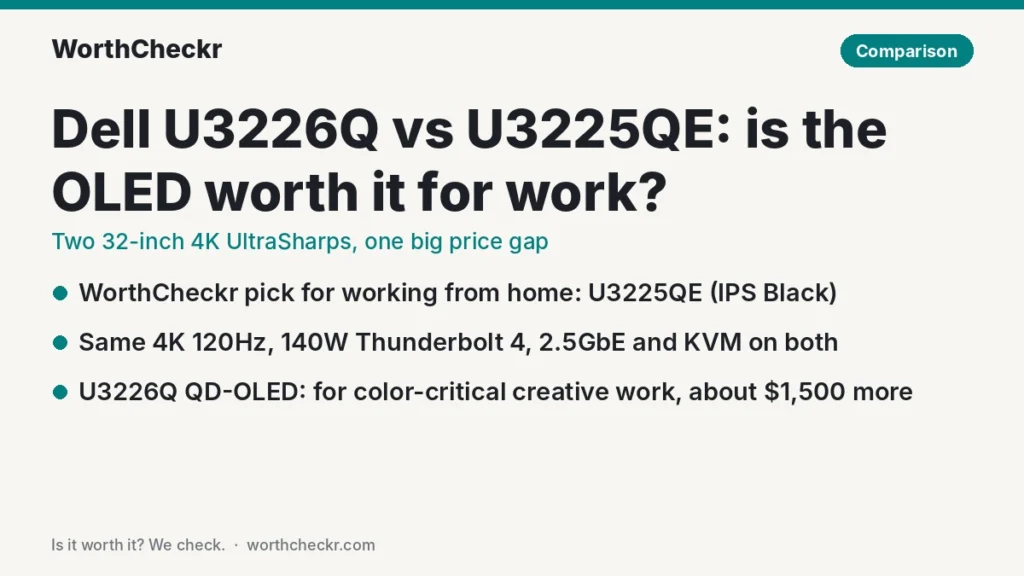
WorthCheckr pick: Dell UltraSharp U3225QE
✓ Worth it for remote workers who want one big, sharp 32-inch screen that also acts as a full Thunderbolt dock for their laptop.
- It has almost the same ports, 140W charging and KVM switch as the OLED model.
- It typically costs $1,300 to $1,800 less than the U3226Q.
- Its IPS Black panel gets brighter in everyday office use and has zero burn-in risk.
- Reviewers at PCWorld and TechRadar call it a top home office monitor.
Pick the U3226Q instead if you grade video, retouch photos for clients or need color that stays calibrated on its own.
Last updated November 7, 2026 · Research-based analysis by Abid Shehzad, WorthCheckr
Dell now sells two flagship 32-inch 4K UltraSharp monitors that look almost identical on a spec sheet, yet one costs more than twice as much. The U3226Q vs U3225QE choice comes down to a single question for home office buyers: is a self-calibrating QD-OLED panel worth roughly $1,500 extra when both screens offer the same 4K resolution, 120Hz refresh rate and Thunderbolt hub?
The OLED U3226Q went on sale in late February 2026, and a fresh wave of reviews from Tom’s Guide and TechRadar landed in September, joining earlier verdicts from PCWorld, Tom’s Hardware and Expert Reviews. The IPS Black U3225QE has been out since early 2025 and has a long track record with owners. Below, we line up what those reviewers found and what it means for a home office desk. WorthCheckr hasn’t tested either monitor; this is a research-based comparison.
New to buying a home office monitor? Start with our guide to choosing a monitor for working from home, which links every WorthCheckr monitor pick and comparison.
In this comparison
- U3226Q vs U3225QE: the quick answer
- U3226Q vs U3225QE specs side by side
- Reviewer scorecard: who wins each round
- Where reviewers agree
- Where they differ: OLED contrast vs IPS brightness
- Where they differ: color accuracy and self-calibration
- Where they differ: burn-in, warranty and long workdays
- Where they differ: price and value
- Common owner problems (and fixes)
- What buyers and owners are saying
- Our take: why the U3225QE gets the edge
- Which Dell UltraSharp 32 should you buy?
- Accessories for a 32-inch UltraSharp home office
- U3226Q vs U3225QE FAQ
- Verdict
U3226Q vs U3225QE: the quick answer
Choose the Dell UltraSharp U3225QE if…
- Your day is email, documents, spreadsheets, video calls, code or dashboards.
- You work in a bright room or next to a window and want plenty of brightness for SDR work.
- You want one Thunderbolt cable to charge your laptop and run your keyboard, webcam and wired network.
- You’d rather spend the savings on a good chair, desk or second screen.
Choose the Dell UltraSharp U3226Q if…
- Color-critical photo, video or design work is a real part of how you earn money.
- You want deep, true blacks and a monitor that recalibrates itself on a schedule.
- You also watch HDR films or play games after work and want OLED contrast.
- You value the three-year warranty that Dell says includes OLED burn-in coverage.
Check Dell U3225QE price → Check Dell U3226Q price →
U3226Q vs U3225QE specs side by side
Figures come from Dell’s US product pages, TFTCentral’s launch coverage and the measured results in the reviews listed under Sources. Measured numbers are labeled as such.
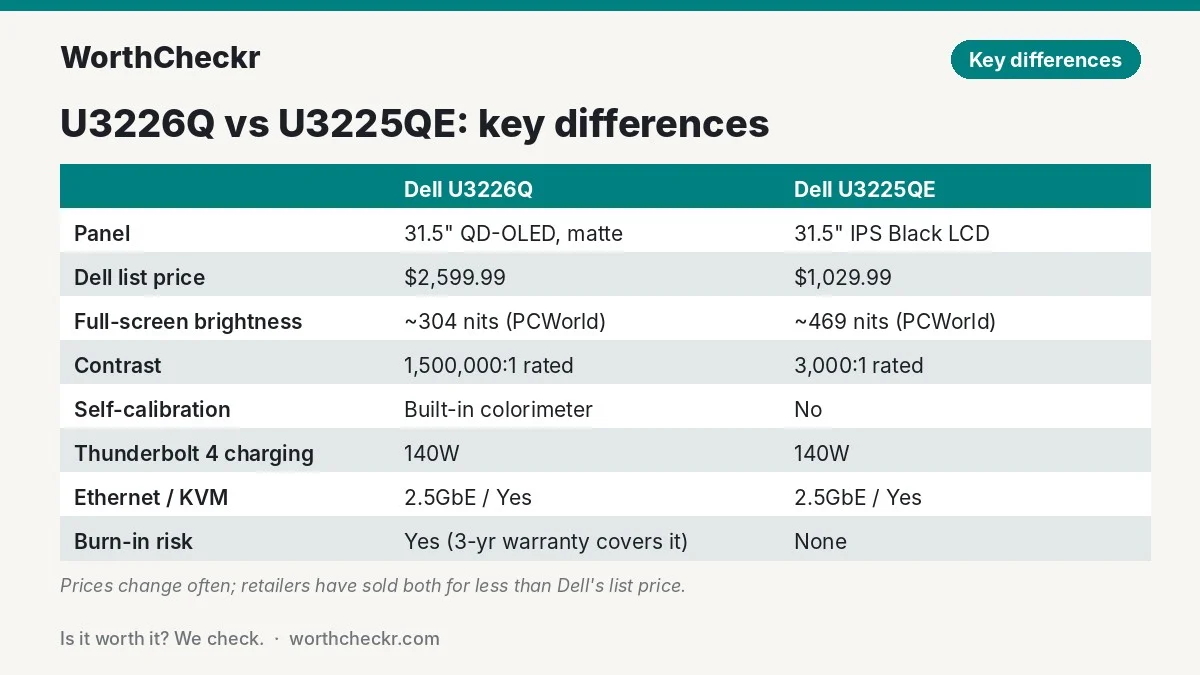
| Spec | Dell U3226Q | Dell U3225QE |
|---|---|---|
| Released | Announced January 2026; orderable from late February 2026 | Early 2025 |
| Dell US list price | $2,599.99 (Tom’s Guide and TechRadar saw it from about $2,350 at retailers) | $1,029.99 at Dell (seen around $810 to $880 at retailers) |
| Panel | 31.5″ QD-OLED (fourth-gen Samsung Display), matte anti-glare coating | 31.5″ IPS Black LCD |
| Resolution and density | 3840 x 2160, about 140 PPI | 3840 x 2160, about 140 PPI |
| Refresh rate | 120Hz with adaptive sync | 120Hz with adaptive sync |
| Contrast | 1,500,000:1 rated (per-pixel, true black) | 3,000:1 rated; 2,900:1 measured by PCWorld |
| Full-screen SDR brightness | About 300 nits (304 measured by PCWorld) | 469 nits measured by PCWorld |
| HDR certification | DisplayHDR True Black 500, Dolby Vision | DisplayHDR 600 |
| Color gamut (measured, PCWorld) | 100% sRGB, 98% DCI-P3, 94% Adobe RGB | 100% sRGB, 98% DCI-P3, 92% Adobe RGB |
| Built-in colorimeter | Yes, with scheduled self-calibration | No |
| Thunderbolt 4 | 1 upstream (140W), 1 downstream (15W) | 1 upstream (140W), 1 downstream (15W) |
| Video inputs | 2x HDMI 2.1, 1x DisplayPort 1.4 | 1x HDMI 2.1, DisplayPort 1.4 in and out |
| USB hub | 2x USB-C (27W each), 3x USB-A, all 10Gbps | 2x USB-C, 5x USB-A, all 10Gbps |
| Ethernet and KVM | 2.5GbE, built-in KVM | 2.5GbE, built-in KVM |
| Audio | No speakers, no headphone jack | No speakers; 3.5mm line-out |
| Extras | Magnetic monitor hood included | Ambient light sensor |
| Power use (Dell, typical) | 33.7W | 30.5W |
| Weight with stand | About 21.7 lb | About 20.6 lb |
| Warranty (US) | 3 years, Advanced Exchange and Premium Panel Exchange, including OLED burn-in | 3 years, Advanced Exchange and Premium Panel Exchange |
Reviewer scorecard: who wins each round
| Category | Winner | What reviewers said |
|---|---|---|
| Contrast and black levels | U3226Q | Tom’s Hardware’s Christian Eberle called its contrast deep; PCWorld measured effectively infinite contrast. |
| Everyday SDR brightness | U3225QE | PCWorld measured about 469 nits on the IPS model versus about 304 on the OLED. |
| Color accuracy | U3226Q | Expert Reviews’ Sasha Muller praised its self-calibration; PCWorld found the U3225QE slightly off target out of the box. |
| Text for office work | Tie | Same 140 PPI. Expert Reviews says the U3226Q’s coating hides QD-OLED fringing, though text is a touch softer than LCD. |
| Ports and docking | Tie | PCWorld notes the cheaper U3225QE offers similar connectivity without OLED; both have 140W Thunderbolt, 2.5GbE and KVM. |
| Long-term peace of mind | U3225QE | No burn-in risk at all, although Dell’s U3226Q warranty does cover burn-in for three years. |
| Price | U3225QE | Around $810 to $1,030 vs about $2,350 to $2,600. |
| Buyer sentiment | U3225QE | A long, positive owner track record; U3226Q owner feedback is still thin. |
| Overall (for working from home) | U3225QE | Nearly all the work features for well under half the price. |
Where reviewers agree
Read the reviews side by side and a clear picture forms. Reviewers broadly agree on five points:
- Both are excellent 32-inch work screens. At about 140 pixels per inch, 4K at this size gives you room for two full documents side by side and stays sharp at a normal desk distance.
- The docking features are a big deal. TechRadar’s Collin Probst, who reviewed both, praised the U3225QE’s KVM switch for moving one keyboard and mouse between two computers. (Our guide to monitors with a built-in KVM switch explains how to cable one for a work laptop and a personal PC.) Techaeris said the U3226Q’s single-cable setup turns a messy desk into a clean one.
- The U3226Q is overkill for normal office tasks. TechRadar, Tom’s Hardware and Expert Reviews all made this point in different words. Tom’s Hardware still found document editing on it a pleasure.
- 120Hz is a welcome bonus. Scrolling long pages and spreadsheets feels smoother on both than on a typical 60Hz office monitor.
- Neither has speakers. Plan on headphones, a soundbar or your laptop’s speakers for calls.
Where they differ: OLED contrast vs IPS brightness
This is the core trade-off. The U3226Q’s QD-OLED panel lights each pixel on its own, so blacks are truly black. Reviewers loved it for dark-mode apps, photos and HDR video. The U3225QE uses Dell’s IPS Black technology, which roughly doubles the contrast of a normal IPS screen, but it still can’t match OLED. PCWorld listed its contrast as trailing VA and OLED panels.
Brightness flips the result. In full-screen white, which is what a document or spreadsheet looks like, the OLED holds around 300 nits. PCWorld measured about 469 nits on the U3225QE. If your home office gets strong afternoon sun, the IPS model has more headroom. In a normal room, 300 nits is still plenty for most people, and Expert Reviews found the U3226Q’s brightness extremely even across the panel.
The U3226Q’s coating also matters for office use. Most QD-OLED monitors are glossy or semi-glossy and show a purple-ish tint in a lit room. Dell uses a new matte, low-reflection layer. Expert Reviews says it makes the colored fringing around text effectively invisible, and Techaeris found it kills reflections in a bright office. The trade-off is that blacks look slightly less inky than on glossy OLEDs. If text fringing is your worry, our guide to OLED monitors for office work explains the issue in plain English.
Where they differ: color accuracy and self-calibration
This is where the U3226Q earns its price. It has a colorimeter built into the bottom bezel that can recalibrate the screen on a schedule, with no external puck needed. PCWorld’s Matthew S. Smith found its accuracy excellent and liked that placement more than BenQ’s top-mounted sensor. Tom’s Guide’s Nikita Achanta called it one of the best monitors for photographers, videographers and editors.
The U3225QE covers a similar color range (about 98% of DCI-P3 in PCWorld’s test), but its default color temperature and gamma ran slightly off target. For email and spreadsheets you’ll never notice. For client photo work you’d want a hardware calibrator, which adds cost and effort.
Mac users should note one wrinkle: AppleInsider’s review headline described the U3226Q as “not perfect for Mac users.” We couldn’t access the full article, so check how your Mac handles it before you buy. Either monitor charges a MacBook Pro over Thunderbolt at up to 140W.
Where they differ: burn-in, warranty and long workdays
Office work is the toughest test for OLED. Taskbars, menu bars, sidebars and spreadsheet gridlines sit in the same place for hours. Modern OLED monitors run pixel-refresh routines to fight burn-in, and Dell’s US page says the U3226Q’s three-year Advanced Exchange warranty includes OLED burn-in coverage. That’s a strong promise, but it ends after three years, and most people keep a good monitor for five or more.
The U3225QE simply doesn’t have this problem. You can leave a static dashboard up all day for years. It also has an ambient light sensor that adjusts brightness as your room changes, which helps on long workdays.
One comfort note: Expert Reviews advised avoiding the U3226Q’s variable refresh rate because it caused intrusive flicker. That matters mostly for gaming, but it’s worth knowing.

Where they differ: price and value
Dell lists the U3226Q at $2,599.99, and its US page showed it as unavailable when we checked. Tom’s Guide and TechRadar saw retailer prices from about $2,350. The U3225QE is $1,029.99 at Dell, and Adorama listed it at $809.95 when we checked. Prices on both move often, so check before you buy.
That puts the gap somewhere between $1,300 and $1,800. PCWorld pointed out that the U3226Q costs more than twice as much as a typical 32-inch 4K QD-OLED. Techaeris put it at roughly three times the price of comparable gaming-focused models. If you just want OLED contrast for work and play, a cheaper option like the Alienware AW3226Q in our AW3226Q vs XG32UQWMS comparison costs about $700, although it lacks the Thunderbolt hub and KVM.
Common U3225QE and U3226Q problems owners report (and fixes)
The U3225QE has been on sale long enough for patterns to show up in Dell’s support notes and community forums. The U3226Q is too new for that yet.
Dell U3225QE
- USB hub detected as USB 2.0 over Thunderbolt, mostly with MacBooks. Dell confirms this in a support article covering both the U3225QE and its 27-inch sibling, the U2725QE. When it happens, drives and the built-in Ethernet run far below their rated speed.
- Auto brightness constantly adjusting, and wake-from-sleep problems, including a closed MacBook not being detected on wake. Both are listed in the same Dell article.
- Fix: install Dell’s M2T102 firmware (or newer) from the monitor’s support page. Dell says it addresses these issues. Some Mac owners on macOS Tahoe 26.1 couldn’t install it (“not for this monitor” errors); owners in Dell’s community forum report it worked after updating to macOS Tahoe 26.2, or by running the Windows updater from a Windows laptop.
- Intermittent USB port problems. A handful of threads on Dell’s community forum describe downstream USB ports disconnecting or stopping working. These look like individual cases rather than a widespread fault; update the firmware first, and use the 3-year warranty if it continues.
Dell U3226Q
- Not enough owner reports yet. The OLED model is new and expensive, so we haven’t found repeated owner complaints beyond what reviewers flagged: the on-screen menu is complicated, and the build is plain for the price. We’ll add owner problems here as they appear.
What buyers and owners are saying
The U3225QE has the longer track record. On Galaxus it holds a 4.4 out of 5 rating from 27 buyers, and the handful of Adorama reviews we read praise the 4K sharpness, the 120Hz smoothness and how the Thunderbolt hub charges a MacBook Pro while replacing a separate dock. Germany’s PC Welt rated it 80 out of 100, singling out sharpness and connectivity.
Owner feedback on the U3226Q is still thin. It’s an expensive niche product, and most public impressions come from professional reviewers and creator videos rather than everyday buyers. The recurring themes so far match the reviews: stunning color, very low reflections, a plain plastic build for the price, and an on-screen menu that PCWorld found overwhelming. We’ll update this section as more owners report back.
Our take: why the U3225QE gets the edge
- It does the same job for working from home. Same size, same resolution, same 120Hz, same 140W Thunderbolt charging, same 2.5GbE and KVM switch. For a laptop-based home office, those are the features you touch every day.
- It’s brighter where office work happens. White documents and web pages are full-screen bright content, and the IPS Black panel measured roughly 50% brighter there.
- No burn-in worries, ever. Static apps all day are exactly what an LCD handles best.
- The savings buy a better setup. The $1,300+ difference covers a good ergonomic office chair and a standing desk with change to spare.
- Owners like it. It has a long, positive record with buyers, while the U3226Q is still too new and too niche for strong owner data.
The U3226Q is the better monitor on paper, and reviewers rightly love it. It’s just better at things most remote workers don’t need.
Which Dell UltraSharp 32 should you buy?
| If you… | Buy |
|---|---|
| Work in documents, spreadsheets, email and video calls all day | U3225QE |
| Have a bright room or a window beside your desk | U3225QE |
| Keep static dashboards or trading screens open for hours | U3225QE |
| Edit photos or video for paying clients | U3226Q |
| Need color that stays calibrated without a separate tool | U3226Q |
| Want OLED contrast for HDR films after work and can afford it | U3226Q |
| Want OLED but not the price or the dock features | Look at a gaming-focused 32-inch OLED instead |
Not sure 32 inches is right for your desk? Our 27 vs 32 inch monitor for work guide covers viewing distance, desk depth and sharpness. If you’d rather go smaller, see our best 27-inch 4K USB-C monitors for working from home. Weighing the U3225QE against HP’s rival 32-inch dock monitor? Read our HP 732xk vs Dell U3225QE comparison.
Check Dell U3225QE price → Check Dell U3226Q price →
Accessories for a 32-inch UltraSharp home office
- A certified Thunderbolt 4 cable: both monitors include one, but a longer certified cable helps if your laptop sits on a stand or arm. Check Thunderbolt 4 cables →
- A sturdy monitor arm: both weigh about 14 lb without the stand. Look for an arm rated for 32-inch screens and at least 20 lb, or test a specific arm with our monitor arm compatibility checker. Check monitor arms →
- A laptop stand: raises your laptop to sit beside the big screen as a second display for chat or calls. Check laptop stands →
- A desk mic or headset: neither monitor has speakers or a mic, so add one for clear calls. Check work headsets →
- A hardware calibrator (U3225QE only): worth it only if you do color-critical work on the IPS model. Check colorimeters →
U3226Q vs U3225QE FAQ
Is the Dell U3226Q worth it for office work?
For most office work, no. Reviewers at TechRadar, Tom’s Hardware and Expert Reviews call it overkill for documents and email. It’s worth it if color-critical photo or video work is part of your job, or if you want OLED contrast and can easily afford the price.
What is the difference between the Dell U3226Q and U3225QE?
The U3226Q uses a QD-OLED panel with a built-in colorimeter and near-infinite contrast. The U3225QE uses an IPS Black LCD that gets brighter on full white screens and has no burn-in risk. Both are 32-inch 4K 120Hz monitors with 140W Thunderbolt 4, 2.5GbE Ethernet and a KVM switch.
Does the Dell U3226Q have burn-in?
Like any OLED, it can develop burn-in from static content over time, which is why it runs panel-care routines. Dell’s US product page says its three-year Advanced Exchange warranty includes OLED burn-in coverage.
Is the Dell U3225QE good for a MacBook?
Yes. It charges a MacBook Pro at up to 140W over a single Thunderbolt cable and also passes through USB devices and Ethernet. Adorama buyers report easy setup with a MacBook Pro. As with any 32-inch 4K screen, macOS text looks a little less crisp than on a 5K or 6K Apple-style display.
Which is brighter, the U3226Q or the U3225QE?
For everyday office use, the U3225QE. PCWorld measured about 469 nits full-screen on it versus about 304 nits on the U3226Q. The OLED gets brighter in small HDR highlights, where Expert Reviews measured around 1,030 nits on a 2% window.
Do the U3226Q and U3225QE have speakers?
No. Neither monitor has built-in speakers. The U3225QE has a 3.5mm audio line-out, while Tom’s Hardware notes the U3226Q lacks a headphone jack.
Verdict
Winner: Dell UltraSharp U3225QE. In the U3226Q vs U3225QE matchup, the IPS Black model is the one most remote workers should buy. It gives you the same big 4K canvas, the same smooth 120Hz and the same one-cable Thunderbolt dock with 140W charging, for well under half the price and with no burn-in risk.
The U3226Q is a superb monitor for creative professionals who need accurate, self-calibrating color and true blacks, and reviewers agree it’s one of Dell’s best ever. If that’s you, it’s worth it. If your workday is mostly documents and calls, keep the savings. We’ll update this comparison as more owner feedback comes in.
Check Dell U3225QE price → Check Dell U3226Q price →
More monitor comparisons and guides: Monitors · Comparisons · ViewFinity S8 vs Dell U4025QW ultrawide comparison
Sources: Dell U3226Q product page · Dell U3225QE product page · TFTCentral · PCWorld (U3226Q) · PCWorld (U3225QE) · Tom’s Hardware · Tom’s Guide · TechRadar (U3226Q) · TechRadar (U3225QE) · Expert Reviews · Techaeris · AppleInsider · Galaxus · Adorama · Dell support (U3225QE issues) · Dell Community