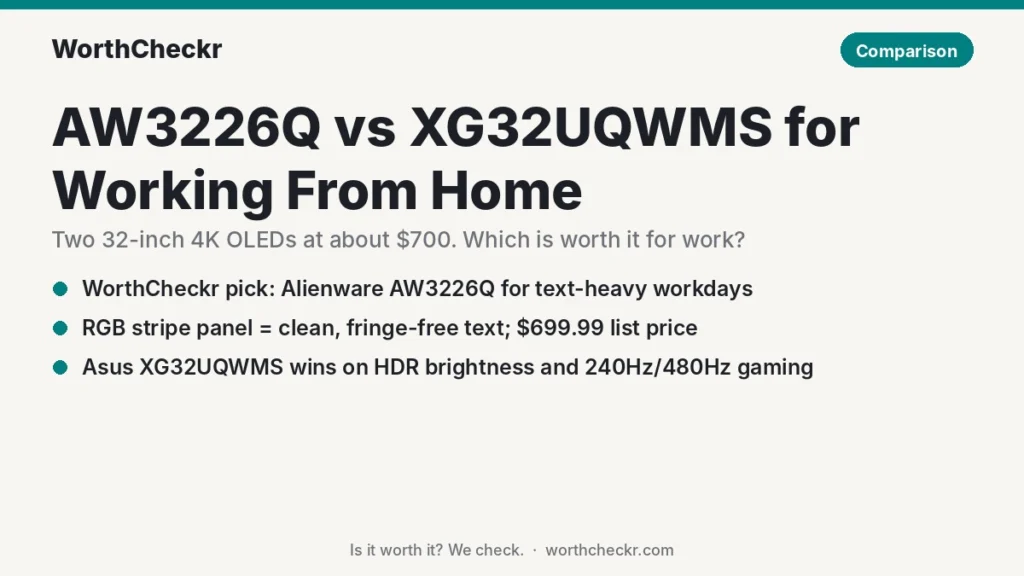
WorthCheckr pick: Alienware AW3226Q
✓ Worth it for people who read, write and code on one big 4K screen all day, then game or watch films after work.
- Its RGB stripe OLED panel gives the cleanest text reviewers have seen on a 4K OLED.
- It lists at $699, about $200 less than the Asus’s official price.
- Its sRGB mode is accurate enough for documents, photos and the web.
- It adds Dolby Vision and a front USB-C port that charges your phone.
Pick the Asus XG32UQWMS instead if you care about brighter HDR, 240Hz gaming or the 480Hz mode, and you can find it near $700.
Last updated October 22, 2026 · Research-based analysis by Abid Shehzad, WorthCheckr
Two of the most talked-about 32-inch 4K OLED monitors of the fall share the same basic recipe: an LG Display tandem OLED panel, a glossy screen and a price around $700. The AW3226Q vs XG32UQWMS choice matters to remote workers because only one of them fixes the blurry, color-fringed text that put many people off OLED for office work.
Dell’s Alienware AW3226Q started shipping in the US in early October 2026, and reviews from Tom’s Hardware, TechSpot and Expert Reviews landed last week. Asus’s ROG Strix XG32UQWMS arrived over the summer and has been reviewed by PC Gamer, Tom’s Hardware and Windows Central. We pulled those findings together so you can see which one is worth it for a work-from-home desk. WorthCheckr hasn’t tested either monitor; this is a research-based comparison.
New to buying a home office monitor? Start with our guide to choosing a monitor for working from home, which links every WorthCheckr monitor pick and comparison.
In this comparison
- AW3226Q vs XG32UQWMS: the quick answer
- AW3226Q vs XG32UQWMS specs side by side
- Reviewer scorecard: who wins each round
- Where reviewers agree
- Where they differ: text clarity for office work
- Where they differ: brightness and HDR
- Where they differ: 165Hz vs 240Hz and 480Hz
- Where they differ: ports, laptops and the stand
- What buyers and owners are saying
- Our take: why the AW3226Q gets the edge
- Which 32-inch OLED monitor should you buy?
- Accessories for a 32-inch OLED work setup
- AW3226Q vs XG32UQWMS FAQ
- Verdict
AW3226Q vs XG32UQWMS: the quick answer
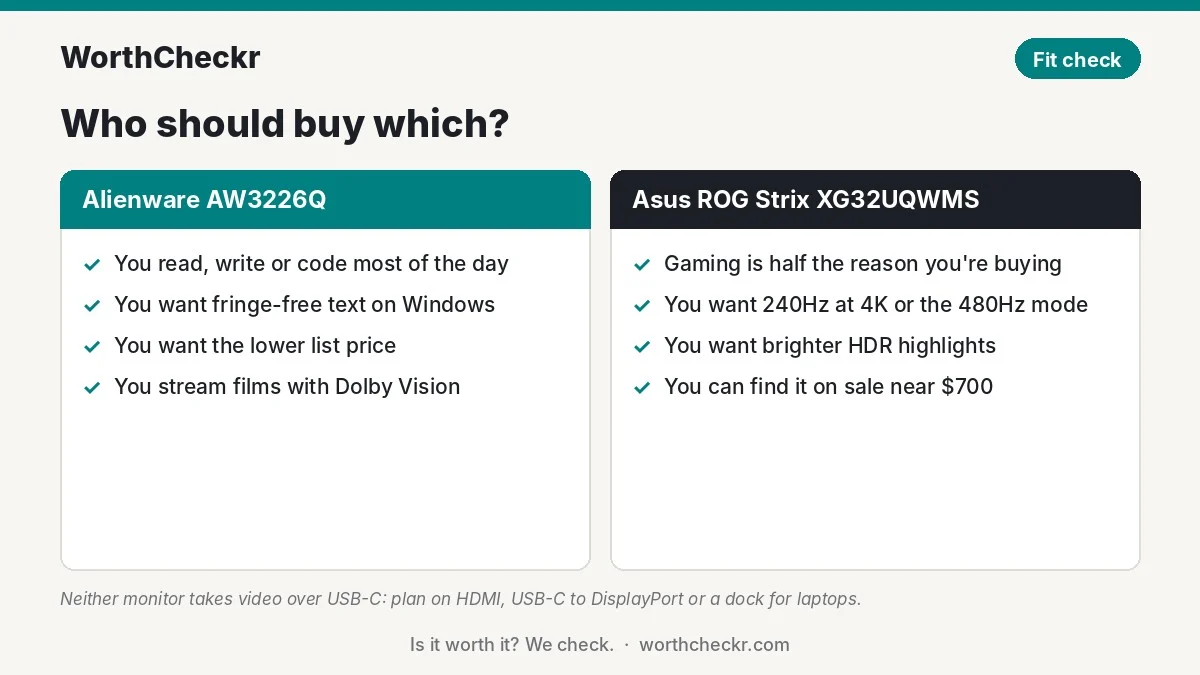
Choose the Alienware AW3226Q if…
- You spend most of the day in email, documents, spreadsheets, Slack or code.
- Text fringing on older OLEDs bothered you, or you want an OLED that looks as crisp as a good IPS screen.
- You want the lower list price and don’t want to wait for a sale.
- You’d like Dolby Vision for streaming after hours.
Choose the Asus ROG Strix XG32UQWMS if…
- Gaming is half the reason you’re buying, and 240Hz at 4K matters to you.
- You want the brighter HDR highlights and the 1080p/480Hz mode for fast shooters.
- You like the idea of a proximity sensor that blanks the screen when you leave your desk.
- You can buy it near $700 rather than its $899 list price.
Check Alienware AW3226Q price → Check Asus XG32UQWMS price →
AW3226Q vs XG32UQWMS specs side by side
Figures come from Dell’s AW3226Q spec sheet, TFTCentral’s launch coverage and the spec tables in the reviews listed under Sources. Where sources disagree, we say so.
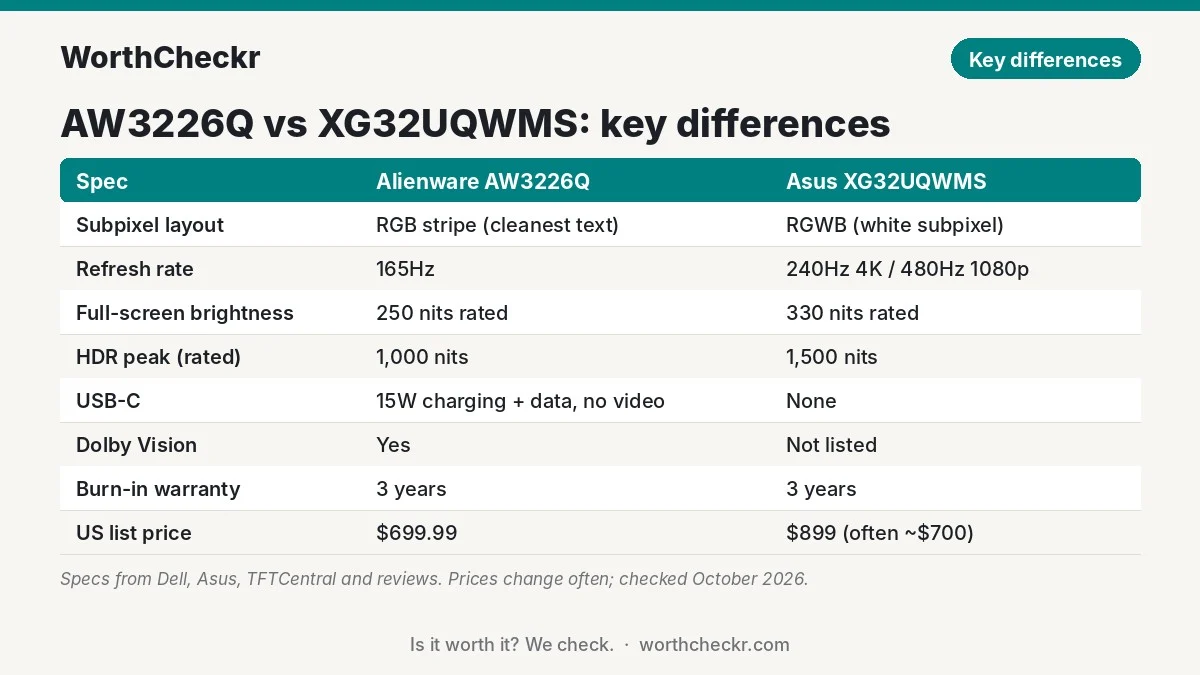
| Spec | Alienware AW3226Q | Asus ROG Strix XG32UQWMS |
|---|---|---|
| US availability | Early October 2026 | Reviewed from July; US launch around September 2026 |
| List price (US) | $699.99 | $899 (often about $700 at Newegg and Walmart) |
| Panel | 31.5″ flat tandem WOLED, glossy | 31.5″ flat tandem WOLED, glossy |
| Subpixel layout | RGB stripe (no white subpixel) | RGWB (white subpixel kept) |
| Resolution and pixel density | 3840 x 2160, about 140 PPI | 3840 x 2160, about 140 PPI |
| Refresh rate | 165Hz | 240Hz at 4K, or 480Hz at 1080p |
| Rated full-screen brightness | 250 nits | 330 nits |
| Rated HDR peak | 1,000 nits (3% window) | 1,500 nits (small window) |
| HDR certification | DisplayHDR True Black 400, HDR10, Dolby Vision | DisplayHDR True Black 500 |
| Color gamut (rated) | 99% DCI-P3, factory Delta E < 2 | 99.5% DCI-P3, factory Delta E < 2 |
| Video inputs | 1x DisplayPort 1.4, 2x HDMI 2.1 (one with eARC) | 1x DisplayPort 1.4, 2x HDMI 2.1 |
| USB-C | 1x front port, data plus 15W charging, no video | None |
| USB hub | 5Gbps, USB-B upstream, two USB-A out | Three-port hub; upstream cable not included (Windows Central) |
| Stand | 110mm height, tilt, swivel; no pivot per Dell | About 4.5 in height, tilt, 25° swivel; no pivot |
| Weight with stand | About 17 lb (Tom’s Hardware) | About 14.3 lb (Tom’s Hardware) |
| Speakers | None | None |
| OLED care | Automatic pixel shift and edge dimming (can’t be turned off) | OLED Care Pro with Neo proximity sensor |
| Warranty | 3 years including burn-in | 3 years including burn-in |
Prices change often. The Asus has been discounted to $699.99 several times since launch, including during Amazon’s October Prime Day event, as PC Gamer reported.
Reviewer scorecard: who wins each round
| Category | Winner | What reviewers said |
|---|---|---|
| Text clarity | AW3226Q | Tom’s Hardware, TechSpot and Expert Reviews all saw clean text with no color fringing. |
| SDR color accuracy | AW3226Q (narrowly) | TechSpot rated its sRGB mode among the most accurate it has measured; Tom’s found the Asus accurate out of the box too. |
| Brightness and HDR | XG32UQWMS | Brighter full-screen and peak ratings; TechSpot found the Alienware dimmer in HDR than older 32-inch QD-OLEDs. |
| Gaming speed | XG32UQWMS | 240Hz at 4K plus a 480Hz mode; Tom’s Hardware called it fast and flexible. |
| Everyday comfort | Tie | Expert Reviews saw subtle flicker on the Alienware; PC Gamer found the Asus’s content-based brightness shifts distracting. |
| Connectivity for work | AW3226Q (narrowly) | Neither carries video over USB-C, but the Alienware at least has a 15W USB-C port and eARC. |
| Price | AW3226Q | $699.99 list vs $899 list; sale pricing can make them even. |
| Buyer sentiment | Too early to call | Both are new, and owner feedback is still thin for each. |
| Overall (for working from home) | AW3226Q | The better screen for text-heavy days, at a lower list price. |
Where reviewers agree
Strip away the gaming marketing and these two monitors have a lot in common. Reviewers broadly agree on five points:
- The 32-inch 4K size is great for work. Tom’s Hardware pointed out that a 16:9 screen this size fits two full documents side by side with room for toolbars. At about 140 pixels per inch, 4K at 32 inches looks sharp at a normal desk distance.
- Both look superb in a dim or moderately lit room. Glossy coatings keep blacks deep. TechSpot noted the Alienware avoids the purple-ish tint QD-OLED screens can show in room light, but warned that a lamp or window behind you will reflect more than on a matte screen.
- Build quality is premium. Tom’s Hardware’s Christian Eberle praised both stands and housings.
- Gamma runs a little light out of the box. Tom’s Hardware flagged this on both. It’s a minor issue for spreadsheets but noticeable in dark films.
- Burn-in is covered. Both include a three-year warranty that covers burn-in, which removes most of the financial risk of using an OLED for static office content.
If you’re still deciding whether OLED makes sense for desk work at all, read our explainer on whether an OLED monitor is good for office work, which covers burn-in tests, text clarity and setup tips.
Where they differ: text clarity for office work
This is the biggest difference for remote workers, and the main reason the AW3226Q stands out.
Older OLED monitors arrange their red, green, blue and sometimes white subpixels in patterns Windows wasn’t designed for. Windows’ ClearType text smoothing expects a simple red-green-blue row. When the layout doesn’t match, small text can show colored edges or a faint shadow. PCMonitors.info has documented this well.
The AW3226Q uses LG’s new RGB stripe tandem panel, which lines up subpixels the way ClearType expects. Every major review noticed:
- Tom’s Hardware said text looks very sharp, with no color fringing.
- TechSpot’s Tim Schiesser found text sharper than on most matte IPS monitors, helped by the glossy coating.
- Expert Reviews’ Sasha Muller called it a clear step up from earlier OLEDs.
- PCWorld’s Brad Chacos argued in September that text, not gaming, is the “real story” here.
The XG32UQWMS keeps a white subpixel in an RGWB order. TFTCentral notes that this order reduces the fringing older WOLED panels had, and Windows Central’s Ben Wilson saw no obvious fringing at a normal viewing distance in 4K. But no reviewer described it as fringe-free the way they did the Alienware, and PC Gamer pointed out that its colors look less vivid than true RGB stripe panels.
What this means for you: if you’ll read small text for eight hours a day on Windows, the AW3226Q is the safer bet. If you work mostly on a Mac, the gap is smaller, because macOS doesn’t use subpixel text smoothing.
Where they differ: brightness and HDR
The Asus is the brighter monitor on paper and in testing.
- Full-screen brightness: Asus rates the XG32UQWMS at 330 nits; Tom’s Hardware measured about 327 nits with its uniform brightness mode on. Dell rates the AW3226Q at 250 nits, and Tom’s measured about 275.
- HDR highlights: the Asus is rated for 1,500 nits in tiny highlights versus 1,000 for the Alienware. TechSpot measured the AW3226Q at only about 430 nits in a 10% window and called HDR its weak point.
For office work, both are bright enough in a typical room. A white document at 250 nits is plenty for most people, and many set office screens lower than that. But if your desk faces a sunny window, the extra headroom on the Asus helps.
Both monitors adjust brightness with what’s on screen, which is normal for OLED. Reviewers noticed it on both: PC Gamer’s Jeremy Laird found the Asus’s shifts distracting at times, while TechSpot and Expert Reviews noted the Alienware’s edge dimming can’t be turned off and leaves the screen edges a little darker than the center.
Where they differ: 165Hz vs 240Hz and 480Hz
For work, 165Hz is already very smooth for scrolling and moving windows. You won’t feel limited in Excel or a browser.
For gaming, the XG32UQWMS is more capable. It runs 240Hz at 4K and can switch to 1080p at 480Hz for competitive shooters. NeoTeo and Tom’s Hardware both noted that 1080p looks noticeably softer on a 32-inch screen, so treat that mode as a gaming-only extra. TechSpot said most gamers would get more from a 240Hz model at a similar price than from the 165Hz Alienware.
So the question is how you split your time. If it’s 80% work and 20% casual games, 165Hz is fine. If you play fast games every night, the Asus earns its keep.
Where they differ: ports, laptops and the stand
Here’s a catch that applies to both, and many shoppers miss it: neither monitor accepts video over USB-C. You can’t plug in a work laptop with one cable and have it charge, like you can with the USB-C monitors in our guide to the best 27-inch 4K USB-C monitors for working from home.
With either one, a laptop needs an HDMI cable or a USB-C to DisplayPort cable, plus its own charger. The AW3226Q’s front USB-C port carries data and 15W of power, enough to top up a phone or earbuds but not a laptop. The Asus has no USB-C at all, and Windows Central noted its USB hub needs an upstream cable that isn’t in the box.
Both have two HDMI 2.1 ports and one DisplayPort, so you can connect a work laptop and a gaming PC or console and switch between them. The Alienware’s eARC HDMI also lets you route sound to a soundbar.
Neither stand rotates to portrait mode. (Tom’s Hardware listed pivot for the Alienware, but Dell’s own spec sheet says no pivot.) If you want a vertical screen for code or long documents, you’ll need a VESA arm. Both use the standard 100mm mount.
One last desk note: at about 17 lb with its stand, the Alienware is heavier. That’s fine on any solid desk. If yours is a standing desk, a 32-inch screen on an arm adds leverage and wobble at full height; our single vs dual motor standing desk guide explains why the frame matters for heavy setups.
What buyers and owners are saying
Owner feedback is thin for both, and we’d rather say that than invent it.
- Alienware AW3226Q: it only started shipping in the US in early October 2026, and TFTCentral reports the European launch is due later in the fall. Discussion on the Alienware Arena community so far mostly shares video reviews rather than owner reports. We didn’t find enough long-term owner reports to judge reliability yet.
- Asus XG32UQWMS: it has been on sale for a few months, and its price has already dropped from $899 to around $700 at several retailers. A Windows Forum write-up stresses that the proximity sensor reduces wear while you’re away but can’t undo burn-in from a taskbar that’s on screen all day. That’s a fair caution for any OLED used for office work.
We’ll update this section as more owner reviews appear.
Our take: why the AW3226Q gets the edge
- It fixes OLED’s biggest problem for work. Clean, fringe-free text is what a home office screen does all day. Every reviewer who looked closely confirmed it.
- It costs less at list price. $699.99 for an RGB stripe 4K OLED is the lowest price yet for this panel type, a point TechSpot made too.
- Accuracy is excellent where work needs it. TechSpot rated the sRGB mode among the most accurate it has tested, which matters for web, photo and document work.
- Small work-friendly extras. A front USB-C port for charging, eARC audio, Dolby Vision and picture-by-picture for two sources.
- Its weak spots matter less at a desk. Dimmer HDR and 165Hz are real trade-offs, but they mostly show up in games and films, not in spreadsheets.
The XG32UQWMS is still an excellent monitor. If gaming is a big part of your life and you find it on sale, it’s the more versatile screen. For a work-first buyer, the Alienware is the better use of the money.
Which 32-inch OLED monitor should you buy?
| If you… | Buy |
|---|---|
| Work mostly in text: email, docs, spreadsheets, code | Alienware AW3226Q |
| Split time evenly between work and fast competitive games | Asus XG32UQWMS |
| Use HDR films and games a lot in a bright room | Asus XG32UQWMS |
| Want the lowest list price for a 4K OLED with clean text | Alienware AW3226Q |
| Want one-cable USB-C charging for a work laptop | Neither; see our 27-inch 4K USB-C picks |
| Want a 40-inch ultrawide for spreadsheets instead | See our ViewFinity S8 vs Dell U4025QW comparison |
| Work on a Mac mini or MacBook and want OLED | Either works over HDMI; the AW3226Q is cheaper at list |
Pairing one of these with a new Mac? Our M6 Mac mini vs M5 Pro Mac mini comparison covers which desktop makes sense for a home office.
Check Alienware AW3226Q price → Check Asus XG32UQWMS price →
Accessories for a 32-inch OLED work setup
- A USB-C to DisplayPort cable: the simplest way to connect a work laptop, since neither monitor takes video over USB-C. Check USB-C to DisplayPort cables →
- A USB-C dock: if you want one cable for laptop charging, keyboard, webcam and the monitor, a dock with DisplayPort or HDMI out does the job. Check USB-C docks →
- A sturdy monitor arm: for portrait mode or more desk space. Look for one rated for at least 20 lb and 32-inch screens. Check monitor arms →
- A USB-A to USB-B cable for the Asus: needed to use its USB hub. Check USB A-to-B cables →
- A bias light or desk lamp: a soft light behind or above the screen cuts eye strain in dim rooms without bouncing off the glossy screen.
AW3226Q vs XG32UQWMS FAQ
Is the AW3226Q good for office work?
Yes. Reviewers at Tom’s Hardware, TechSpot and Expert Reviews found its RGB stripe OLED panel shows crisp text without the color fringing older OLEDs had. Its sRGB mode is also very accurate. The main caveats are a glossy screen that reflects lamps and windows, and burn-in protection features you can’t switch off.
Does the Asus XG32UQWMS have RGB stripe subpixels?
No. It uses LG’s tandem WOLED panel with an RGWB layout that keeps a white subpixel. That layout reduces fringing compared with older WOLED panels, and Windows Central saw no obvious fringing at normal distance, but it isn’t a true RGB stripe like the AW3226Q.
Can I connect a laptop to either monitor with one USB-C cable?
No. Neither monitor supports video over USB-C. The AW3226Q’s USB-C port only carries data and 15W of charging, and the XG32UQWMS has no USB-C port. Use HDMI, a USB-C to DisplayPort cable or a dock.
Which is better for gaming after work?
The Asus XG32UQWMS. It runs 240Hz at 4K, has a 480Hz mode at 1080p and gets brighter in HDR. The AW3226Q’s 165Hz is still smooth for most games, and it supports Dolby Vision for films.
Will an OLED monitor burn in if I use it for work all day?
It can over time, especially with a taskbar or toolbars always on screen. TechSpot’s two-year test of a QD-OLED used for heavy office work found visible but mild burn-in. Both monitors here include a three-year warranty that covers burn-in, and simple habits such as dark mode and a short screen-off timer reduce wear.
Is the AW3226Q worth it over a 4K IPS monitor?
If you want deep blacks, vivid color and gaming performance from one screen, yes. If you only work and want one-cable laptop charging, a 4K IPS USB-C monitor such as the Dell UltraSharp U2725QE is a simpler, worry-free choice.
Verdict
Winner: Alienware AW3226Q. In the AW3226Q vs XG32UQWMS match-up, the Alienware is the better 32-inch OLED for working from home. Its RGB stripe panel delivers the clean text that office work needs, it lists for less, and its color modes are accurate enough for most creative tasks. The Asus XG32UQWMS wins for brighter HDR and faster gaming, and it’s a strong pick if you find it near $700 and play a lot.
Just remember that neither offers one-cable USB-C laptop charging, so plan for a cable or dock. We’ll update this comparison as more owner feedback comes in and prices settle.
Check Alienware AW3226Q price → Check Asus XG32UQWMS price →
More monitor comparisons and guides: Monitors · Comparisons
Sources: Tom’s Hardware (AW3226Q) · TechSpot · Expert Reviews · PCWorld · TFTCentral (AW3226Q) · Dell AW3226Q spec sheet · Tom’s Hardware (XG32UQWMS) · PC Gamer · Windows Central · TFTCentral (XG32UQWMS) · NeoTeo · Windows Forum · PCMonitors.info · TechSpot burn-in test