WorthCheckr answer: get a dual motor desk if you can
Our single vs dual motor standing desk verdict for most home offices.
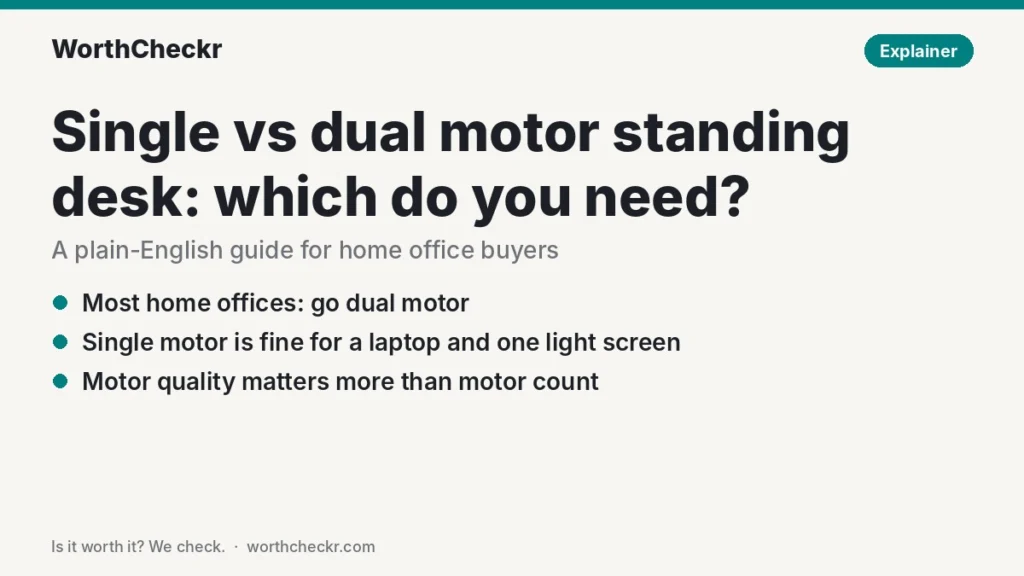
✓ Worth it for most home offices with two monitors, a monitor arm or a large desktop.
- Dual motor frames typically carry far more weight than budget single motor ones.
- They usually lift faster and come with 3-stage legs for a wider height range.
- They support wider desktops, so you’re not boxed into a small top.
- Motor quality still matters more than motor count, so check the specs.
A single motor desk is fine if you work on a laptop or one light monitor, use a top under about 50 inches wide, and want to keep costs down.
Last updated October 21, 2026 · Research-based analysis by Abid Shehzad, WorthCheckr
Shop for a standing desk and you’ll quickly hit the single vs dual motor standing desk choice. Dual motor desks cost more, and every brand says you need one. But is that true for a home office with a laptop and one screen? Or is it an upsell?
The honest answer: for most people working from home, dual motors are worth it, but not for the reason brands usually give. Below, we explain how each type works, compare real specs and independent load-test numbers from BTOD, and give you a quick way to work out which one your setup needs. WorthCheckr hasn’t lab-tested desks itself; this explainer is based on manufacturer specs and published test results.
Still deciding what kind of desk you need? Our standing desk buying guide walks through motors, size, stability and budget, and links every WorthCheckr desk comparison. Not sure you want to replace your desk at all? See our standing desk converter vs full standing desk comparison.
In this guide
- Single vs dual motor standing desk: the quick answer
- How single and dual motor desks work
- Single vs dual motor standing desk compared side by side
- What independent load tests show
- Single motor standing desk weight capacity: is it enough for you?
- Pros and cons of each
- Is a dual motor standing desk worth it?
- Which should you choose?
- What buyers say
- Single vs dual motor standing desk FAQ
- Bottom line
Single vs dual motor standing desk: the quick answer
A single motor desk is enough if…
- You work on a laptop, or a laptop plus one monitor on a stand.
- Your desktop is about 50 inches wide or smaller.
- You’re on a tight budget and don’t plan to add heavy gear later.
- You don’t need the desk to go very low for seated typing or very high for standing.
Get a dual motor desk if…
- You use two or more monitors, an ultrawide, or monitor arms.
- You want a desktop wider than about 55 inches.
- You’re particularly short or tall and need a wide height range.
- You change height several times a day and want it to move faster.
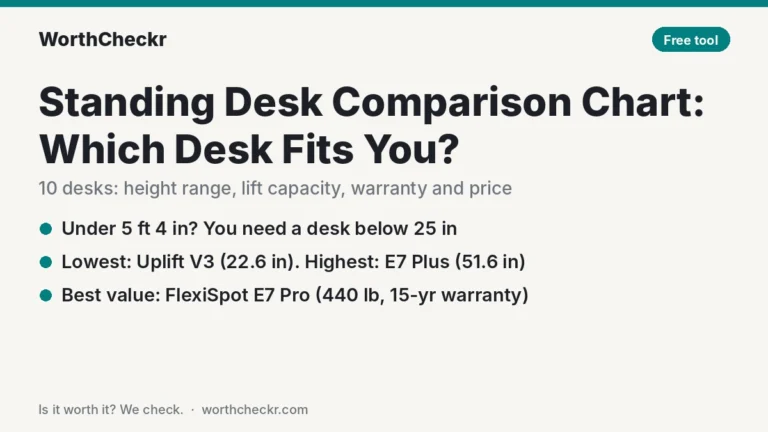
Looking for a specific recommendation? Our Uplift V3 vs FlexiSpot E7 Pro comparison covers the two most-recommended dual motor desks for working from home.
Check dual motor standing desk prices → Check single motor standing desk prices →
How single and dual motor desks work
To understand the single vs dual motor standing desk difference, start with what’s hidden under the desktop.
Single motor desks have one motor, usually mounted under the desktop near one leg. It spins a metal hex rod that runs across the frame to the other leg, so both legs rise and fall together. Because one motor moves everything, the legs can’t get out of step, which keeps the desk level.
Dual motor desks put a motor inside each leg. A control box coordinates them so they move at the same rate. With two motors sharing the work, each one is under less strain, which is why these frames tend to have higher weight ratings and faster lift speeds.
One detail from BTOD’s testing is worth knowing: motor quality matters more than motor count. A single motor desk with a high-grade motor can outperform a dual motor desk with cheap ones. So “dual motor” on a box is a good sign, not a guarantee.
Single vs dual motor standing desk compared side by side
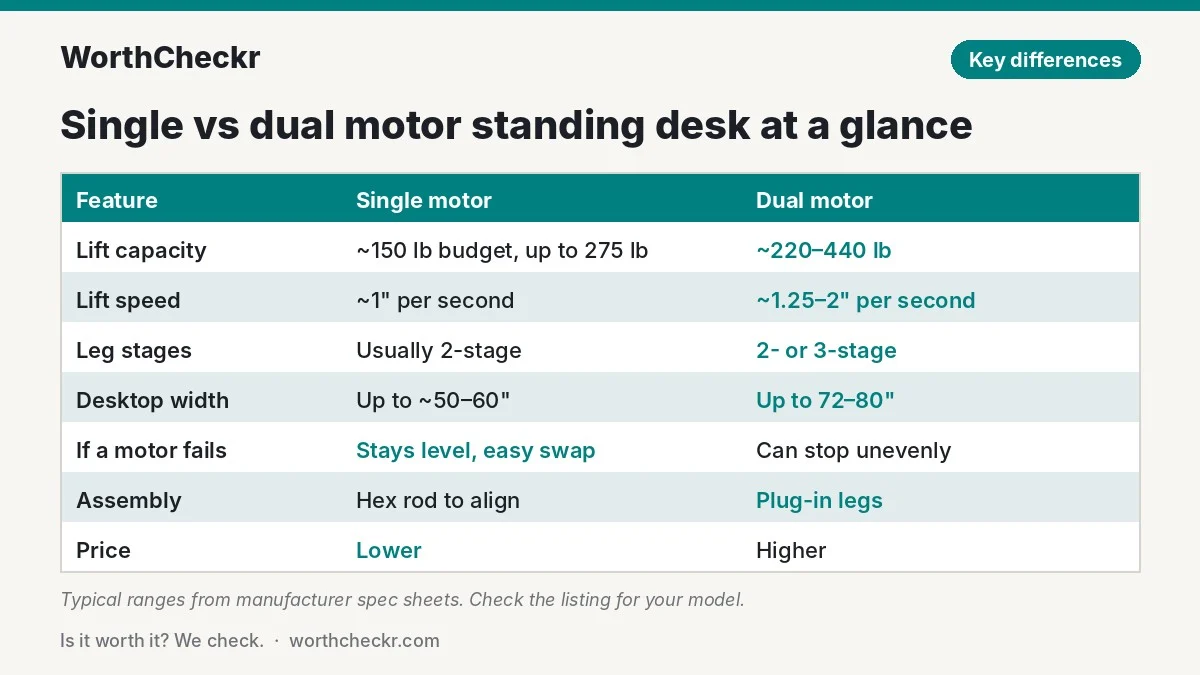
The table shows typical ranges from manufacturer spec sheets. Individual desks vary, so always check the listing for the model you’re considering.
| Feature | Single motor (typical) | Dual motor (typical) |
|---|---|---|
| Lift capacity | About 150 lb on budget models; up to 275 lb on premium ones | About 220–275 lb on mid-range models; 355–440 lb on premium ones |
| Lift speed | About 1″ per second | About 1.25–2″ per second |
| Leg stages | Usually 2-stage | 2-stage or 3-stage |
| Height range | Often about 28″–48″ | Up to about 22.6″–50.6″ on 3-stage frames |
| Desktop width | Commonly up to about 50″–60″ | Commonly up to 72″–80″ |
| Noise | Usually under 50 dB | Usually under 50 dB |
| If a motor fails | Desk stops but stays level; external motor is easy to swap | Desk can stop unevenly; motor is inside the leg |
| Assembly | Hex rod has to line up with the second leg | Usually simpler: plug each leg into the control box |
| Price | Lower | Higher, though the gap has narrowed |
Real examples make the gap clearer. FlexiSpot’s own range shows it well: its single motor EC1 and EN1 frames were rated for 154 lb at 1 inch per second, its dual motor EC3 for 220 lb at 1.26 inches per second, and its dual motor 3-stage EC4 for 275 lb at 1.5 inches per second with a wider 23.8–49.4 inch range (figures from FlexiSpot’s 2021 buyer’s guide). In the UK, FlexiSpot’s single motor EG1 and EF1 are rated for 70 kg, while the dual motor E1 Pro is rated for 100 kg. At the premium end, the dual motor Uplift V3 is rated for 355 lb at 2 inches per second, and the FlexiSpot E7 Pro for 440 lb.
What independent load tests show
Spec sheets tell you what a desk is rated for. Lab tests show how it behaves when you actually load it. BTOD’s Greg Knighton measured lift speed with and without weight on several desks in a May 2026 article, and the results are the most useful data on the single vs dual motor standing desk question we’ve found.
| Desk | Motors | Speed unloaded | Speed loaded |
|---|---|---|---|
| StandDesk Simple | Single | 1.06″/s | 1.02″/s at 242 lb |
| VertDesk v3 | Single (Ketterer motor) | 1.55″/s | 1.35″/s at 275 lb |
| UpDesk Elements | Dual (Linak) | 1.43″/s | 1.24″/s at 400 lb |
| IKEA Bekant | Dual (Bosch) | 1.25″/s | 0.33″/s at 150+ lb (lowering) |
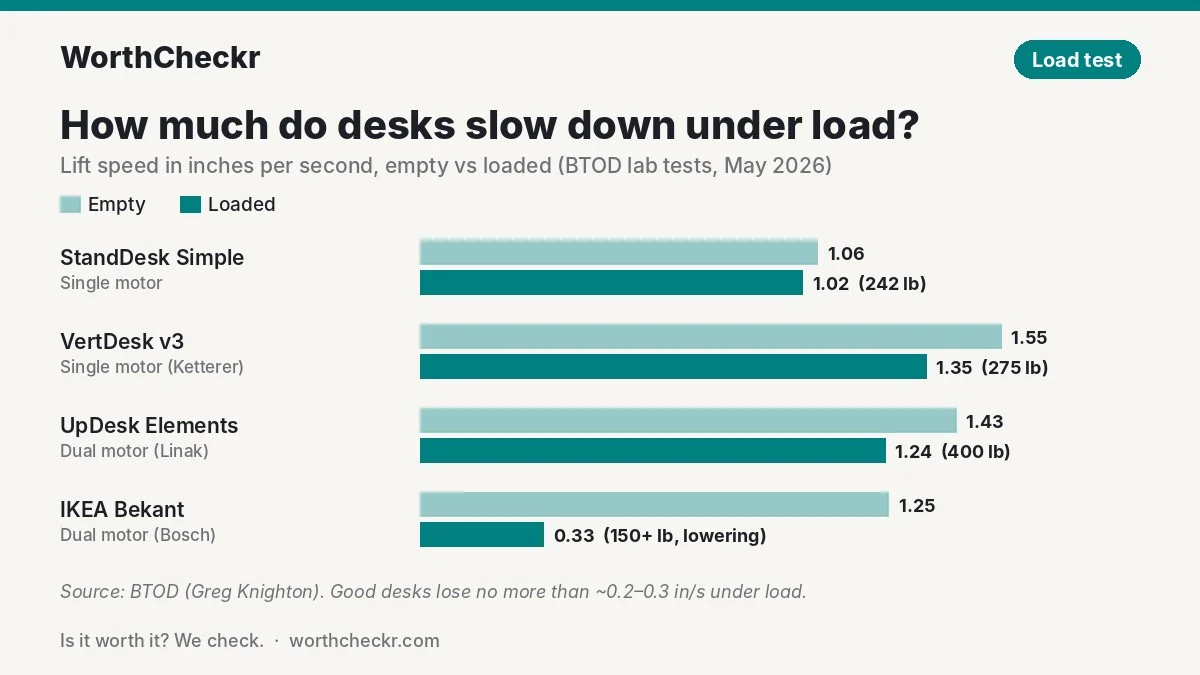
Two lessons stand out:
- A good single motor desk can be excellent. The VertDesk v3, with one German-made motor, kept moving even with 350 lb on it during testing, well beyond its rating.
- A dual motor label doesn’t guarantee quality. The dual motor IKEA Bekant slowed dramatically under load and has a 154 lb maximum. BTOD described it as one of the most inconsistent desks it tested.
BTOD’s rule of thumb is handy when you compare listings: a well-made desk should lose no more than roughly 0.2–0.3 inches per second between empty and fully loaded. If a brand publishes loaded speed figures, that’s a good sign.
Single motor standing desk weight capacity: is it enough for you?
Most budget single motor desks are rated around 150 lb (about 70 kg). That sounds like plenty, but remember the rating includes the desktop itself. Here’s a quick way to check your own setup:
- Find your desktop’s weight. It’s on the product page. Solid wood and large tops weigh much more than small laminate ones.
- Add your monitors. Look up each model’s weight with its stand (or without it, if you’ll use an arm). Ultrawides are much heavier than 24-inch screens.
- Add arms, laptop, dock, speakers and anything else that lives on the desk. A desktop PC tower on the top counts too.
- Leave headroom. Our rule of thumb: keep the total at or below about three-quarters of the rated capacity. Motors run smoother, slow less and last longer when they’re not near their limit, and you’ll have room to add gear later.
If your total sits comfortably under that line, a quality single motor desk will do the job. If you’re close, or planning to add a second screen from our list of the best 27-inch 4K USB-C monitors for working from home, check each screen’s weight on its spec sheet and go dual motor if it puts you near the line. Heavy ultrawides like the ones in our ViewFinity S8 vs Dell U4025QW comparison are a clear sign you’ll want the extra capacity.
Pros and cons of each
Here is how the single vs dual motor standing desk trade-offs stack up.
Single motor standing desk
- ✓ Cheaper to buy.
- ✓ Legs always move in sync, so the desk stays level.
- ✓ The external motor is usually easy and cheap to replace after the warranty ends.
- ✗ Lower weight capacity on most budget models.
- ✗ Slower, usually around 1 inch per second.
- ✗ Typically 2-stage legs, so a narrower height range.
- ✗ The hex rod can be fiddly to line up during assembly.
Dual motor standing desk
- ✓ Higher weight ratings, often 220 lb and up.
- ✓ Faster height changes.
- ✓ Often paired with 3-stage legs for a wider height range.
- ✓ Supports wider and heavier desktops.
- ✓ Usually a cleaner look with no exposed motor.
- ✗ Costs more.
- ✗ Two motors means two parts that can fail, and a failure can leave the desk lopsided.
Is a dual motor standing desk worth it?
For most home offices, yes. The reason isn’t just the second motor. Brands tend to save their best features for dual motor frames: 3-stage legs, wider frames, better keypads, longer warranties and higher-grade motors. Premium dual motor desks like the Uplift V3 and FlexiSpot E7 Pro come with 15-year warranties, while FlexiSpot’s 2021 single and dual motor entry frames listed 5-year frame and motor coverage.
The price gap has also shrunk. Good dual motor desks regularly go on sale for a few hundred dollars, so the savings from going single motor are often smaller than you’d expect. When the difference is under about $100, dual motor is usually the better buy. Our guide to the best standing desk under $500 lists dual motor desks that fit that budget, and our FlexiSpot E5 vs E7 comparison shows what an extra $90 or so buys between two entry-level dual motor frames.
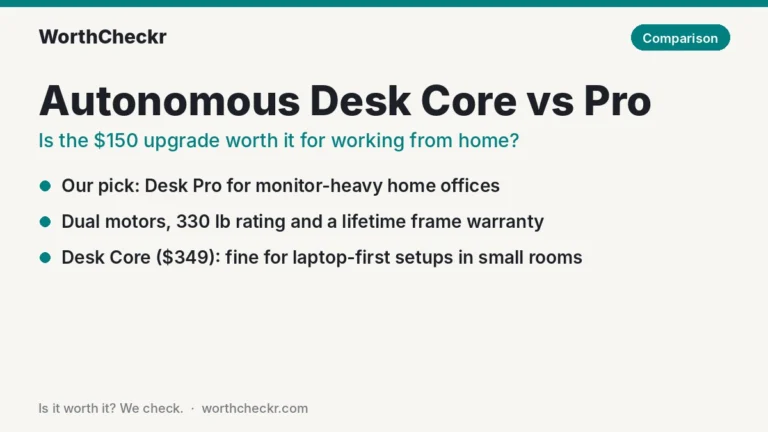
The exception: if you work on a laptop at a small desk, a well-made single motor frame does everything you need. Paying for capacity you’ll never use doesn’t make your desk more comfortable. Autonomous’s lineup shows the trade-off clearly: in our Autonomous Desk Core vs Pro comparison, the single motor Core (176 lb) suits laptop setups, while the dual motor Pro (330 lb) is the pick for two monitors.
Which should you choose?
Use this table to settle the single vs dual motor standing desk choice for your own setup.
| If you… | Choose |
|---|---|
| Use a laptop only, on a desktop under 50 inches wide | Single motor |
| Use one monitor on its stand and have a tight budget | Single motor (check the rating) |
| Use two monitors, an ultrawide or monitor arms | Dual motor |
| Want a desktop 55 inches wide or bigger | Dual motor |
| Are very short or very tall | Dual motor with 3-stage legs |
| Change height several times a day | Dual motor |
| Want the easiest out-of-warranty repair | Single motor with an external motor |
| Want a desk for the next 10+ years | Dual motor with a long warranty |
Pair whichever desk you pick with a chair that adjusts well. Our list of the best office chairs under $500 for working from home is a good place to start.
Check dual motor standing desk prices → Check single motor standing desk prices →
What buyers say
Owner discussions on Reddit tend to focus on specific desks rather than the single vs dual motor standing desk split, but a few patterns show up:
- Stability gets the most praise on dual motor desks. RedditRecs tracks 93% positive sentiment for the dual motor FlexiSpot E7 Pro from 96 users, and 89% for the dual motor Uplift V2 from 72 users, with stability and durability the most common compliments. One commenter noted their 3-leg V2’s motors stayed quiet even with a 220 lb person sitting on the desk.
- Price is the main complaint. Owners repeatedly advise waiting for a sale on premium dual motor desks rather than paying list price.
- Assembly trips people up on both types. Single motor owners mention lining up the hex rod; BTOD notes it can take an adjustable wrench. Dual motor owners more often mention heavy boxes and confusing instructions.
Single vs dual motor standing desk FAQ
Is a dual motor standing desk better than a single motor?
Usually, yes. Dual motor desks typically lift more weight, move faster and support wider tops and 3-stage legs. But motor quality matters more than motor count, and a well-made single motor desk can outperform a cheap dual motor one.
How much weight can a single motor standing desk hold?
Budget single motor desks are usually rated around 150 lb (about 70 kg), including the desktop. Premium single motor frames go higher; the VertDesk v3 is rated for 275 lb. Check the specific listing and leave headroom.
Can a single motor standing desk hold two monitors?
Often, yes, if they’re standard 24- or 27-inch monitors on a modest desktop. Add up the weight of your top, monitors and arms, and make sure the total stays well below the rating. For heavy ultrawides or monitor arms on a large top, dual motor is the safer choice.
Are dual motor standing desks quieter?
Not necessarily. Most desks of both types are rated under 50 dB, which is quieter than a normal conversation. Noise depends more on motor quality and how heavily the desk is loaded than on the number of motors.
Do single motor standing desks last as long?
A quality single motor desk can last for many years. Its external motor is also easier to replace. Lifespan comes down to motor quality and how close to its limit you run it, so check the warranty: it’s the best clue to how long a brand expects the motors to last.
Is a dual motor standing desk worth it for working from home?
For most home offices with a monitor or two, yes. You get more capacity, faster movement and usually a longer warranty, and sales often shrink the price gap to under $100. If you only use a laptop at a small desk, single motor is fine.
Bottom line
In the single vs dual motor standing desk debate, dual motor is the better choice for most people working from home. It gives you room to grow, faster height changes and typically a wider height range and longer warranty. A good single motor desk is still a smart buy for laptop-only setups and small spaces, as long as you check its weight rating and pick a reputable brand.
Ready to shop? Start with our Uplift V3 vs FlexiSpot E7 Pro head-to-head, or browse all our standing desk coverage.
Sources: BTOD · FlexiSpot buyer’s guide · FlexiSpot UK · FlexiSpot · FlexiSpot E7 Pro · Uplift V3 spec sheet · OfficeFurniture2Go · UpDown Desks · RedditRecs