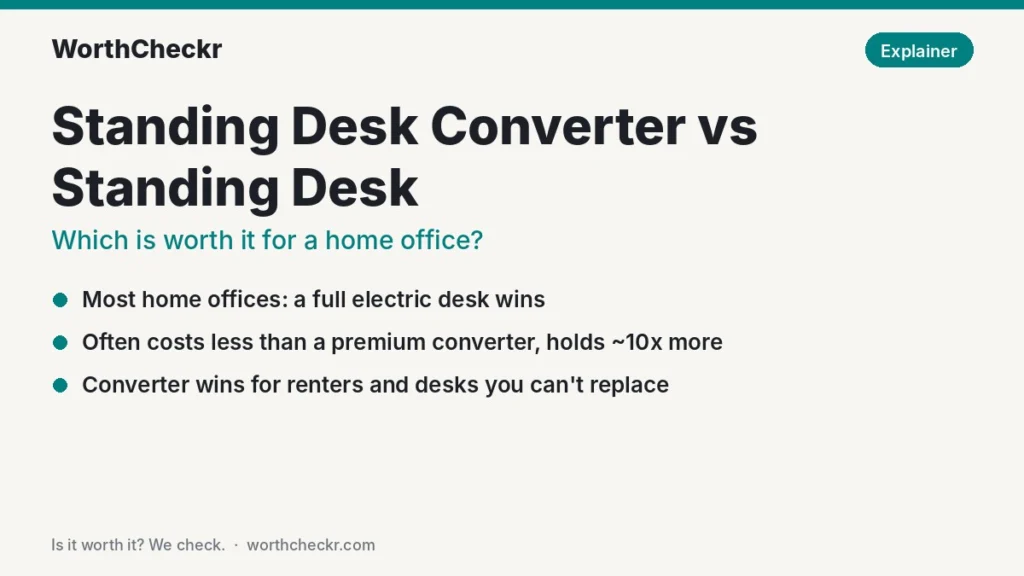
WorthCheckr answer: buy a full electric standing desk if you can
Our standing desk converter vs standing desk verdict for most home offices.
✓ Worth it for anyone who owns their furniture, sits for most of the day and uses more than a laptop and one screen.
- A budget dual-motor desk often costs less than a premium converter, yet carries around ten times the weight.
- A full desk can go lower for seated typing; a converter can only add height to the desk you already have.
- Reviewers keep flagging converter keyboard bounce and forward-tilting decks at standing height.
- A converter still wins if you rent, can’t replace a work-issued desk, or want to keep a desk you love.
Short version: converter for a borrowed or beloved desk; full standing desk for everything else.
Last updated November 2, 2026 · Research-based analysis by Abid Shehzad, WorthCheckr
The standing desk converter vs standing desk question looks like a simple budget decision: converters sit on top of your current desk, so they must be the cheap option. In 2026 that isn’t really true anymore. A well-known converter like the VariDesk Pro Plus 36 lists at $429, while a dual-motor electric desk such as the FlexiSpot E7 Pro often sells for around $400 with a frame rated to lift 440 pounds.
So which one is worth your money for working from home? We compared official specs from Vari and FlexiSpot, reviews from BTOD, TechRadar and Windows Central, ergonomics guidance from the University of Pennsylvania (based on Cornell research), and what owners report on forums. WorthCheckr hasn’t tested these products in person; this explainer is research-based. If you’re still at the “what kind of desk do I need?” stage, start with our standing desk buying guide, which covers motors, size and budget step by step.
In this guide
- Standing desk converter vs standing desk: the quick answer
- How a converter and a full standing desk differ
- Desk converter vs standing desk, side by side
- Is a standing desk converter cheaper? The real math
- The height problem most converter buyers miss
- Stability, monitors and footprint
- When a standing desk converter is the right call
- Which should you choose?
- What owners and reviewers say
- Standing desk converter vs standing desk FAQ
- Bottom line
Standing desk converter vs standing desk: the quick answer
Choose a full electric standing desk if…
- You own your furniture and can replace the desk.
- You use two monitors, an ultrawide, a monitor arm, or a desktop PC.
- Your current desk feels too high when you sit (common for anyone under about 5′10″).
- You want to stand often without your keyboard bouncing as you type.
Choose a standing desk converter if…
- You rent a furnished place, or your employer supplied the desk and you can’t swap it.
- You work at a heavy, built-in, corner or antique desk you don’t want to give up.
- Your setup is light: just a laptop, or a laptop with one external screen.
- You want to try standing first before committing to a whole new desk.
Our pick for most people is a dual-motor desk like the FlexiSpot E7 Pro. If you need a converter, a two-tier model with a separate keyboard deck is the safest style. Our best standing desk under $500 guide lists the full desks that beat most converters on value.
Check FlexiSpot E7 Pro price → Check VariDesk Pro Plus 36 price →
How a converter and a full standing desk differ
A standing desk converter (also sold as a desk riser or sit-stand converter) is a platform that sits on your existing desk. You lift it with a gas spring, a counterweight lever or, on pricier models, a small electric motor. Most popular units are two-tier: monitors on the top surface, keyboard and mouse on a lower deck. Everything else on your desk, from notebooks to your phone and coffee, stays at the original height.
A full standing desk replaces your desk entirely. Motors in the legs (or one motor with a cross shaft) raise the whole desktop, so everything moves together. Our single vs dual motor standing desk explainer covers how those frames work and which you need.
That one design difference drives almost every trade-off below: a converter adds to the desk you have, while a full desk replaces it with something adjustable in both directions.
Desk converter vs standing desk, side by side
Here’s how two popular converters stack up against three full desks we’ve covered before. Converter specs come from Vari’s official product pages; desk specs from our earlier research. Prices are list or typical sale prices and change often.
| Model | Type | Price | Weight capacity | Height range | Warranty |
|---|---|---|---|---|---|
| VariDesk Pro Plus 36 | Converter, spring lift, two-tier | $429 list (on sale at $349.68 through Nov 18) | 35 lb | 4.5″–17.5″ above your desk | Lifetime (Vari) |
| VariDesk Pro Plus 36 Electric | Converter, motorized | $499 list | 44 lb | 6″–19.25″ above your desk | 5 years |
| FlexiSpot E7 Pro | Full desk, dual motor | ~$399.99 typical sale | 440 lb | 25″–50.6″ from the floor | 15 years (frame) |
| Uplift V3 Essential | Full desk, dual motor, compact | $469 with 46″ x 24″ top | 250 lb | 22.6″–48.7″ from the floor | Check Uplift |
| FlexiSpot EN1 | Full desk, budget | ~$110 typical sale | 176 lb | 28.9″–46.5″ from the floor | Check listing |
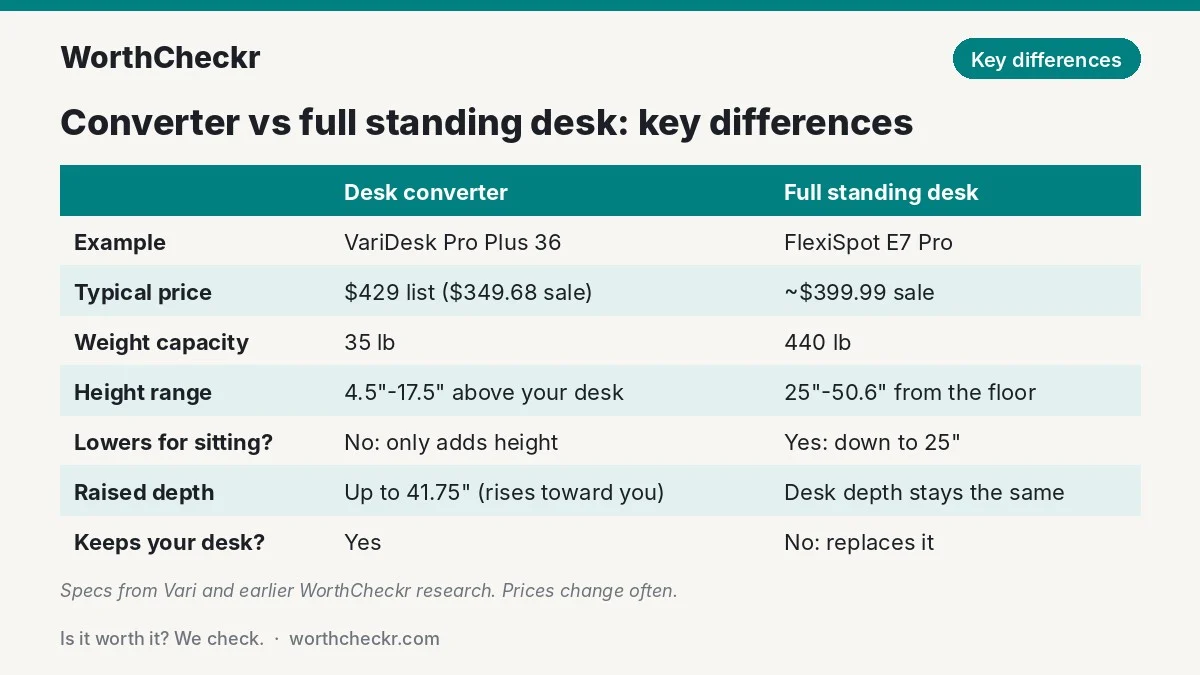
Two things jump out. First, the converters’ weight limits are tiny next to the desks. TechRadar’s Steve Clark notes that converter capacities in his buying guide run from roughly 22 to 44 pounds, and advises adding up your gear and leaving headroom. Second, a converter’s height range is measured from your desktop, not the floor, so its real usefulness depends on the desk underneath.
Is a standing desk converter cheaper? The real math
Converters used to be the budget path into standing. Now that capable electric desks have dropped toward $400, and decent single-motor frames toward $110, the math is different. One useful way to compare is cost per pound of rated capacity, since capacity is what decides whether your monitors, arm and dock will fit:
| Model | Price used | Capacity | Cost per pound of capacity |
|---|---|---|---|
| VariDesk Pro Plus 36 | $429 list | 35 lb | $12.26 |
| VariDesk Pro Plus 36 (sale) | $349.68 | 35 lb | $9.99 |
| VariDesk Pro Plus 36 Electric | $499 | 44 lb | $11.34 |
| Uplift V3 Essential | $469 | 250 lb | $1.88 |
| FlexiSpot E7 Pro | ~$399.99 | 440 lb | $0.91 |
| FlexiSpot EN1 | ~$110 | 176 lb | $0.62 |
That doesn’t mean every converter is a bad deal. Budget gas-spring risers commonly sell for roughly $100 to $200 (our estimate from current listings; one forum owner mentions paying about $180 for his and being happy with it). But at the premium end, a converter costs about the same as a good electric desk and does far less.
Watch the add-ons too. BTOD’s Ryan Bald points out that the Pro Plus 36 needs a monitor arm (from about $175 extra) to get proper screen height while standing, and that this pushes the total close to pricier converter designs. A full desk can use a simple monitor stand or arm at any height, because the whole surface rises.
The one cost argument that still favors converters: you don’t have to get rid of a desk you already own. If your current desk is solid and you’re happy with it, the true comparison is “converter” vs “new desk plus disposing of the old one”.
The height problem most converter buyers miss
This is where the decision is usually made, and few comparison pages mention it. A converter can only ever add height. It can never make your desk lower. That matters when you sit, which ergonomics researchers say should still be most of your day.
Using the body-proportion data in our standing desk height calculator, here’s how a typical 29-inch desk with a converter compares with what your body needs (regular shoes, standard keyboard):
| Your height | Ideal sitting desk height | Ideal standing desk height | Pro Plus 36 top at full height on a 29″ desk | Full desk (E7 Pro range 25″–50.6″) |
|---|---|---|---|---|
| 5′4″ | 24.5″ | 39.5″ | 46.5″ (reaches) | Covers both |
| 5′10″ | 27″ | 43″ | 46.5″ (reaches) | Covers both |
| 6′0″ | 27.5″ | 44.5″ | 46.5″ (reaches) | Covers both |
| 6′4″ | 29″ | 47″ | 46.5″ (just short) | Covers both |
Standing: a converter on a normal desk reaches standing height for most people. Two caveats: on a two-tier unit the keyboard deck sits below the top surface, so very tall people should check the maker’s dimension drawing, and a thicker or lower desk shifts every number.
Sitting: this is the catch. Most fixed desks sit around 29 to 30 inches, already higher than the ideal seated height for anyone under roughly 6′4″. A converter makes that worse, not better. Fully lowered, the Pro Plus 36’s top surface still sits 4.5 inches above your desk (33.5 inches on a 29-inch desk), and BTOD measured its keyboard tray at about an inch above desk height when collapsed. The electric version starts 6 inches up. So shorter workers end up raising their chair and adding a footrest to type comfortably.
A full desk that drops to 25 inches (E7 Pro) or 22.6 inches (Uplift V3 Essential) fixes your seated posture as well as your standing one. For many people that’s the bigger health win, and it’s the main reason we lean toward a full desk.
Stability, monitors and footprint
Keyboard bounce and tipping
Converters and full desks both wobble a little at standing height, but converters have a specific weakness: the keyboard deck hangs out in front of the lift arms. BTOD’s Ryan Bald rated the Pro Plus 36 as very stable when seated, but said its keyboard bounce at standing height was among the worst he’d measured, with the monitor shaking as a result. He also warns that a front-loaded deck at full height could tip forward. Windows Central’s Adam Oram found the same unit solid in normal use, but also noted it can tip forward if pushed hard.
Full desks have their own wobble issues, especially cheap single-motor frames, but they’re usually fixable. Our guide to fixing standing desk wobble walks through the common causes and cheapest fixes.
Monitors and gear
With a 35 to 44 pound limit, a converter handles a laptop and one or two light monitors. Add a heavy 32-inch screen, a monitor arm and a dock and you can run out of headroom quickly. A full dual-motor desk shrugs off the same setup. If you run two screens, our best standing desk for dual monitors guide has sizing advice.
Footprint and depth
Spring-lift converters often rise in an arc, moving toward you as well as up. Vari’s own spec sheet says the Pro Plus 36 extends from a 24-inch-deep base to 41.75 inches deep when raised. Bald found that at its top positions the arc forces you to stand over a foot further back, and Oram also mentions needing room behind you. In a small room or tight nook, a compact full desk like the 46″ x 24″ Uplift V3 Essential can actually use less space.
When a standing desk converter is the right call
None of this makes converters pointless. TechRadar’s buying advice sums up where they fit best: small spaces, rented or shared setups, tighter budgets, and people who move between workspaces. In practice, a converter is worth it if:
- You can’t change the desk. Furnished rentals, a work-supplied desk, a shared family desk, or a built-in unit.
- You love the desk you have. A heavy wooden desk, an L-shaped corner unit or a writing desk with drawers you’d lose with a bare frame.
- Your setup is light. A laptop on the top shelf and an external keyboard on the deck is the ideal converter workload.
- You’re unsure you’ll stand. Several forum owners admit they stopped raising their desks after a few weeks. A cheap converter is a lower-risk experiment.
- You move it around. Lighter units are easier to carry between rooms; FlexiSpot says its compact M18M converter weighs only 23 pounds, less than half the Pro Plus 36.
- You’re tall and your desk is too. If your fixed desk already suits your seated height, a converter’s “add-only” design isn’t a problem.
If you go the converter route, look for a separate keyboard deck wide enough for keyboard and mouse side by side (one forum poster warns that some tall units have a tiny keyboard ledge), a lift that locks at several heights, and a weight rating comfortably above your gear.
Check two-tier standing desk converter prices →
Which should you choose?

| If you… | Do this |
|---|---|
| Own your furniture and work from home full time | Buy a dual-motor standing desk (FlexiSpot E7 Pro or Uplift V3) |
| Rent furnished, or your employer owns the desk | Buy a two-tier standing desk converter |
| Use two monitors, an arm or a desktop PC | Buy a full standing desk; converter limits are too tight |
| Find your desk too high when you sit | Buy a full standing desk that drops to 25″ or lower |
| Work on a laptop only and want to try standing cheaply | A budget converter, or a sub-$200 desk like the FlexiSpot EN1 |
| Have a small room | A compact desk like the Uplift V3 Essential; check converter depth when raised |
| Want to keep a corner or antique desk | Buy a converter and pair it with a monitor arm if needed |
If you settle on a full desk, the next choice is usually between the two most-recommended frames; our Uplift V3 vs FlexiSpot E7 Pro comparison breaks that down, and our FlexiSpot E5 vs E7 head-to-head covers a cheaper dual-motor option.
Check FlexiSpot E7 Pro price → Check FlexiSpot EN1 price →
What owners and reviewers say
Across professional reviews and owner threads, the same themes come up again and again:
- Converter owners who use them, love them. In a Grassroots Motorsports forum thread on standing desks, several members praised their Varidesks as sturdy enough for two monitors and easy to adjust, and one said he ended up standing more than sitting.
- But full desks get used more. One owner in the same thread liked his converter but found he used a powered desk more because it moves everything, including paperwork and his phone. Another said converters at his workplace were mostly ignored after a few weeks, so his team switched to full powered desks.
- Bulk and setup. Adam Oram at Windows Central called the Pro Plus 36 heavy and bulky (Vari lists it at about 52 pounds) and suggested a helper to place it, though it arrives fully assembled.
- Ergonomic compromises. Ryan Bald at BTOD disliked the Pro Plus 36’s curved keyboard edge and a mouse area that forces you to reach, and scored its standing stability poorly.
- Standing isn’t magic either way. Several owners with full desks admitted they rarely raise them. The tool only helps if you change position.
On that last point, the University of Pennsylvania’s ergonomics fact sheet cites a Cornell recommendation for every 30 minutes: about 20 minutes sitting with good posture, 8 minutes standing and 2 minutes moving. It also notes that evidence for standing being healthier than sitting is limited, and that regular movement matters most. Either a converter or a full desk can support that routine, but a full desk makes switching effortless, which is why owners tend to keep using it.
Standing desk converter vs standing desk FAQ
Is a standing desk converter worth it?
Yes, if you can’t replace your desk, such as in a furnished rental or with a work-issued desk, or if you want to keep a desk you love. If you own your furniture, a full electric standing desk is usually better value because it costs about the same as a premium converter, carries far more weight and also lowers for seated work.
Is a standing desk converter cheaper than a standing desk?
Not always. Budget gas-spring converters run roughly $100 to $200, but premium models like the VariDesk Pro Plus 36 list at $429. A dual-motor desk like the FlexiSpot E7 Pro often sells around $400, and basic electric desks start near $110.
Are standing desk converters stable?
Most are steady when lowered. At standing height, reviewers including BTOD’s Ryan Bald report keyboard bounce and some forward-tip risk on spring-lift models, especially with heavy gear at the front. Keep loads within the weight rating and center your monitors.
Can a standing desk converter hold two monitors?
Many can, if the monitors are light. Converter weight limits are typically 22 to 44 pounds, so add up both screens, any arm and your laptop before buying. Heavy or large monitors are a better match for a full dual-motor desk.
Will a standing desk converter fit on my desk?
Check both the base and the raised depth. The VariDesk Pro Plus 36 needs a desk at least 30 inches wide and 24 inches deep, and it extends to almost 42 inches deep when raised, so you need room to step back.
How long should you stand at a standing desk?
A common guideline from Cornell ergonomics research is 20 minutes sitting, 8 minutes standing and 2 minutes moving in every half hour. Long, unbroken standing isn’t the goal; changing position often is.
Bottom line
For most home offices, the standing desk converter vs standing desk choice comes down to whether you can replace your desk. If you can, buy a full electric standing desk: it often costs no more than a premium converter, holds around ten times the weight, and fixes your sitting height as well as your standing height. If you can’t, or you want to keep a desk you love, a two-tier converter is a smart, low-commitment way to add standing to your day.
Browse every desk we’ve covered in our Standing Desks category, or see our full guide to choosing a standing desk. We’ll update this explainer as prices and models change.
Check FlexiSpot E7 Pro price → Check VariDesk Pro Plus 36 price →
Sources: Vari: VariDesk Pro Plus 36 · Vari: VariDesk Pro Plus 36 Electric · BTOD (Ryan Bald) · TechRadar (Steve Clark) · Windows Central (Adam Oram) · University of Pennsylvania EHRS · FlexiSpot · Grassroots Motorsports forum