WorthCheckr answer: most wobble can be fixed without a new desk
Our step-by-step plan to fix standing desk wobble in a home office.
✓ Worth trying before you return or replace a shaky desk.
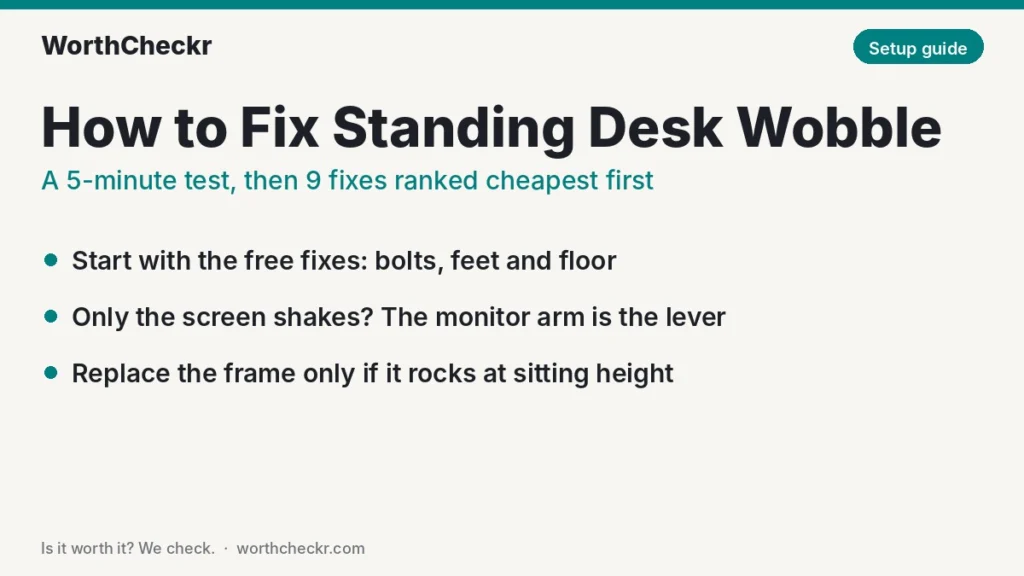
- Some sway at full standing height is normal on every telescoping frame; constant shaking is not.
- Loose bolts, uneven feet and soft carpet cause a lot of wobble, and fixing them is free or close to it.
- If only your screen shakes, the monitor arm is usually the amplifier, not the desk.
- Replace the frame only if it still rocks at sitting height with everything tight and level.
Short on time? Run the 5-minute wobble test below, then jump to the fix that matches your symptom.
Last updated October 29, 2026 · Research-based analysis by Abid Shehzad, WorthCheckr
You raise your desk, start typing, and the monitor starts to bob. If you want to fix standing desk wobble, the good news is that most of it comes from a handful of causes you can check in an afternoon, and many of the fixes cost nothing. The bad news: no electric standing desk is perfectly still at full height, so the goal is “steady enough not to notice”, not zero movement.
This guide pulls together independent stability testing from BTOD (Greg Knighton’s WobbleMeter results), assembly advice from Progressive Automations, frame engineering notes from FlexiSpot, UPLIFT, Autonomous and The Human Solution, and what desk owners report on forums. WorthCheckr hasn’t lab-tested desks itself; this how-to is research-based. Still shopping for a desk? Our standing desk buying guide covers stability alongside motors, size and budget.
In this guide
- How to fix standing desk wobble: the quick answer
- How much standing desk wobble is normal?
- The 5-minute wobble test: find the source first
- 9 ways to fix standing desk wobble, cheapest first
- Why your monitor shakes when you type at a standing desk
- Which standing desk frames wobble least?
- What owners say about standing desk wobble
- How to fix standing desk wobble: FAQ
- Bottom line
How to fix standing desk wobble: the quick answer
- Desk rocks even at sitting height: lower it, tighten every frame bolt in order (legs to crossbeam first, desktop screws last), then level the feet.
- Desk only sways near full height: check that you’re not standing the desk higher than you need, move heavy gear to the center, and push the desk’s back edge close to a wall.
- Only the monitor shakes when you type: shorten or tighten the monitor arm and clamp it near a leg, not in the middle of the desktop.
- Desk sits on carpet: put a hard chair mat or plywood panel under the feet.
- Still bad after all of that: ask the maker about a crossbar or stabilizer kit, check your warranty, and if the frame itself is weak, look at a 4-leg or T-base frame with 3-stage legs.
Need help with the height part? Our standing desk height calculator shows the right standing height for your body, which is often lower than people set it.
How much standing desk wobble is normal?
Every sit-stand desk uses telescoping legs, and the more of each leg that slides out, the less rigid the whole frame becomes. BTOD’s tests make this concrete. The dealer measures desks on a machine it calls the WobbleMeter at three heights (30, 42 and 46 inches), and every frame it tested was steadiest at the 30-inch sitting height and least steady at the top.
BTOD’s scoring bands are a handy yardstick for what you feel at home:
| WobbleMeter reading (per height) | What BTOD says it means | What it feels like in a home office |
|---|---|---|
| 0–20 | Excellent | You won’t notice motion while typing. |
| 21–30 | Very good to good | Fine for writing, calls and spreadsheets. |
| 31–40 | Good to fair | Some people notice a slight sway when they lean on it. |
| 41–50 | Fair to bad | Most people notice; a monitor on an arm will bob. |
| 51+ | Very bad | Everyone notices; typing visibly moves the screen. |
FlexiSpot’s own stability guide offers a simple rule you can use without any equipment: movement that settles almost as soon as you stop typing is normal, but a screen that keeps shaking for more than about a second, or a desktop that rocks under your forearms, points to a fixable problem. That second test is the one to remember.
The 5-minute wobble test: find the source first
Before you buy anything, work out where the movement starts. Fixing the wrong thing is the most common way people waste money on wobble.
- Clear space around the desk. Pull it a few inches from the wall and check nothing (a cabinet, a cable tray, a thick rug edge) is touching a leg.
- Test it empty at sitting height. Press lightly on one front corner, then the opposite back corner, then push side to side. Watch the feet: does one lift?
- Raise it to your real standing height and repeat. Use the same gentle pressure in the same order so you can compare.
- Put your normal setup back on and repeat. Monitors, arm, laptop, speakers. If the wobble appears only now, the load or the arm is the issue.
- Type normally for 30 seconds and watch the screen. Does the desk move, or only the monitor?
Eureka Ergonomic recommends a similar step-by-step pressure check and stresses stopping if any part moves on its own or looks damaged. If a leg section shifts independently of the rest, skip the DIY fixes and contact the manufacturer.
Use your results with this chart:
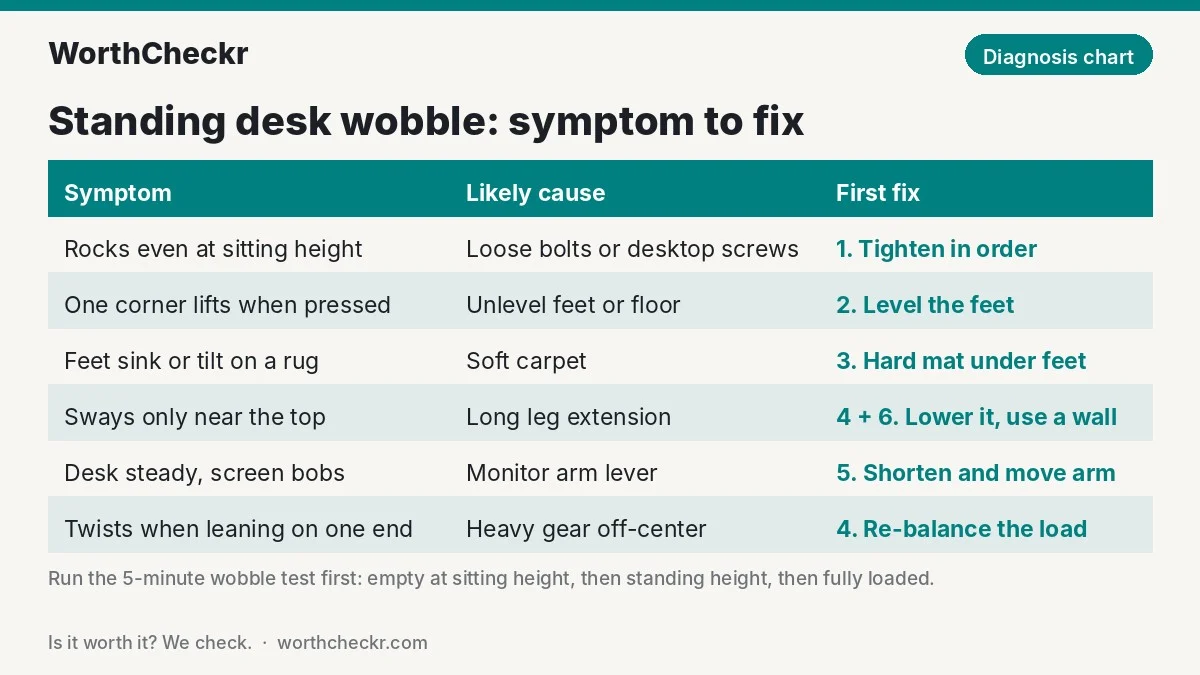
| Symptom | Most likely cause | First fix to try |
|---|---|---|
| Rocks or clunks even at sitting height | Loose frame bolts or desktop screws | Fix 1: tighten in order |
| One corner lifts when pressed | Unlevel feet or uneven floor | Fix 2: level the feet |
| Feet sink or tilt on a rug | Soft carpet under the legs | Fix 3: hard mat under the feet |
| Only sways near the top of its range | Long leg extension | Fixes 4 and 6: lower height, use a wall |
| Desk steady, but the screen bobs when typing | Monitor arm acting as a lever | Fix 5: shorten and move the arm |
| Twists when you lean on one end | Heavy gear off-center, oversized top | Fix 4: re-balance the load |
9 ways to fix standing desk wobble, cheapest first
Work down this list in order. The first six fixes cost little or nothing, so try them before spending money.
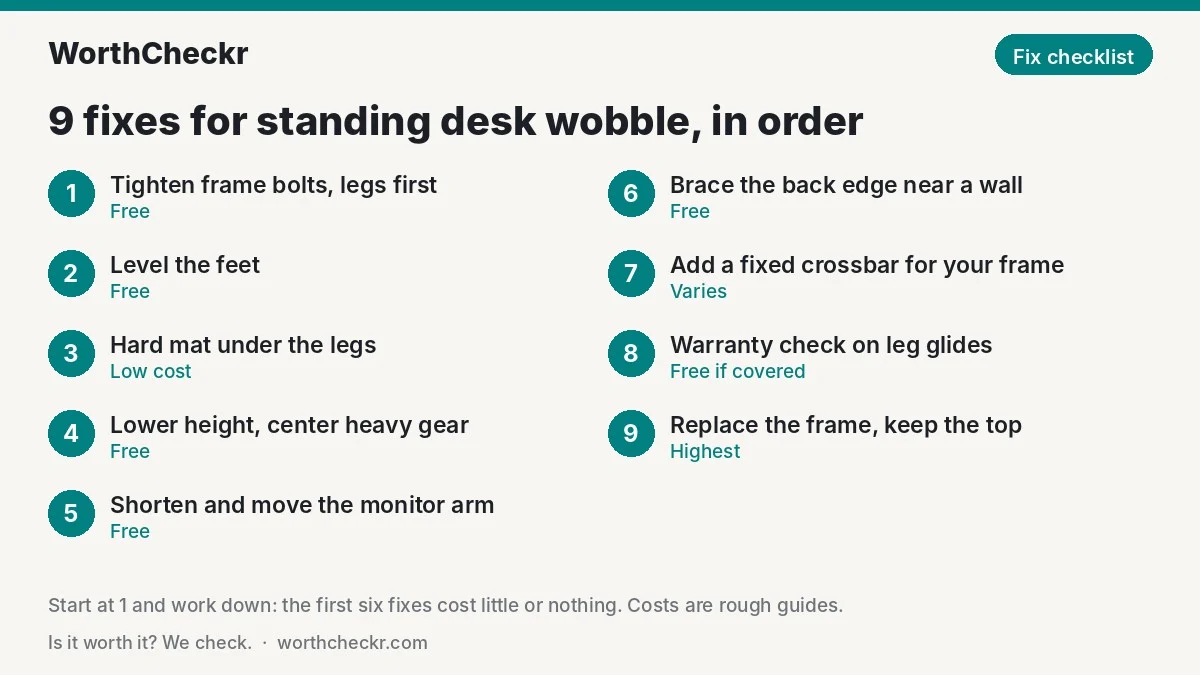
1. Tighten the frame in the right order (free)
Bolts back out as the desk goes up and down, especially in the first weeks. Progressive Automations, which makes desk lifting columns, suggests tightening at a low or middle height because the legs are under tension when fully extended. Its recommended order works from the frame outward:
- Leg-to-crossbeam bolts first, with the Allen key that came with the desk.
- Then any locking screws on a width-adjustable crossbeam, which are easy to miss.
- Then the screws holding the desktop to the frame, from underneath.
Snug is enough; stop as soon as resistance rises sharply, because stripping a thread into particleboard creates a new wobble. Set a phone reminder to repeat this a month later. BTOD also notes that a thread-locking compound or lock washers help bolts stay put.
Check blue threadlocker price →
2. Level the feet (free)
Most frames have small screw-in leveling glides on the feet. If pressing one corner makes the opposite one lift, one foot isn’t touching the floor. Lower the desk, turn the short glide out a little at a time, and re-test by pressing diagonally opposite corners until nothing lifts.
3. Put a hard surface under the legs (low cost)
On carpet, each foot sinks a slightly different amount and keeps moving as you lean. BTOD lists soft, uneven floors as a common hidden cause. A hard polycarbonate chair mat, or a cut sheet of plywood under the desk’s footprint, gives the feet a solid base. If your desk has casters, swap them for the standard glides; wheels add play.
4. Use a sensible height and re-balance the load (free)
Two free changes often make a big difference at standing height:
- Don’t over-extend. Your desktop should be roughly at elbow height when you stand with relaxed shoulders. Many people set it an inch or two higher than that, which adds sway and strains the wrists. Every inch lower means more leg overlap.
- Center the heavy stuff. FlexiSpot points out that where weight sits matters more than how much there is. A heavy ultrawide or PC tower at one end makes the frame twist. Put the heaviest monitor over the middle of the frame and keep heavy items near the back edge, above the legs.
5. Tame the monitor arm (free)
A monitor arm turns tiny desk movement into visible screen bounce. Make these changes, in this order:
- Tighten every arm joint and the tension spring so the screen isn’t floating loosely.
- Remove extension pieces so the screen sits closer to the pole.
- Clamp the arm near a leg or the rear crossbeam, where the desktop is stiffest, not mid-span.
- Keep dual monitors close together on one pole rather than at the ends of long arms.
- If your monitor is light enough, try its own stand; owners on the TechEnclave forum reported less shake doing this.
Planning a two-screen setup from scratch? Our best standing desks for dual monitors guide lists frames that cope well with arms.
6. Use the wall as a brace (free)
Front-to-back rocking is the hardest movement for a two-leg frame to resist. Pushing the desk’s back edge almost against a wall (a felt pad or rubber bumper between them) stops it from rocking backward. Leave enough room for cables, check the desktop won’t scrape the wall or a window sill as it moves, and never screw a motorized desk to the wall unless the manufacturer sells a kit for it.
7. Add a crossbar or stabilizer kit (cost varies by frame)
A crossbar that ties the legs together is the classic fix for side-to-side sway. BTOD’s advice is to choose a fixed bar that bolts solidly in place; expandable, telescoping bars add their own play. Autonomous notes the trade-off: a low crossbar can take away some knee and foot room.
Only buy a crossbar made for your frame. The Human Solution, for example, sells its UPLIFT 900 and 920 frames as the same base with and without a full central crossbar, and includes the removable bar so owners can switch. Some newer frames try to make add-ons unnecessary: UPLIFT says its V3 frame uses redesigned feet, steel plates over the motor housings and a central I-beam to cut wobble, though it hasn’t published test numbers to back that claim.
8. Check the leg glides under warranty (free if covered)
Inside each leg, plastic glides keep the sliding sections centered. BTOD says loose-fitting glides, or glides at only one end of each column, are a common cost-cutting source of wobble. You can’t fix this yourself, but if your desk rocks at sitting height with every bolt tight and the feet level, that’s a strong sign of a frame fault. Contact support with a short video; many frames carry long warranties on the frame itself.
9. Replace the frame, not the whole desk (highest cost)
If the frame is the weak point, you can often keep your desktop. When choosing a replacement, look for:
- A T-base or 4-leg design. BTOD notes that T-shaped feet connected at the center resist front-to-back rocking better than C-shaped frames connected only at the back. Our FlexiSpot E7 Plus vs E7 Pro comparison looks at whether four legs are worth it.
- 3-stage steel legs with good overlap. More overlap between leg sections helps at tall heights. BTOD found that every extruded aluminum column it tested flexed to some degree.
- A fixed crossbar or reinforced beam rather than an expandable one.
- Dual motors. Motors don’t make a desk stable by themselves, but dual-motor frames are usually the better-built tier. See our single vs dual motor standing desk explainer.
Don’t use lifting capacity as a stability guide. FlexiSpot makes the point that a higher weight rating tells you little about how steady a frame feels.
Why your monitor shakes when you type at a standing desk
This is the most common complaint, and the desk is often fine. Think of the desktop as tilting very slightly around the point where the arm is clamped. The further the screen is from that point, the further it travels. As an illustration, a screen centered about 45 cm above the clamp moves roughly nine times as far as a point 5 cm above it for the same tiny tilt. Long extension arms push the screen forward too, adding a second lever.
That’s why forum owners who removed arm extensions and moved the clamp closer to the desk leg reported the shake disappearing, and why Cult of Mac readers in a 2022 thread on screen wobble suggested tightening hinges, using shims between the screen and mount, and supporting the bottom edge of very wide monitors. If your monitor is heavy and wide, one practical option is a low shelf or riser that takes some of its weight, so the arm isn’t holding it all at full reach.
Choosing a new screen as well? A lighter monitor is less work for any arm. Our guide to choosing a monitor for working from home covers sizes and stands.
Which standing desk frames wobble least?
BTOD’s most recent ranking (July 2026) lists the five steadiest frames it has measured, using a combined WobbleMeter score where lower is better. Starting prices are as BTOD listed them:
| Rank | Desk | Overall WobbleMeter score | Starting price (per BTOD) | Stand-out finding |
|---|---|---|---|---|
| 1 | NewHeights XT | 82 | $1,939.99 | Side-to-side wobble under half that of the next-best desk |
| 2 | IKEA Idasen | 114 | $600 + shipping | Best for front-to-back rocking, 5th for side-to-side |
| 3 | VertDesk v3 | 116 | $923.99 | 3rd for wobble, 4th for rocking |
| 4 | VARIDESK ProDesk 48 Electric | 130 | Currently unavailable | 4th for wobble, 3rd for rocking |
| 5 | Uplift V2 Commercial | 132 | $588 | Lowest starting price of the five |
Prices change often. BTOD is a furniture dealer that sells some of the desks it tests, and newer frames such as the Uplift V3 and FlexiSpot E7 Pro aren’t in this list.
Two lessons stand out. First, price helps but doesn’t guarantee stability: the IKEA frame beat far pricier desks on rocking. Second, every desk moved at full height, so expect some motion whatever you buy. For current mainstream frames, our Uplift V3 vs FlexiSpot E7 Pro comparison weighs up the two most popular current frames, and our best standing desks under $500 list covers the best budget frames.
Check Uplift V3 price → Check FlexiSpot E7 Plus price →
What owners say about standing desk wobble
Across forum threads and reader discussions, the same patterns come up again and again:
- “The desk feels solid, but the screen bounces.” This is the top complaint on the TechEnclave thread about standing desks and monitor wobble, mostly from people with dual monitors on arms at standing height.
- Shorter arms worked best. The fix owners most often credited was removing arm extensions and mounting closer to the pole or leg.
- Heavy desktops split opinion. One owner said a solid walnut top calmed vibration; another warned that a heavy top raises the center of gravity and can make sway worse. Both can be true: extra mass damps small vibrations, but a top far wider or deeper than the frame was designed for adds twist.
- Carpet and casters cause trouble. Cult of Mac readers suggested removing casters and swapping carpet for a firm mat.
- Some movement is accepted. A few long-term owners said they simply stopped noticing a small amount of sway after a while.
Owner feedback is anecdotal and spread across many different desks, so treat it as a guide to what’s worth trying, not a measurement.
How to fix standing desk wobble: FAQ
Is it normal for a standing desk to wobble?
A small amount of sway at full standing height is normal on every electric desk with telescoping legs. BTOD’s testing found all frames were steadiest at sitting height and moved most at the top. Wobble you can feel at sitting height, or a screen that keeps shaking after you stop typing, is not normal and is usually fixable.
Why does my standing desk wobble at full height?
The more each leg extends, the less overlap there is between its sliding sections, so the frame flexes more. Lower the desk to your true elbow height, keep heavy items centered, and consider a frame with 3-stage legs if you’re tall and need the top of the range every day.
Does a crossbar stop standing desk wobble?
A fixed crossbar usually reduces side-to-side sway noticeably. BTOD advises avoiding expandable crossbars, which add their own play. Only fit a bar designed for your frame, and check it won’t hit your knees at sitting height.
Will a heavier desktop reduce wobble?
Sometimes. Extra mass can damp small vibrations from typing, but a top much larger than the frame was designed for can twist more at the edges. Match the desktop size to the frame’s recommended range rather than going as heavy as possible.
Does a 4-leg standing desk wobble less?
Generally, yes. Four legs resist rocking in every direction better than two, which is why makers market 4-leg frames like the FlexiSpot E7 Plus for stability. They cost more and take up more floor space, so they make most sense for heavy multi-monitor setups.
Why does my monitor shake when I type on a standing desk?
The monitor arm acts like a lever, turning tiny desk movements into visible screen bounce. Tighten the arm, remove extensions, clamp it near a leg or the rear beam, and keep dual screens close together on one pole.
Bottom line
Most people can fix standing desk wobble without buying a new desk. Start with the free fixes: tighten the frame in order, level the feet, get the legs off soft carpet, lower the desk to a true elbow height and tame the monitor arm. Those steps cover the most common causes owners and testers point to. If the desk still rocks at sitting height with everything tight, that’s a frame problem, so use your warranty or move to a 4-leg or T-base frame with 3-stage steel legs.
For the full picture on choosing a steadier desk, see our standing desk buying guide, or browse all our standing desk coverage. We’ll update this guide as new stability tests and owner reports come in.
Sources: BTOD: why standing desks wobble · BTOD: most stable standing desks · Progressive Automations · FlexiSpot · Eureka Ergonomic · Autonomous · The Human Solution · UPLIFT Desk · Cult of Mac · TechEnclave forum