WorthCheckr top pick: Uplift V3 (60″ x 30″)
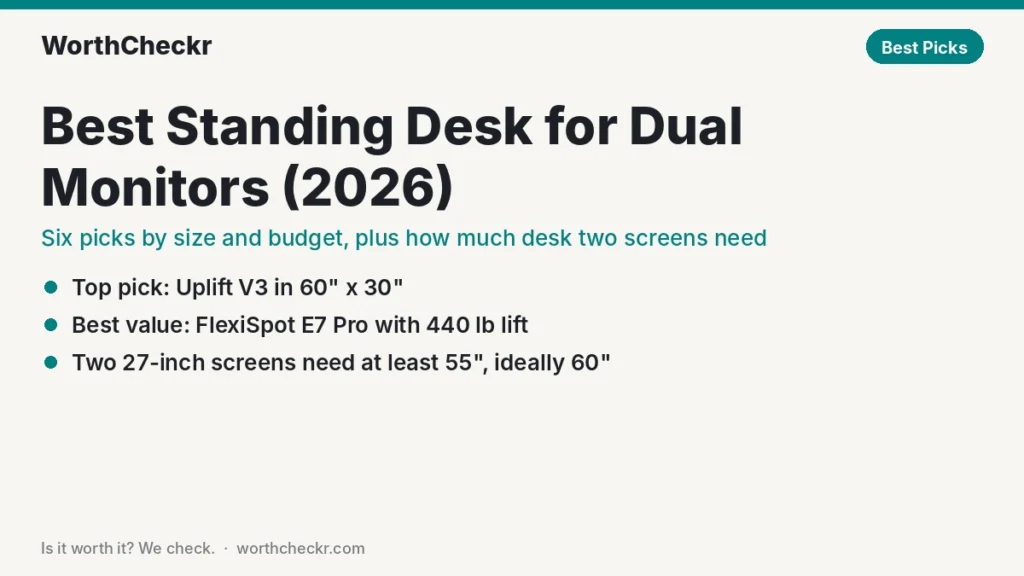
Our pick for most home offices with two screens.
✓ Worth it for remote workers running two screens on arms who want a frame that stays steady at standing height.
- A 60″ x 30″ top fits two 27-inch monitors with room for a laptop.
- 355 lb lift capacity leaves plenty of headroom for arms, a dock and a PC.
- Rated by Tom’s Guide and TechRadar as one of the steadiest frames they’ve tested.
- 15-year warranty and sizes up to 80″ wide.
Best value: FlexiSpot E7 Pro. Running three screens? Look at the Uplift V3 L-shaped.
Last updated October 25, 2026 · Research-based analysis by Abid Shehzad, WorthCheckr
Two monitors change what you need from a sit-stand desk. The best standing desk for dual monitors has to be wide enough for both screens, deep enough that you’re not craning your neck, strong enough to lift the extra weight, and steady enough that your screens don’t shake every time you type. Plenty of desks handle a laptop. Far fewer handle two 27-inch or 32-inch displays on arms without wobble.
We narrowed it down using official specs from Uplift, FlexiSpot and Secretlab, reviews from Tom’s Guide, TechRadar, Cult of Mac and others, and owner feedback on Reddit. We also did the math on how much desk two screens really take up. Our picks are research-based rather than hands-on tested, and prices shift often, so read them as typical.
Still deciding what kind of desk you need? Our standing desk buying guide walks through motors, size, stability and budget, and links every WorthCheckr desk comparison.
In this guide
- The quick answer
- Best standing desks for dual monitors compared
- What size standing desk do you need for two monitors?
- 1. Uplift V3: best overall
- 2. FlexiSpot E7 Pro: best value
- 3. FlexiSpot E7 Plus: best for heavy setups and tall users
- 4. Secretlab Magnus Pro XL: best for hidden cables
- 5. Uplift V3 L-shaped: best for three or more monitors
- 6. Fezibo electric standing desk: best budget option
- How to choose a desk for two monitors
- What buyers say about dual monitor standing desks
- Best standing desk for dual monitors FAQ
- Bottom line
Best standing desk for dual monitors: the quick answer
- Best overall: Uplift V3 in 60″ x 30″. Very steady, 355 lb capacity, 15-year warranty.
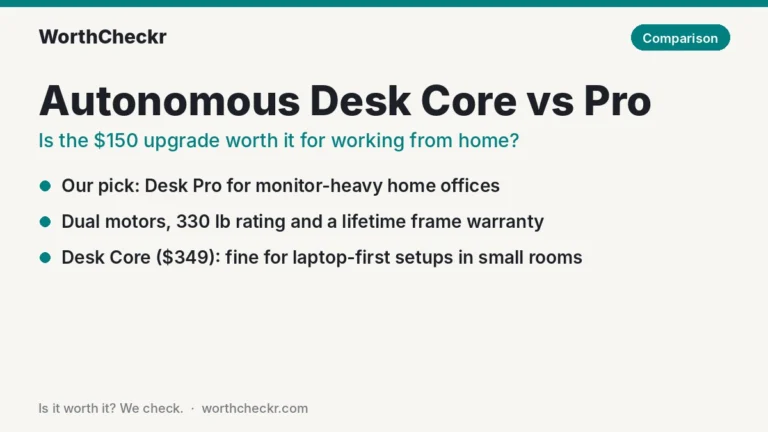
- Best value: FlexiSpot E7 Pro. 440 lb capacity and frequent sales put a 60″ setup within reach.
- Best for heavy setups and tall users: FlexiSpot E7 Plus. Four legs for minimal sway and a top height above 50″.
- Best for hidden cables: Secretlab Magnus Pro XL. About 70″ x 31.5″ with a built-in cable tray and outlet.
- Best for three or more monitors: Uplift V3 L-shaped. Triple motors and a 535 lb lift rating.
- Best budget option: Fezibo electric standing desk in a 55″–60″ width, for two lighter 24-inch screens on stands.
Check Uplift V3 price → Check FlexiSpot E7 Pro price →
Best standing desks for dual monitors compared
| Desk | Typical price | Motors | Height range | Lift capacity | Best for |
|---|---|---|---|---|---|
| Uplift V3 | From $599; about $700+ at 60″ x 30″ (estimate) | Dual | 22.6″–48.7″ | 355 lb | Most dual-monitor setups |
| FlexiSpot E7 Pro | ~$399.99 frame on sale, plus top | Dual | 25.0″–50.6″ | 440 lb | Value |
| FlexiSpot E7 Plus | $599.99 list, ~$499.99 on sale | Dual, 4 legs | Tops out above 50″ | 440 lb lift | Heavy gear, tall users |
| Secretlab Magnus Pro XL | About $949 | Dual | 25.6″–49.2″ | 265 lb | Clean, cable-free desks |
| Uplift V3 L-shaped | From about $1,000 | Triple | Up to 48.7″ | 535 lb | Three-plus screens |
| Fezibo electric desk | From ~$90 on sale (small sizes); wider tops cost more | Single | 28.3″–46.5″ | 265 lb | Tight budgets |

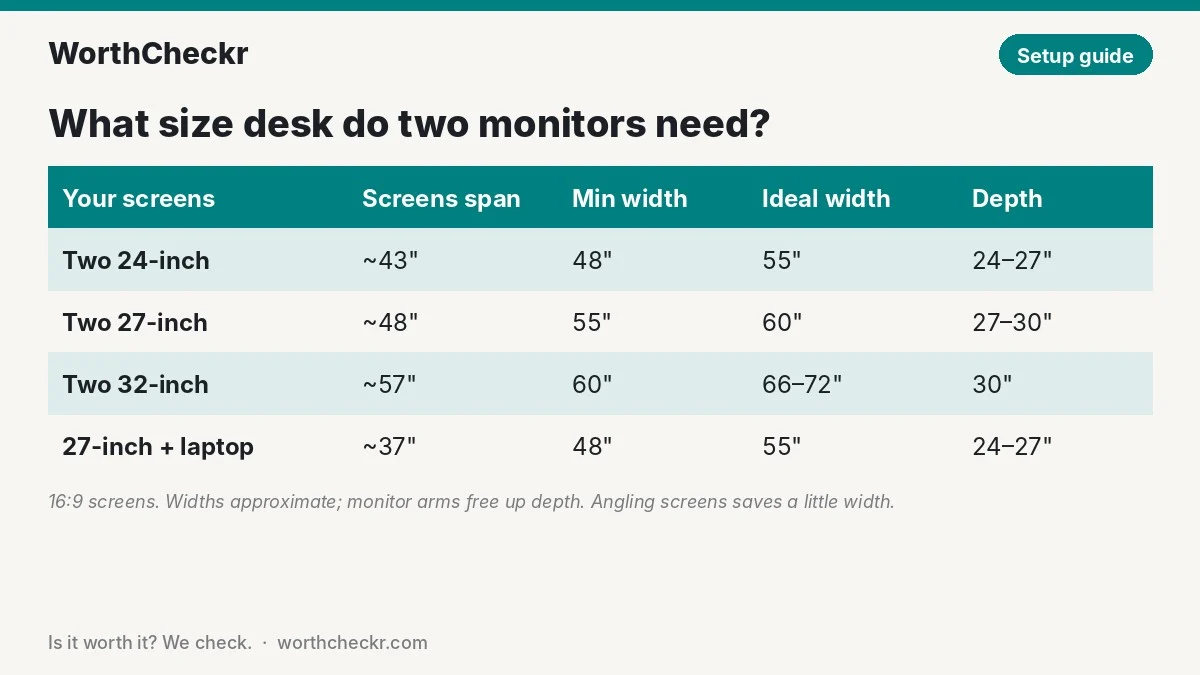
What size standing desk do you need for two monitors?
This is the part most buyers get wrong. A widescreen monitor is a lot wider than its diagonal suggests, and two of them side by side eat up most of a 48-inch desk before you add a keyboard, a laptop or a lamp.
Here’s the math for 16:9 screens. A 24-inch panel is about 21″ wide, a 27-inch is about 23.5″, and a 32-inch is about 28″, before bezels. Add a little for frames and a gap, then leave space at the sides for a laptop or speakers.
| Your two screens | Screens take up (approx.) | Minimum desk width | Comfortable width | Recommended depth |
|---|---|---|---|---|
| Two 24-inch | About 43″ | 48″ | 55″ | 24″–27″ |
| Two 27-inch | About 48″ | 55″ | 60″ | 27″–30″ |
| Two 32-inch | About 57″ | 60″ | 66″–72″ | 30″ |
| One 27-inch + laptop | About 37″ | 48″ | 55″ | 24″–27″ |
Two practical tips. First, angling the screens into a gentle V lets you squeeze them onto a slightly narrower desk. Second, monitor arms free up depth, because the stands no longer sit on the desktop (check yours fits with our monitor arm compatibility checker). Our 27 vs 32 inch monitor guide covers viewing distance in detail, and if you’re still choosing screens, our best 27-inch 4K USB-C monitors roundup is a good place to start.
Screen height matters as much as desk width with two monitors. Our standing desk height calculator gives your ideal desk height and how high the top of each screen should sit, sitting and standing.
1. Uplift V3: best overall
Who it’s for: most people running two monitors at home, especially on monitor arms, who want a desk that stays put at standing height.
Key specs: dual motors; 22.6″–48.7″ height (with a 1″ top); 355 lb lift capacity; widths from 42″ to 80″ in 24″ or 30″ depths; about 2″ per second; under 48 dB claimed; FlexMount cable manager included; 15-year warranty.
Uplift rebuilt the V3 around stability, adding a central crossbar, steel plates over the motors and new feet. Reviewers say it worked. TechRadar’s Collin Probst ran dual monitors and docks on his for a month with no sagging or bowing, and Tom’s Guide’s Anthony Spadafora called the frame extremely stable even at full height. Cult of Mac’s David Snow noticed only a minor tremor at maximum height.
For two screens, order the 60″ x 30″ top: wide enough for two 27-inch monitors and deep enough for comfortable viewing. Step up to 72″ for two 32-inch displays.
Pros: excellent stability; wide size range; low minimum height for shorter users; included cable manager; long warranty.
Cons: costs climb quickly with bigger or premium tops; heavy; Tom’s Guide measured 54 dB at peak, a bit louder than Uplift’s claim.
Torn between this and a premium rival? Read our Secretlab Magnus Pro vs Uplift V3 comparison.
2. FlexiSpot E7 Pro: best value
Who it’s for: buyers who want a high-capacity dual-motor desk for two monitors without paying premium-brand prices.
Key specs: lifts 440 lb on two motors; adjusts from 25.0″ to 50.6″; the frame stretches from 43.3″ to 74.8″ wide; keypad with four presets, a USB port and a lock; FlexiSpot’s 15-year warranty covers the frame, motors and electronics. Frame-only sale prices often sit near $399.99, and retailers also sell it bundled with a 60″ x 30″ top.
TechRadar names the E7 Pro its best standing desk overall in its October 2026 guide, and it’s one of the most liked desks in Reddit discussions. The 440 lb rating is the highest of any two-leg desk here, which matters if you add a desktop PC or speakers to your dual-screen setup. The frame accepts tops up to about 75″ wide, so two 32-inch monitors fit too.
Pros: outstanding capacity for the price; tall maximum height; frequent sales; long warranty.
Cons: slight sway at full height reported by GameRevolution; a heavy, two-person build; the keypad’s charging port is USB-A, not USB-C.
We compared it head to head in Uplift V3 vs FlexiSpot E7 Pro.
Check FlexiSpot E7 Pro price →
3. FlexiSpot E7 Plus: best for heavy setups and tall users
Who it’s for: tall users and anyone with a heavy dual or triple monitor rig who wants the least possible shake.
Key specs: dual motors with four legs; tops out above 50″; 440 lb lift capacity (540 lb static); four presets, USB port and child lock. $599.99 list, often about $499.99 on sale.
Four legs instead of two make this the steadiest option here on paper. TechRadar calls it its best standing desk for stability, and At Tom’s Guide, Anthony Spadafora rated it the steadiest electric desk to pass through his testing. When screens sit on arms clamped to the back edge, a stable frame is what keeps them from bouncing while you type. If your current screens already bounce, our guide on how to fix standing desk wobble covers the free fixes to try first.
Pros: exceptional stability; high capacity; great for tall users.
Cons: louder (54 dB per Tom’s Guide); the extra legs take some legroom; harder to assemble.
Weighing it against its two-leg sibling? Read FlexiSpot E7 Plus vs E7 Pro first.
Check FlexiSpot E7 Plus price →
4. Secretlab Magnus Pro XL: best for hidden cables
Who it’s for: people with a large room who want two big screens and zero visible cables.
Key specs: dual motors; 25.6″–49.2″ height; 265 lb lift capacity; about 70″ x 31.5″ steel desktop; full-length cable tray with hinged lid; built-in outlet in the left leg; magnetic accessories; 5-year warranty. About $949 (the standard 59″ model is $799).
Two monitors mean twice the cables, and the Magnus Pro is built to hide them. Tom’s Guide said it didn’t sway at full height and praised its integrated power. The XL’s extra width and depth make it one of the few desks here that fits two 32-inch screens without feeling cramped.
Pros: best cable management here; very sturdy; deep, wide surface; magnetic monitor arm and accessories.
Cons: lowest capacity among the premium picks; short warranty; the steel top needs a mat; expensive accessories.
Check Secretlab Magnus Pro XL price →
5. Uplift V3 L-shaped: best for three or more monitors
Who it’s for: power users with three screens, a laptop and paperwork, who have a corner to fill.
Key specs: triple motors; 535 lb lift capacity; up to 48.7″ height; many desktop materials; 15-year warranty. Starts at about $1,000, according to TechRadar.
TechRadar’s Collin Probst gave it an Editor’s Choice award in October 2026, calling it quiet, responsive and steady at maximum height. He also warned that it’s too big for most offices. If you have the space, though, the L shape lets you put two monitors on one wing and a laptop or third screen on the other.
Pros: huge capacity; stable; room for multiple screens and a work area.
Cons: expensive; needs a lot of floor space; overkill for a simple two-monitor setup.
Check Uplift V3 L-shaped price →
6. Fezibo electric standing desk: best budget option
Who it’s for: tight budgets with two lighter 24-inch monitors on their own stands.
Key specs: one motor; adjusts from 28.3″ to 46.5″; sold in 40″ to 60″ widths; rated for 265 lb; 5-year warranty; no cable tray. Small sizes sell for about $90–$110; the 55″ and 60″ versions cost more.
TechRadar’s budget pick has run daily for two years for its reviewer without faults. For dual monitors, pick the 55″ or 60″ width. Just know its limits: the top is two pieces joined in the middle, which flexes more than a solid top, and a single motor lifts more slowly. We’d avoid heavy monitor arms on it.
Pros: costs a fraction of the others; generous rated capacity; five years of coverage at this price.
Cons: two-piece top; slower single-motor lift; 46.5″ ceiling is low for tall users; nothing to tame cables.
For more cheap options, see our best standing desk under $500 guide.
Check Fezibo standing desk price →
How to choose the best standing desk for dual monitors
- Pick the width from your screens. Use the size table above. For two 27-inch monitors, 60″ is the sweet spot.
- Go 30″ deep if you can. Extra depth keeps big screens at a comfortable distance. A 24″-deep desk works with monitor arms and smaller screens.
- Add up the weight, then leave a buffer. Two monitors, a dual arm, a laptop and a dock usually come to roughly 40–60 lb; a desktop PC can add 20–40 lb more (our estimates). Choose a desk rated well above your total so the motors aren’t straining.
- Choose dual motors. They raise wide, heavy tops with less strain and better balance. See our single vs dual motor standing desk guide explains when a single motor is enough.
- Prioritize stability at standing height. Monitor arms sit at the back edge and magnify any wobble. Look for crossbars, 3-stage legs or a four-leg frame, and read reviews that test at full height.
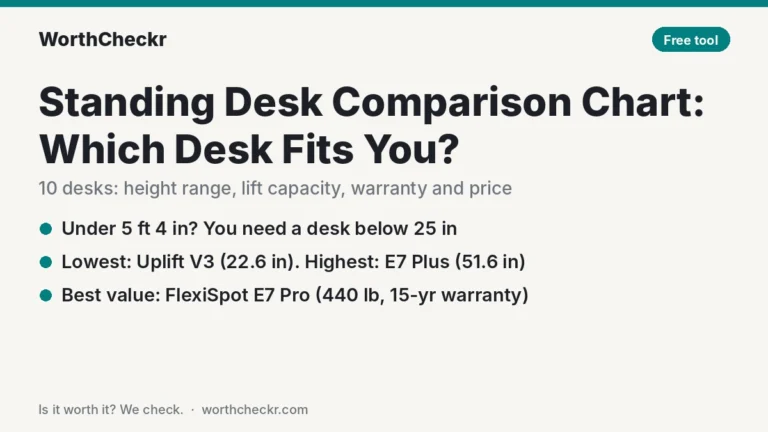
- Check the height range for your body. Shorter users should look for a low minimum (the Uplift V3 goes to 22.6″). Taller users want a top height above 49″.
- Plan your cables. Two screens plus a dock create a tangle that has to travel up and down. A tray or basket under the back edge keeps it tidy.
What buyers say about dual monitor standing desks
Owner feedback on Reddit and retailer sites, plus reviewer notes, points the same way.
- Stability matters more than features. Uplift owners on Reddit regularly call their desks “rock solid,” while the most common complaint about older V2 frames was slight wobble at full height, which Uplift targeted with the V3.
- Value desks earn loyalty. The FlexiSpot E7 Pro is among the most liked standing desks in Reddit discussions, mainly for its capacity and price.
- Cable management wins fans. Secretlab’s store shows a 4.9/5 average from more than 5,100 Magnus Pro ratings, with owners repeatedly praising how easily cables disappear. These are ratings on Secretlab’s own site.
- Small tops get cramped. Even reviewers who love compact desks flag the limit: MacSources’ Christian Wood found the 46-inch Uplift V3 Essential tight with two monitors, which is why we recommend 55″–60″ for a dual setup.
Best standing desk for dual monitors FAQ
How wide should a standing desk be for two monitors?
For a pair of 27-inch monitors, 55″ is the practical minimum and 60″ feels roomy. Two 24-inch screens fit on a 48″–55″ desk, while two 32-inch screens need at least 60″, ideally 66″–72″.
How deep should a desk be for dual monitors?
A 30″ depth is ideal for two 27-inch or 32-inch monitors because it lets you sit at a comfortable viewing distance. A 24″–27″ depth works for smaller screens or if you mount your monitors on arms.
Can a standing desk hold two monitors?
Yes. Most electric standing desks can carry two monitors easily, since a typical dual-monitor setup with arms weighs roughly 40–60 lb. Choose a desk with a lift capacity well above your total weight, especially if you add a desktop PC.
Do I need a dual motor standing desk for dual monitors?
It’s strongly recommended. Dual motor desks usually carry more weight, lift wider tops more evenly and offer a wider height range. A single motor desk can work with two light 24-inch monitors on stands, but not with heavy arms or a PC.
Should I use a monitor arm on a standing desk?
Yes, for most dual-monitor setups. Arms free up desk space, let you set screen height precisely and move with the desk. Pair them with a stable frame, because arms at the back edge can amplify any wobble.
Is an L-shaped standing desk better for multiple monitors?
It’s better for three or more monitors or if you need a separate work area. For two monitors, a straight 60″–72″ desk is usually cheaper, easier to fit and just as practical.
Bottom line
For most people with two screens, the desk to buy is the Uplift V3 in 60″ x 30″. It’s wide and deep enough for two 27-inch screens, very steady at standing height and backed by a 15-year warranty. If you want to spend less, the FlexiSpot E7 Pro gives you more lift capacity for the money. Choose the E7 Plus for maximum stability, the Magnus Pro XL for spotless cable management, or the V3 L-shaped if two screens are about to become three.
Explore all of our standing desk guides and best picks.
Check Uplift V3 price → Check FlexiSpot E7 Pro price →
Sources: TechRadar best standing desks · TechRadar (Uplift V3) · TechRadar (Uplift V3 L-shaped) · Tom’s Guide (Uplift V3) · Tom’s Guide (Magnus Pro) · Cult of Mac · Uplift Desk · Secretlab · MacSources · FlexiSpot (E7 Pro) · FlexiSpot (E7 Plus) · Tom’s Guide (E7 Plus) · GameRevolution · RedditRecs · GummySearch (Reddit reviews)