Uplift V2 vs V3 — WorthCheckr pick: Uplift V3
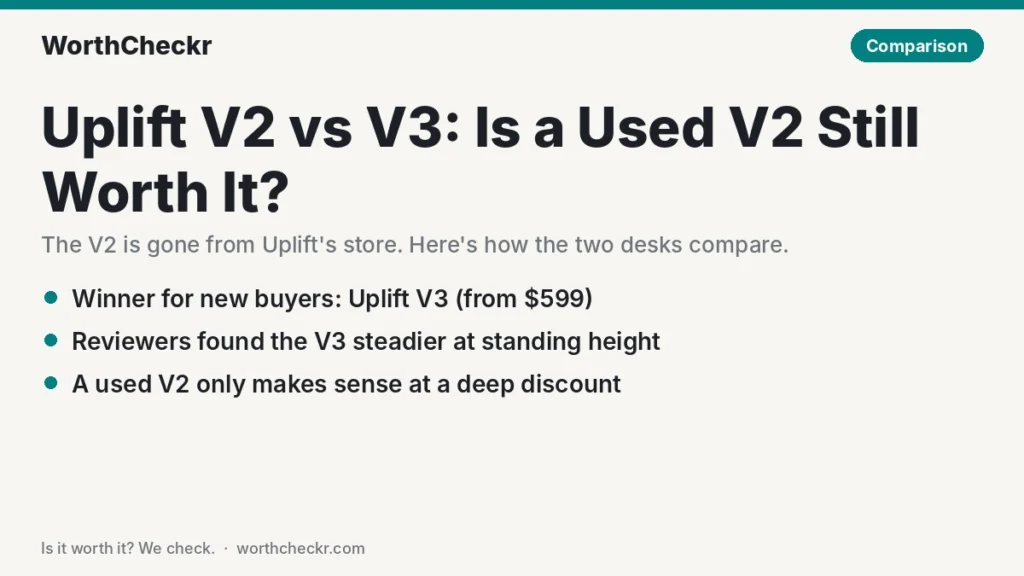
✓ Worth it for anyone buying a standing desk new: it’s the only one of the two Uplift still sells, and it fixes the V2’s biggest weak spot.
- A redesigned frame that Tom’s Guide and TechRadar both found steadier than the V2 at full height.
- Faster lifting: 2 inches per second claimed, against roughly 1.3–1.4 in/s measured on V2 frames.
- A new 15-year warranty in your name, plus a cable manager and simpler assembly in the box.
- Its $599 starting price (42″ x 30″ laminate) matches what the V2 used to cost with a top.
Pick a used Uplift V2 instead if you can find a clean one locally for well under half the price of a comparable new V3 build, your setup is light, and you’re comfortable buying without a warranty.
Last updated November 10, 2026 · Research-based analysis by Abid Shehzad, WorthCheckr
For nearly a decade the Uplift V2 was the default “buy it once” standing desk. In September 2025 Uplift replaced it with the V3, and by mid-2026 the V2 had quietly disappeared from Uplift’s own store. That leaves the Uplift V2 vs V3 question in a new place: you’re no longer picking between two desks on the same shelf. You’re deciding whether a secondhand or leftover V2 is a smart saving, or whether the V3 is worth paying for new.
Our short version: the V3 is the better desk and the safer buy, but a cheap, well-kept V2 can still be a sensible choice for a light setup. WorthCheckr hasn’t tested either desk in person. This comparison is based on Uplift’s published specs, measurements and impressions from named reviewers at Tom’s Guide, TechRadar, Cult of Mac, BTOD and Work While Walking, and owner reports from Trustpilot and Reddit. For the bigger picture on motors, sizes and stability, start with our standing desk buying guide.
In this comparison
- Uplift V2 vs V3 in 30 seconds
- Can you still buy an Uplift V2?
- Uplift V2 vs V3 specs compared
- What Uplift changed in the V3 frame
- Stability and noise: does the V3 really wobble less?
- Reviewer scorecard: V2 and V3 round by round
- Common Uplift V2 and V3 problems owners report (and fixes)
- Buying a used Uplift V2: a pre-purchase checklist
- Price math: used V2 vs new V3
- Our take: why the V3 gets the edge
- Uplift V2 or V3: which should you buy?
- Uplift V2 vs V3 FAQ
- Verdict
Uplift V2 vs V3 in 30 seconds
The V3 keeps what made the V2 popular (dual motors, a 355 lb rating, a huge choice of tops and a 15-year warranty) and improves the parts people complained about: wobble at standing height, a fiddly build and messy cables.
- Choose the Uplift V3 if… you’re buying new, you run two monitors on arms or a desktop PC, you work standing for long stretches, or you want a warranty that covers you for the next 15 years.
- Choose a used Uplift V2 if… you find one locally at a big discount, you can test it at full height before paying, and you only need it to hold a laptop and one or two light screens.
- Skip the V3 if… your budget is firmly under about $450. A strong dual-motor rival such as the FlexiSpot E7 Pro often sells for less; see our Uplift V3 vs FlexiSpot E7 Pro comparison.
- Skip a used V2 if… any wobble on video calls bothers you, you need a warranty, or you can’t see it raised and lowered in person. It’s no longer sold new by Uplift, so you’re relying on the seller.
- The biggest owner issue to know about: on the V2, a control box that stops responding or shows an error, usually cleared by Uplift’s reset; on the V3, a few new owners report damaged parts or a faulty keypad on arrival, which Uplift support replaced.
Check Uplift V3 price → Check Uplift V2 price →
Can you still buy an Uplift V2?
Not from Uplift. As of November 10, 2026, the old V2 product address on upliftdesk.com loads the V3 page instead, and The Front Desk Review notes the V2 was no longer in Uplift’s active catalog by mid-2026. Accessories built only for the V2 are drying up too: The Human Solution, a long-time Uplift retailer, now marks its V2 two-leg to three-leg conversion kit as discontinued.
So where do V2 desks come from today? Mostly three places:
- Local resale. Facebook Marketplace, Craigslist and office clear-outs. One Reddit commenter quoted on RedditRecs says smaller Uplift desks regularly turn up locally for under $500. Prices vary hugely by size and top.
- Leftover retail stock. Third-party sellers on Amazon and elsewhere may still list V2 or V2-Commercial frames. Check the listing date, who’s selling it and whether a new-purchase warranty applies.
- Office liquidators. Companies that downsized often sold desks in bulk. These can be good value but are usually sold as-is.
That availability shift matters more than any spec. A V2 is now a used-or-leftover purchase, so the right comparison isn’t “V2 price vs V3 price” from Uplift’s site. It’s “this particular used desk vs a brand-new V3 with a warranty.”
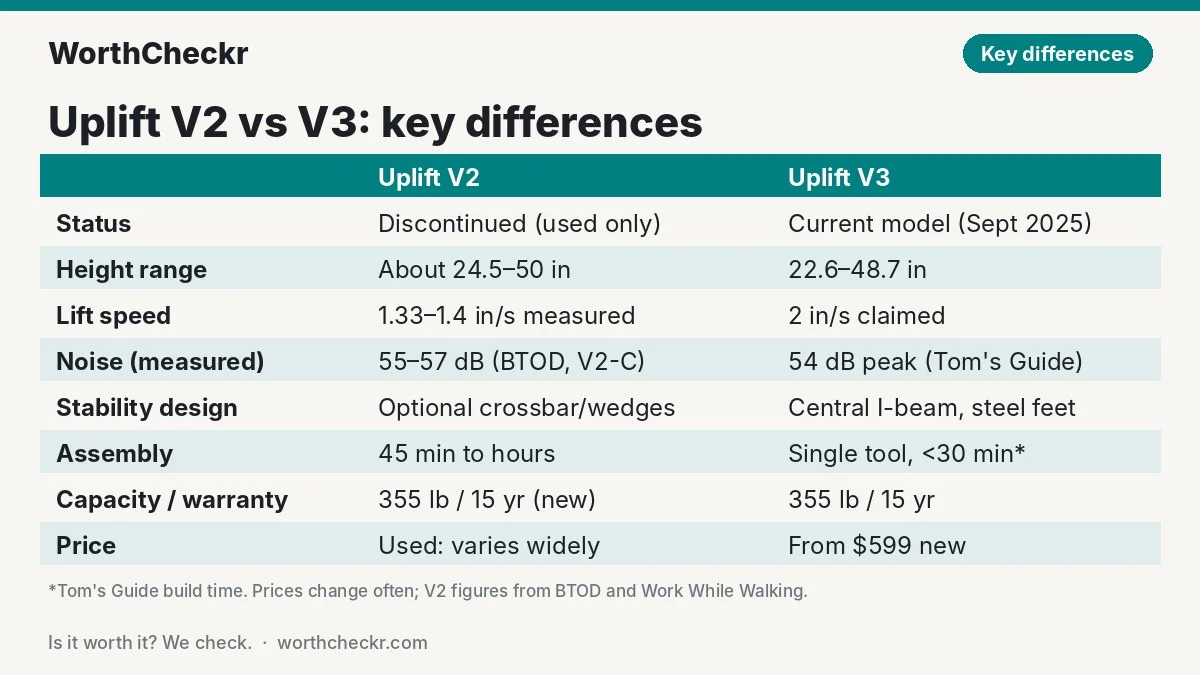
Uplift V2 vs V3 specs compared
V3 figures come from Uplift’s product page and launch blog. Uplift no longer publishes a V2 spec page, so V2 figures come from reviewers who measured it (BTOD and Work While Walking) and from older listings. Where sources disagree, we show the range.
| Spec | Uplift V2 (2-leg, discontinued) | Uplift V3 (2-leg) |
|---|---|---|
| Status | No longer sold by Uplift; used or leftover stock only | Current model, launched September 2025 |
| Motors | Dual | Dual, 3-stage legs |
| Lift capacity | 355 lb | 355 lb |
| Height range | About 24.5″–50″ per BTOD; the V2-Commercial columns sat lower | 22.6″–48.7″ (with a 1″ top) |
| Lift speed | About 1.57″/s claimed; 1.33–1.4″/s measured by BTOD and Work While Walking | 2″/s claimed |
| Noise | 50 dB claimed; BTOD measured 55–57 dB on a V2-Commercial | Under 48 dB claimed; Tom’s Guide measured a 54 dB peak |
| Frame stability design | Legs joined by the desktop and side rails; optional crossbar and stability wedges | Central I-beam, TremorGuard feet, steel plates over the motor housing; no lower crossbar needed |
| Feet | Cast aluminum | Reinforced dual-wall steel |
| Anti-collision | Yes (Work While Walking found it oversensitive) | 6-axis accelerometer, adjustable sensitivity |
| Cable management | Optional wire management kit | FlexMount cable manager included |
| Assembly | Multi-tool; 45 minutes to several hours in reviews | Single tool, pre-installed control box; under 30 minutes for Tom’s Guide |
| Warranty | 15 years when bought new (check it applies to you as a second owner) | 15 years |
| Price | $599 with a laminate top when the V3 launched (Cult of Mac); frame alone about $469–$499 (BTOD) | From $599 with a 42″ x 30″ laminate top (Uplift, Nov 2026); Black Friday coupon BF2026 offers up to $300 off until Nov 29 |
Prices change often, and Uplift’s coupon amount depends on what’s in your cart. Treat the figures as a guide and check the live price before you buy.
What Uplift changed in the V3 frame
On paper the two desks look like twins: same motor count, same 355 lb rating, same warranty length. The changes are in how the frame is built and how it goes together.
The stability system
The V2 relied on the desktop itself, side rails and optional extras such as a crossbar or stability wedges to stop it rocking. The V3 adds a central I-beam that runs between the legs, steel plates over the motor housings and new “TremorGuard” feet. Uplift says the result cuts wobble at maximum height by about 30%. That’s Uplift’s own figure, not an independent measurement, but reviewers’ impressions point the same way (more on that below).
A lower minimum height
The V3 drops to 22.6 inches with a 1-inch top. Standard V2 frames bottomed out around two inches higher. For shorter people, or a desk shared with a shorter partner, that extra drop matters for seated typing. Our standing desk height calculator shows the sitting and standing heights your body needs, so you can check whether either range fits before you buy. The trade-off: the V3’s top height is a little lower too, so very tall users should check the 48.7-inch maximum.
Faster, simpler setup
Uplift redesigned assembly around a single tool, slide-in parts and a control box that ships already fitted. Tom’s Guide’s Anthony Spadafora had his V3 unboxed and built in under half an hour. Cult of Mac’s David Snow took longer, over 90 minutes with a helper, but said it could be done faster. Compare that with Work While Walking’s V2 review, where an experienced builder needed 45 minutes against Uplift’s claimed 7, and GamingTrend’s Mike Case, who spent around six hours building a V2-Commercial alone.
Cables and accessories
Every V3 now comes with the FlexMount cable manager, a felt tray that TechRadar’s Collin Probst called the biggest improvement of the lot. The frame also has 48 threaded mounting points for accessories. On a V2, cable management was an add-on, and it’s one of the most common owner gripes we found.
Stability and noise: does the V3 really wobble less?
This is the question most V2 owners ask, because the V2’s main weakness was a little side-to-side sway at standing height. BTOD’s comparison testing found the standard V2 started to wobble above roughly 43.5 inches without extra cross support. That’s right around standing height for many adults.
Reviewers who used both generations say the V3 is steadier. Spadafora at Tom’s Guide found it smoother and more stable even at its tallest height. Probst at TechRadar said it felt sturdier than the V2 straight away and gave it five stars after 39 days of use, with no bowing or sagging. Snow at Cult of Mac also gave it five stars.
Owner reports are more mixed than the reviews. One V2-Commercial owner quoted on RedditRecs who later built a V3 saw no significant difference in stability between the two, though they found the V3 quicker to build and its cable channel better. Aggregated Reddit and Amazon summaries mention some side-to-side rocking at the leg-to-top joints on V3 desks. Our reading: the V3 is a real improvement, but it doesn’t turn a two-leg desk into a four-leg one. If you need zero movement on video calls at full height, a four-leg frame is the safer route.
On noise, neither desk is silent. Tom’s Guide measured a 54 dB peak on the V3, above Uplift’s under-48 dB claim. BTOD measured 55–57 dB on a V2-Commercial, above its 50 dB claim. In practice that’s a low motor hum for a few seconds, and the V3’s faster lift means the noise ends sooner.
Already own a V2 that sways? Before you replace it, try the fixes in our guide to fixing standing desk wobble. Tightening the frame bolts and adding a crossbar or wall contact often solves most of it for free or close to it.
Reviewer scorecard: V2 and V3 round by round
| Category | Winner | What reviewers said |
|---|---|---|
| Stability at standing height | Uplift V3 | Tom’s Guide and TechRadar both found the V3 steadier than the V2. BTOD measured V2 wobble above about 43.5″. |
| Lift speed | Uplift V3 | 2″/s claimed for the V3. BTOD and Work While Walking measured the V2 at 1.33–1.4″/s. |
| Noise | Tie | Tom’s Guide measured 54 dB on the V3; BTOD measured 55–57 dB on a V2-Commercial. Both beat their claims by a few dB. |
| Assembly | Uplift V3 | Under 30 minutes for Tom’s Guide. V2 reviewers reported 45 minutes to several hours. |
| Cable management | Uplift V3 | TechRadar called the included FlexMount manager the standout upgrade. |
| Height range | Depends on you | The V3 goes lower for shorter users; standard V2 frames reached a little higher. |
| Build quality | Uplift V3 | BTOD flagged glide wear, lubricant residue and basic electronics on its V2-Commercial test unit. Cult of Mac praised the V3’s build. |
| Price | Used V2 (if cheap) | A used V2 can cost far less. New, the V3 now starts at the V2’s old $599 price. |
| Buyer sentiment | Uplift V3 | Trustpilot reviews of Uplift average 4.6/5, with most praising support; V2 owners on Reddit mostly like their desks but cite wobble and cables. |
| Overall | Uplift V3 | Better in every area that reviewers measured, at a similar new price. |
Common Uplift V2 and V3 problems owners report (and fixes)
We gathered owner feedback from Trustpilot, Reddit threads (via RedditRecs and a public Reddit mirror), reddb.ai and Uplift’s own support pages. Honest caveat: owner feedback specific to each model is thinner than you’d expect for such popular desks, and many owners just say “my Uplift” without naming the version. Where a report comes from a reviewer rather than an owner, or from an aggregated summary, we say so.
Uplift V3
- Damaged or faulty parts on arrival. A few 2026 Trustpilot reviewers who named the V3 report a defective control paddle out of the box, a sharp burr on a motor housing that scratched the underside of the top, and a box that went missing in shipping. Fix: inspect every box on delivery, note damage with the driver, and contact Uplift. In each case owners said support sent replacements (one owner was unhappy the new control box came by slow freight). Source: Trustpilot.
- Some side-to-side rocking at the leg-to-top joints. Aggregated summaries of Reddit and Amazon reviews mention this on some V3 desks, and a few people say they preferred their V2’s feel. It’s not widespread in what we could read directly. Fix: re-tighten the side bolts once the desk has been used for a week, check the desk is level, and raise it to your real standing height rather than full height. Source: Buyary’s summary of Reddit and Amazon reviews (aggregated).
- Desktop concerns. A few Reddit commenters question the particle-board laminate tops, one says the surface shows fingerprints, and one owner reported an 80″ x 30″ V3 top bending toward the middle (Uplift’s account replied that it shouldn’t happen and asked them to contact support). Fix: on wide desks, consider a thicker or solid top, or buy the frame only and add your own. Sources: RedditRecs, reddb.ai.
- Accessory fit and instructions. One V3 owner on Trustpilot says accessory instructions still referred to V1/V2 and a drawer needed drilling without a template; another owner building a V3 found the pre-drilled cable-bracket holes about half an inch off and drilled new ones. Cable hooks blocking ports also come up in summaries. Fix: dry-fit accessories before drilling. Sources: Trustpilot, RedditRecs.
- Price creep with add-ons. Not a fault, but it comes up repeatedly: the $599 base climbs fast with a bigger top, a better keypad, casters and accessories. Tom’s Guide and TechRadar both flag this too.
Uplift V2
- Control box errors or a desk that stops moving. Common enough that Uplift keeps a dedicated reset page and says about 70% of control boxes sent back for replacement worked fine after a reset. Fix: clear the area under the desk, hold Down for about 10 seconds until the display shows “ASr” (or “RESET” on the paddle keypad), release, then hold Down again until the desk dips, rises slightly and stops. Source: Uplift support.
- Wobble at standing height. Several owners describe little wobble seated but slight sway standing, and one notes two-leg desks flex when pushed. BTOD’s testing backs this up above about 43.5″. Fix: tighten all frame bolts, add Uplift’s crossbar or stability wedges if the desk has none, and keep heavy gear near the legs. Sources: Reddit thread, RedditRecs, BTOD.
- Messy cables and a hard build. The owner in a popular “I’m loving my new Uplift” Reddit thread named cable management as the main gripe and said assembly was harder than expected. Work While Walking’s reviewers also found assembly frustrating. Fix: add an under-desk cable tray and a cable spine to the legs.
- Oversensitive anti-collision. Work While Walking’s reviewers found the V2’s collision detection stopped the desk too easily. This is a reviewer finding; we saw few owner complaints. Fix: check the manual for the sensitivity setting on your keypad.
- Wear on older frames. BTOD’s Greg Knighton saw grooves forming in the glides after a few hundred test cycles and white lubricant residue on a black V2-Commercial frame. That’s a reviewer stress test, not owner data, but it’s worth checking on any used desk.
One more point on support: most recent Trustpilot reviews praise Uplift’s customer service, though a few mention slow email replies and say phone support was quicker.
Buying a used Uplift V2: a pre-purchase checklist
If a used V2 is tempting, these checks will catch most problems before money changes hands:
- Confirm it’s a V2. Ask for a photo of the frame label. A V1 or a different brand’s frame on an Uplift top is a different desk.
- Run it full height and back. Listen for grinding, clicking or one leg lagging the other.
- Test the wobble at your standing height. Type hard and push gently on a corner. A little movement is normal; visible sway at your height isn’t.
- Check the keypad and presets. Save and recall a memory preset. Note any error code on the display.
- Try the reset. If it shows an error, do the ASr reset above. If it won’t clear, walk away or price in a control box.
- Inspect the top. Look for sagging in the middle on wide tops, swollen laminate edges and stripped screw holes.
- Look at the legs and glides. Scratches are cosmetic; grooves, bent columns or missing feet aren’t.
- Ask about the warranty. Don’t assume the 15-year coverage passes to a second owner. Ask the seller for the original receipt and ask Uplift directly before you pay.
- Get every part. Power cord, control box, keypad, mounting screws and any crossbar or wedges.
- Plan the move. A 60″ desk with a top is heavy and awkward. Ask the seller to lower it fully and bring help.
Price math: used V2 vs new V3
The question isn’t whether a used V2 is cheaper. It nearly always will be. The question is whether the saving covers what you give up: a warranty, a known history, faster lifting and better stability.
Here’s a simple way to think about it, using Uplift’s November 2026 pricing:
- A new V3 starts at $599 with a 42″ x 30″ laminate top. A more typical 60″ x 30″ home office build costs more once you upgrade the top and keypad. Uplift’s BF2026 coupon (up to $300 off until November 29, 2026) narrows the gap further.
- Over 15 years of warranty, $599 works out to about $40 a year. A replacement control box or motor out of warranty can easily cost a meaningful slice of a used desk’s price.
- Our rule of thumb: a used V2 makes sense when it costs well under half the price of a comparable new V3 build (same size and top type), passes the checklist above, and comes with every part. Above that, the new V3’s warranty and improvements are worth the difference.
That rule of thumb is WorthCheckr’s estimate, not a market price. Used prices swing widely by city, size and top. If you’re shopping across brands rather than just Uplift, our standing desk comparison chart lines up ten desks by price, height range and weight capacity.
Our take: why the V3 gets the edge
- It fixes the V2’s main weakness. Reviewers who used both consistently describe the V3 as steadier at standing height, which is exactly where the V2 drew complaints.
- The new price is no longer a premium. The V3 launched about $100 above the V2, but its $599 starting price now matches what the V2 used to cost with a top.
- A new warranty in your name. Fifteen years of cover for a desk you’ll raise and lower thousands of times is worth real money.
- It’s faster and nicer to live with. Quicker lifting, an included cable manager and a much easier build all count in daily use.
- The V2 is getting harder to support. With it gone from Uplift’s catalog and some V2-only accessories discontinued, extending or fixing an old V2 will only get trickier.
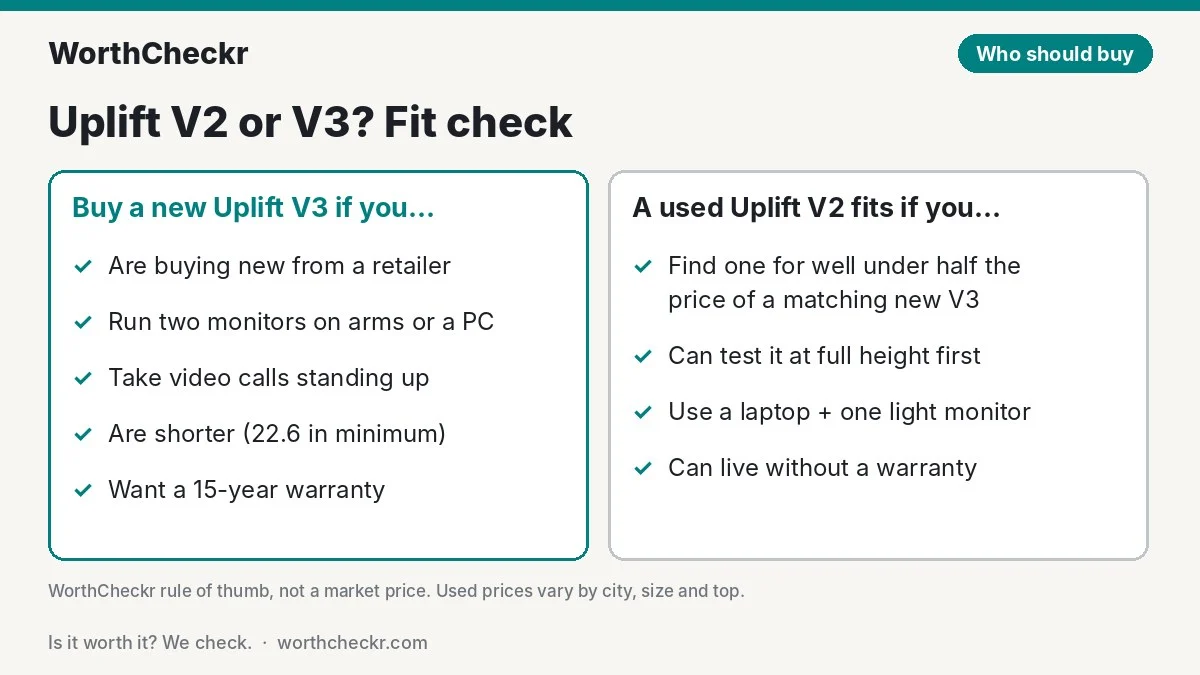
Uplift V2 or V3: which should you buy?
| If you… | Buy |
|---|---|
| Are buying new from a retailer | Uplift V3 |
| Run two monitors on arms, a PC or a heavy dock | Uplift V3 |
| Take lots of video calls standing up | Uplift V3 (or a four-leg frame) |
| Are shorter, or share the desk with a shorter partner | Uplift V3 (lower 22.6″ minimum) |
| Want a warranty and an easy return | Uplift V3 |
| Found a clean local V2 for well under half the price of a matching V3 | Used Uplift V2 |
| Work on a laptop and one light monitor, mostly seated | Used Uplift V2 (if cheap) |
| Already own a V2 that works | Keep it; fix any wobble first |
| Have a firm budget under about $450 for a new desk | Neither: look at the FlexiSpot E7 Pro |
If you’re still weighing the V3 against other premium desks, see how it stacks up in our Vari vs Uplift V3 and Secretlab Magnus Pro vs Uplift V3 comparisons.
Check Uplift V3 price → Check Uplift V2 price →
Uplift V2 vs V3 FAQ
What is the difference between the Uplift V2 and V3?
Both are dual-motor desks rated for 355 lb with 15-year warranties. The V3 adds a central I-beam, new TremorGuard feet and steel motor plates for better stability, lifts faster (2 in/s claimed), goes lower (22.6 inches), assembles with a single tool and includes a cable manager.
Is the Uplift V2 discontinued?
Uplift no longer sells it. The V2 page on Uplift’s site now shows the V3, and the V2 dropped out of Uplift’s catalog by mid-2026. You can still find V2 desks used or as leftover stock from other sellers.
Is the Uplift V3 more stable than the V2?
Reviewers at Tom’s Guide and TechRadar say yes, especially at full height, and Uplift claims about 30% less wobble at maximum height. Some owners notice less of a difference, and a two-leg V3 still moves a little more than a four-leg frame.
Is it worth upgrading from an Uplift V2 to a V3?
Usually not if your V2 works well. Try tightening the frame and adding a crossbar or stability wedges first. Upgrade if the wobble still bothers you, you need a lower seated height, or your V2’s electronics are failing out of warranty.
Is a used Uplift V2 worth buying?
It can be, if it costs well under half the price of a comparable new V3, passes a full-height test with no errors or grinding, and comes with every part. Don’t count on the original warranty transferring to you.
How do I reset an Uplift desk?
Clear the area under the desk, hold the Down button for about 10 seconds until the display shows “ASr”, release, then hold Down again until the desk lowers slightly, rises slightly and stops. Uplift’s support page covers keypad variations.
Verdict
Winner: Uplift V3. In the Uplift V2 vs V3 matchup, the newer desk is steadier, faster, easier to build and better at cable management, and it now starts at the same $599 the V2 used to cost. For anyone buying new, it’s the clear choice, and it’s the only one of the two Uplift still sells.
A used V2 is still a good desk, though. If you find one locally at a real discount, test it at your standing height and check the control box, it can carry a laptop-and-monitor setup for years. Just go in knowing you’re likely trading the warranty for the saving. We’ll update this comparison as more V3 owners report on long-term reliability.
Check Uplift V3 price → Check Uplift V2 price →
Sources: Uplift V3 product page · Uplift V3 launch blog · Uplift reset and troubleshooting · Tom’s Guide (Anthony Spadafora) · TechRadar (Collin Probst) · Cult of Mac (David Snow) · BTOD: Jarvis vs Uplift V2 · BTOD: Uplift V2-Commercial review · Work While Walking · GamingTrend (Mike Case) · The Front Desk Review · The Human Solution · Trustpilot · RedditRecs · reddb.ai