WorthCheckr pick: FlexiSpot E7
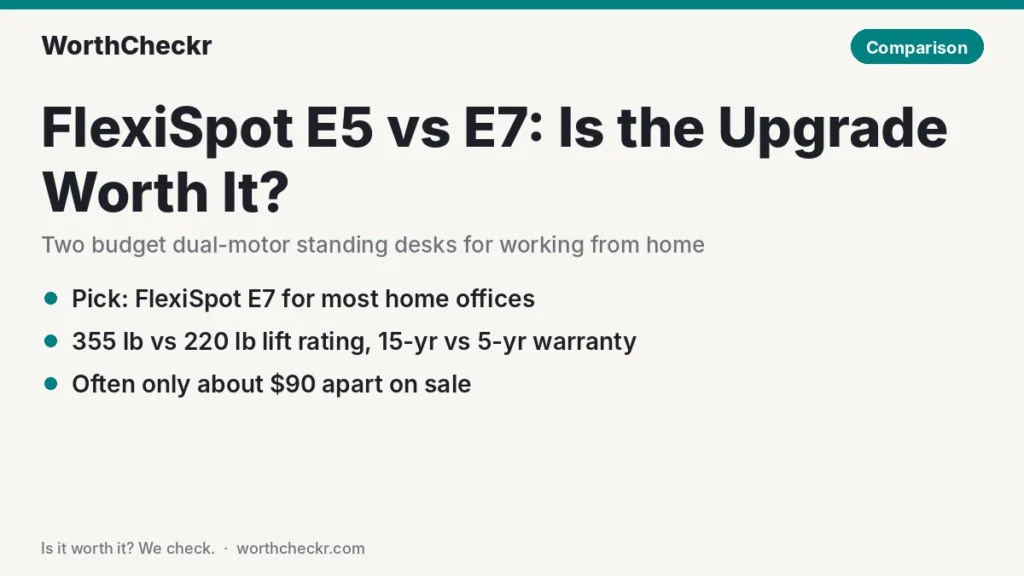
Our FlexiSpot E5 vs E7 call for most home offices.
✓ Worth it for remote workers who want a dual-motor desk they can load up with monitors and keep for a decade, without paying E7 Pro or Uplift prices.
- Its 355 lb lift rating is about 60% higher than the E5’s 220 lb.
- FlexiSpot backs it for 15 years, versus 5 years on the E5 frame and 2 on its electronics.
- It adds a touch keypad, USB charging port, child lock and a wider frame for bigger tops.
- The gap is often only about $90 on sale, which is cheap insurance for a desk you’ll use every day.
Pick the E5 instead if you run a laptop or one light monitor, you stand at average height, and every dollar counts this month.
Last updated October 27, 2026 · Research-based analysis by Abid Shehzad, WorthCheckr
FlexiSpot’s two cheapest “real” dual-motor desks sit just a few clicks apart on its store, and Black Friday deals are about to make both look like bargains. If you’re comparing the FlexiSpot E5 vs E7 for a home office, the question isn’t whether either desk works. Both do. It’s whether the E7’s stronger frame, better keypad and much longer warranty are worth roughly $90 more.
To answer that, we pulled together reviews from Windows Central, GamesRadar+, Pro Tool Reviews and Work While Walking, checked specs against FlexiSpot’s own product pages, and read what owners report on Reddit. WorthCheckr hasn’t tested either desk in person; this is a research-based comparison. Still working out what kind of desk you need? Our standing desk buying guide covers motors, size, stability and budget, and links every WorthCheckr desk comparison.
In this comparison
- FlexiSpot E5 vs E7: the quick answer
- FlexiSpot E5 vs E7 specs side by side
- Reviewer scorecard: who wins each round
- Where reviewers agree
- FlexiSpot E5 vs E7 stability and weight capacity
- Where they differ: keypad, speed and desk sizes
- Where they differ: warranty and long-term value
- What buyers and owners are saying
- Our take: why the E7 gets the edge
- Is the FlexiSpot E7 worth it over the E5 for you?
- Accessories for a budget standing desk
- FlexiSpot E5 vs E7 FAQ
- Verdict
FlexiSpot E5 vs E7: the quick answer
Both are dual-motor, three-stage frames with memory presets, anti-collision sensors and a noise rating around 50 dB. The E7 is the heavier, stronger, better-backed desk; the E5 is the cheapest way into FlexiSpot’s dual-motor range.
Choose the FlexiSpot E7 if…
- You run two monitors, monitor arms, a desktop PC or a heavy solid-wood top.
- You want a long warranty on the frame, motors and electronics.
- You want a desktop wider than about 60 inches, or a sturdier feel at standing height.
Choose the FlexiSpot E5 if…
- Your setup is a laptop, a keyboard and one monitor.
- You want dual motors for the lowest price and a 48–60 inch top is plenty.
- You need a touch more maximum height than the E7 offers.
Want something sturdier still? The E7’s bigger sibling is covered in our Uplift V3 vs FlexiSpot E7 Pro comparison.
Check FlexiSpot E7 price → Check FlexiSpot E5 price →
FlexiSpot E5 vs E7 specs side by side
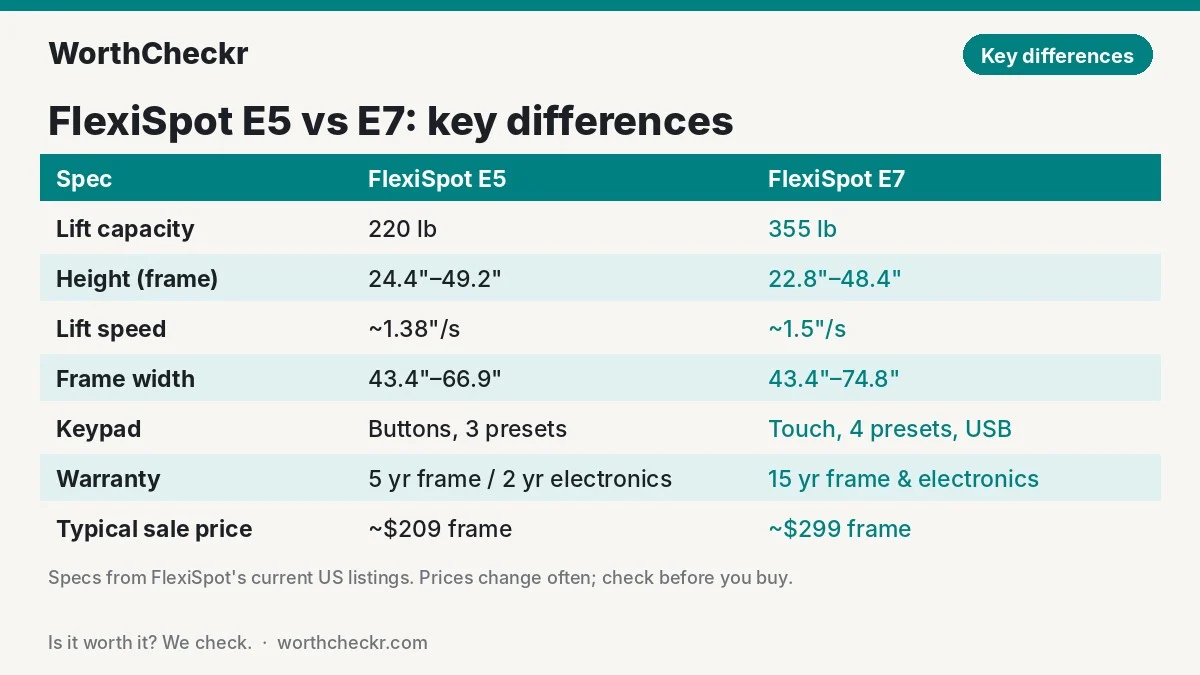
FlexiSpot’s listings for these two desks are messy. Older E5 listings (sometimes sold as the “E5 Pro”) quote 287 lb and a 10-year warranty, while FlexiSpot’s current US frame page lists 220 lb and 5 years. Where sources disagree, we’ve used FlexiSpot’s current product page and noted the difference.
| Spec | FlexiSpot E5 | FlexiSpot E7 |
|---|---|---|
| Motors / legs | Dual motor, 3-stage legs | Dual motor, 3-stage legs |
| Height range (frame only) | About 24.4″–49.2″ | 22.8″–48.4″ |
| Lift capacity | 220 lb (older E5 Pro listings: 287 lb) | 355 lb |
| Lift speed | About 1.38″/s | About 1.5″/s |
| Frame width range | 43.4″–66.9″ | 43.4″–74.8″ |
| Desktop widths | About 48″–60″ on FlexiSpot’s tops | 47.2″–80″ |
| Keypad | Button keypad, LED display, 3 presets, sit-stand reminder | LED touch keypad, 4 presets, USB charging port, child lock |
| Frame weight | About 47 lb | About 67 lb |
| Certification | Not BIFMA certified (per Work While Walking) | BIFMA X5.5 (per Home Office Research) |
| Warranty | 5 years frame and motor, 2 years electronics | 15 years frame, motor and electronics |
| Typical sale price (Oct 2026) | About $209 frame / $279 with a 48″ top | About $299 frame / $369 with a top |
Prices are estimates based on recent sale prices reported by RemoteOfficeGuy and deal posts; FlexiSpot’s prices change almost weekly, so check the live price before you buy.
Reviewer scorecard: who wins each round
| Category | Winner | What reviewers said |
|---|---|---|
| Price | E5 | Usually about $90 cheaper; Slickdeals posts have shown the E5 frame alone near $150 during flash sales. |
| Stability | E7 | GamesRadar+ found the E7 solid with only slight movement at the very top; Work While Walking flagged the E5’s stability at taller heights as its weak spot. |
| Weight capacity | E7 | 355 lb vs 220 lb on FlexiSpot’s current listings. |
| Height range | Tie | The E7 goes lower (better for shorter users); the E5 goes about an inch higher. |
| Controls | E7 | GamesRadar+ praised the E7’s intuitive touch controls; Windows Central liked the E5’s simple keypad but found it bulky. |
| Warranty | E7 | 15 years vs 5 years (2 on electronics). |
| Assembly | E5 | The E5 frame is about 20 lb lighter; both need two people for big tops. |
| Buyer sentiment | E7 | E7 owners mostly mention cable management; E5 owners report more wobble and hole-alignment gripes. |
| Overall | E7 | Better value per dollar for anyone running more than a laptop and one screen. |
Where reviewers agree
- Both are real dual-motor desks. Neither is a single-motor frame dressed up, and both lift smoothly and quietly enough for calls. If you’re unsure why that matters, our single vs dual motor standing desk explainer breaks it down.
- Presets make daily switching painless. Windows Central’s Zac Bowden found the E5’s memory buttons made changing heights quick, and GamesRadar+’s Frederick Hillinger called the E7’s memory function one of its best features.
- Assembly takes a second pair of hands. Bowden recommended a helper for the heavy E5 top, and Hillinger said the heavy, flat-packed E7 is easier with a second person too.
- Cable management is basic on both. Hillinger’s only real complaint about the E7 was the missing cable tray, and the E5 relies on grommet holes plus an optional tray.
FlexiSpot E5 vs E7 stability and weight capacity
This is the biggest real-world difference. Both desks use a T-shaped, two-leg frame, so neither will be as rock-steady as a four-leg desk at full height. But the E7’s columns are thicker and its frame is around 20 lb heavier, and that extra steel shows up in reviews.
On the E5, reviews are split. Pro Tool Reviews found its E5 Pro build steady even at its highest setting, while Work While Walking’s first-look review said stability at taller heights “isn’t great.” RemoteOfficeGuy’s roundup of owner reports points to visible wobble at full height on wide (60-inch-plus) tops with heavy loads, and Reddit users on r/FlexiSpot_Official have documented a small gap at the crossbeam ends on some E5 V3 frames that can add side-to-side play.
The E7 fares better. GamesRadar+’s Hillinger called it “a well-made, solid bit of kit,” noting only slight movement at the very top of its range. Home Office Research describes its stability as solid for most setups, with limits only under unusually heavy monitor loads.
What it means at home: typing on a laptop at standing height, you probably won’t notice much difference. Mount two 27-inch screens on arms, though, and every keystroke travels up to the monitors. That’s where the E7’s stiffer frame and 355 lb rating earn their keep. Remember that the weight rating includes the desktop itself, and a large solid-wood or bamboo top eats a real chunk of the E5’s 220 lb before you add a single screen.
Running two screens? Our best standing desk for dual monitors guide goes deeper on frames that stay steady under a heavy setup.
Where they differ: keypad, speed and desk sizes
Keypad and features
The E7’s touch keypad adds a USB charging port, a child lock and a fourth memory preset. The E5 keeps it simpler: physical buttons, an LED height readout, three presets on FlexiSpot’s current listing, and a sit-stand reminder you can set from 0 to 99 minutes. Bowden liked how easy the E5’s controls were but felt the keypad was larger than it needed to be.
Lift speed
FlexiSpot rates the E7 at about 1.5 inches per second and the E5 at about 1.38. Over a 15-inch sit-to-stand move, that’s roughly a one-second difference. You won’t feel it.
Height range
The E7’s frame drops to 22.8 inches, which helps shorter users get their elbows at a comfortable seated height. The E5 tops out about an inch higher (around 49.2 inches for the frame), which can matter if you’re well over 6 feet tall and stand at the very top. Add your desktop’s thickness, usually about an inch, to both numbers.
Desk sizes
The E7 frame stretches to 74.8 inches and supports tops up to 80 inches wide. The E5 frame stops at 66.9 inches, and FlexiSpot pairs it with 48- to 60-inch tops. If you want room for two big monitors plus a laptop and notebook, the E7 gives you space to grow.
Where they differ: warranty and long-term value
This is where the E7 pulls clearly ahead. FlexiSpot’s E7 page lists 15 years on the frame, motor, mechanisms, controller and electronics, and says the frame has passed more than 20,000 lift tests. The current E5 frame page lists 5 years on the frame and motor and only 2 years on the controller and electronics, which are the parts most likely to fail.
Spread over the warranty period, the E7’s extra cost works out to well under $10 a year. If the E5’s control box dies in year three, a replacement is on you. That one difference is enough to tip the E7 for anyone who plans to keep their desk.
What buyers and owners are saying
- E5: good value, some wobble. Owners like getting dual motors for a low price, but the most common complaints are movement at full height on wide tops and the crossbeam gap reported by some V3 owners.
- E5: check the holes. Bowden had to drill a hole himself because the pre-drilled holes didn’t line up, and RemoteOfficeGuy reports the same issue from owners of the 60 x 30 inch chipboard top. Keep a drill handy.
- E5: model confusion. One widely shared Reddit thread involved a buyer who received an “E5-A” frame instead of the E5 they ordered; FlexiSpot eventually sent an E7 instead. Check the model on the box before you build.
- E7: few surprises. Most E7 complaints are about the missing cable tray, heavy boxes and a long-ish build rather than the frame itself.
- The shopper question. In one r/StandingDesk thread, a FlexiSpot representative said the E5 handles typing with two small monitors and a laptop. That’s a fair limit to keep in mind: light dual-monitor setups yes, heavy ones no.
Owner feedback on the current E7 is thinner than on FlexiSpot’s newer E7 Pro, which gets most of the attention. We’ll update this section as more owner reports come in.
Our take: why the E7 gets the edge
- The warranty gap is huge for the money. 15 years on everything versus 2 years on the electronics makes the E7 the safer buy for a desk you’ll use eight hours a day.
- It handles real work-from-home setups. Monitor arms, two screens and a desktop PC push the E5 close to its limits. The E7 has room to spare.
- It’s steadier at standing height. Reviewers and owners report fewer wobble complaints on the E7, and that’s the thing you’ll notice every day.
- It grows with you. Support for tops up to 80 inches means you can upgrade your desktop later without buying a new frame.
- The price gap is small. At around $90 on sale, the E7 delivers more desk for the dollar than the E5 does.
Is the FlexiSpot E7 worth it over the E5 for you?
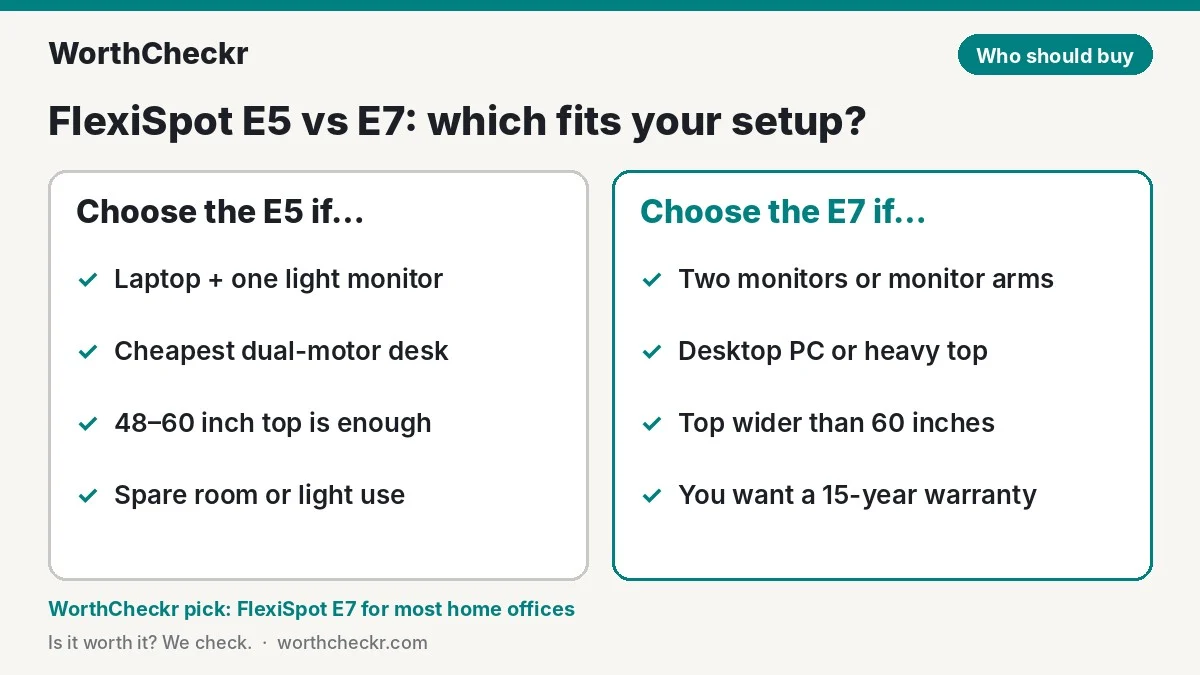
| If you… | Buy |
|---|---|
| Use a laptop and one light monitor | FlexiSpot E5 |
| Run two monitors on arms | FlexiSpot E7 |
| Have a desktop PC or solid-wood top on the desk | FlexiSpot E7 |
| Want a top wider than 60 inches | FlexiSpot E7 |
| Are shorter and need a low seated height | FlexiSpot E7 |
| Are very tall and stand at the top of the range | Either, but consider the E7 Pro (up to 50.6″) |
| Need the cheapest dual-motor desk for a spare room | FlexiSpot E5 |
| Plan to keep the desk 10+ years | FlexiSpot E7 |
Want to compare these against other budget options? Our best standing desk under $500 guide ranks the top picks, and the FlexiSpot E7 Plus vs E7 Pro comparison covers the next step up. You can browse every desk we’ve covered in our standing desks and comparisons sections.
Check FlexiSpot E7 price → Check FlexiSpot E5 price →
Accessories for a budget standing desk
- Cable management tray: neither desk includes a full tray as standard, and a cheap under-desk tray keeps cables from snagging when the desk moves.
- Monitor arm: frees up desk space and lets you fine-tune screen height. On the E5, keep the total weight well under its rating.
- Anti-fatigue mat: makes standing for longer stretches much more comfortable.
- Power drill: worth having on hand for either desk in case the pre-drilled holes don’t line up.
Check cable tray prices → Check anti-fatigue mat prices →
FlexiSpot E5 vs E7 FAQ
What is the difference between the FlexiSpot E5 and E7?
Both are dual-motor, three-stage desks. The E7 has a stronger frame (355 lb vs 220 lb), a touch keypad with a USB port and child lock, support for tops up to 80 inches and a 15-year warranty. The E5 is cheaper and reaches about an inch higher.
Is the FlexiSpot E7 worth it over the E5?
For most home offices, yes. It usually costs about $90 more on sale, but adds a much longer warranty, more weight capacity and better stability at standing height. The E5 only makes sense for light laptop or single-monitor setups.
Is the FlexiSpot E5 stable enough for two monitors?
For two small, light monitors, generally yes. With monitor arms, large screens or a wide top, owners report noticeable wobble at standing height, so the E7 is the safer choice for heavier dual-monitor setups.
Is the FlexiSpot E5 the same as the E5 Pro?
They’re the same product line. “E5 Pro” appears on older listings and in some markets, sometimes with different weight and warranty figures, so check the specs on the exact listing you buy from.
What is the warranty on the FlexiSpot E5 and E7?
FlexiSpot lists 15 years on the E7’s frame, motor and electronics. Its current E5 frame page lists 5 years on the frame and motor and 2 years on the controller and electronics.
Should I get the FlexiSpot E7 or E7 Pro?
The E7 Pro adds a 440 lb rating and a slightly higher 50.6-inch maximum for about $100 more. Pick it if you’re tall or run a very heavy setup; otherwise the standard E7 is the better value.
Verdict
Winner: FlexiSpot E7. In the FlexiSpot E5 vs E7 matchup, the E7 is the better buy for almost anyone working from home. For roughly $90 more on sale, you get a stronger, steadier frame, a nicer keypad, room for bigger desktops and a 15-year warranty that dwarfs the E5’s. The E5 is still a fair pick for a laptop-only setup or a spare-room desk when budget is tight, but it’s the one you’re more likely to outgrow.
FlexiSpot prices swing hard around Black Friday, so check both before you buy. We’ll update this comparison as owner feedback and pricing change.
Check FlexiSpot E7 price → Check FlexiSpot E5 price →
Sources: FlexiSpot (E7) · FlexiSpot (E5 frame) · FlexiSpot blog · Windows Central · GamesRadar+ · Pro Tool Reviews · Work While Walking · Home Office Research · RemoteOfficeGuy · Standing Desk Reference · Slickdeals · Reddit r/StandingDesk