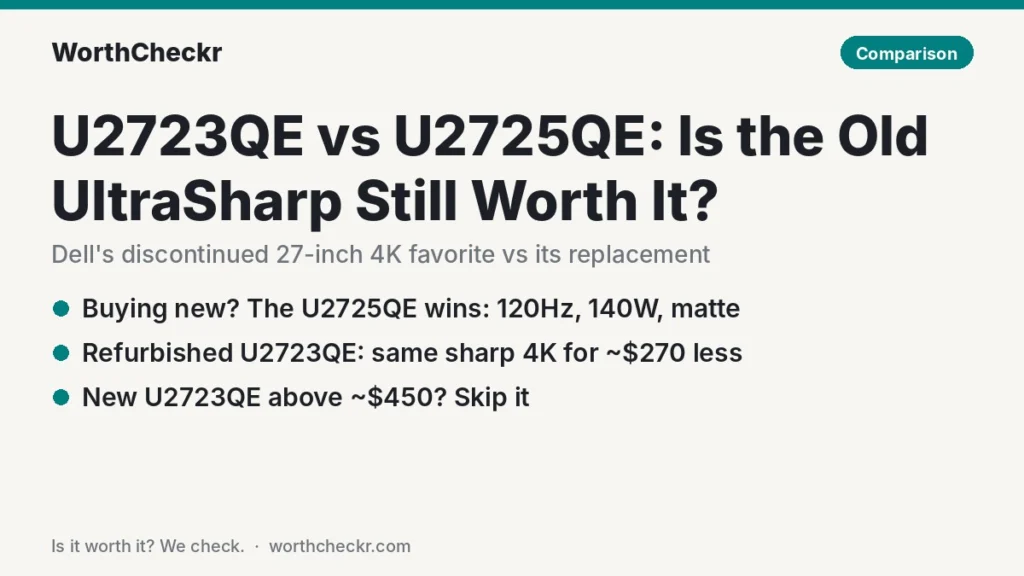
U2723QE vs U2725QE — WorthCheckr pick: Dell UltraSharp U2725QE
✓ Worth it for anyone buying new: it’s the current model, and new U2723QE stock now often costs as much or more.
- 120Hz instead of 60Hz, so scrolling and window dragging look smoother all day.
- Thunderbolt 4 with up to 140W charging (vs 90W USB-C), enough for big 16-inch laptops.
- Higher measured contrast in ITPro’s tests: 2,243:1 vs 1,649:1 on the U2723QE.
- Matte coating, 2.5Gb Ethernet and an ambient light sensor that the U2723QE lacks.
Pick a refurbished U2723QE instead if you’re on a budget, only need 60Hz, and your laptop charges fine on 90W. Refurbished units have been listed for under $370.
Last updated November 7, 2026 · Research-based analysis by Abid Shehzad, WorthCheckr
For three years the Dell U2723QE was the default answer to “which 27-inch 4K monitor should I get for my home office?” Then Dell replaced it with the U2725QE in early 2025, and the older model was discontinued. That leaves a real question for buyers in the U2723QE vs U2725QE matchup: is the old favorite still a smart buy, or is the newer model worth the extra money?
Both are 27-inch 4K UltraSharp monitors with IPS Black panels, a KVM switch, Ethernet and a single-cable laptop connection. The differences are refresh rate, charging power, contrast, coating, and the fact that new U2723QE stock is getting scarce and oddly priced. WorthCheckr hasn’t tested either monitor; this comparison is based on what named reviewers measured, published specs, and what owners report.
New to choosing a home office monitor? Our guide to choosing a monitor for working from home covers size, resolution, panel type and docking, and links every WorthCheckr monitor comparison.
In this comparison
- U2723QE vs U2725QE: the short answer
- What changed from the U2723QE to the U2725QE
- The catch: the U2723QE is discontinued
- Round by round: what reviewers measured
- Screen quality: contrast, coating and uniformity
- 120Hz vs 60Hz: does it matter for office work?
- Docking: 90W USB-C vs 140W Thunderbolt 4
- The U2723QE USB-C mode trap
- What owners report
- Upgrade math: what the extra money buys
- Our take: why the U2725QE gets the edge
- Which should you buy? U2723QE vs U2725QE by setup
- Buying a refurbished U2723QE: 5 checks
- U2723QE vs U2725QE FAQ
- Final verdict
U2723QE vs U2725QE: the short answer
If you’re buying new, get the U2725QE. It does everything the U2723QE does and adds a faster screen, more charging power and a better coating, while new U2723QE units are often priced at or above it. The U2723QE only makes sense as a refurbished or open-box deal.
- Choose the Dell U2725QE if… you’re buying new, you use a 16-inch laptop that wants more than 90W, you want 120Hz, or your desk faces a window.
- Choose a refurbished Dell U2723QE if… you can find one for roughly $350 to $450, 60Hz is fine for you, and your laptop is a MacBook Air, a 14-inch MacBook Pro or a typical Windows ultrabook.
- Choose neither if… you only have one laptop and don’t need Ethernet or a KVM. A cheaper USB-C 4K monitor will do; see our best 27-inch 4K USB-C monitors for working from home, or our Dell S2722QC vs S2725QC comparison if you want Dell’s budget 65W option.
Check Dell U2725QE price → Check refurbished U2723QE price →
What changed from the U2723QE to the U2725QE
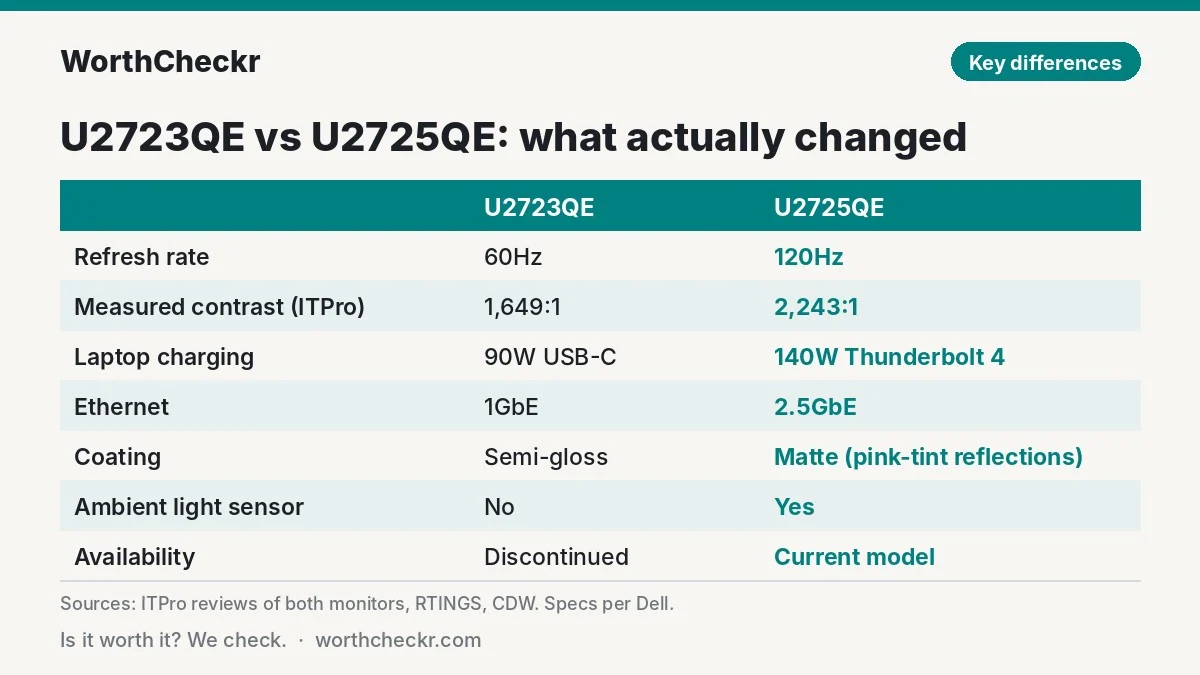
On paper the U2725QE is the same idea with nearly every number pushed up. The size, resolution, stand and overall layout are the same.
| Spec | Dell U2723QE | Dell U2725QE |
|---|---|---|
| Screen | 27″ 4K (3840 x 2160) IPS Black | 27″ 4K (3840 x 2160) IPS Black (improved) |
| Refresh rate | 60Hz | 120Hz |
| Rated contrast | 2,000:1 | 3,000:1 |
| Rated brightness | 400 nits, DisplayHDR 400 | 450 nits SDR, DisplayHDR 600 |
| Laptop connection | USB-C upstream, DisplayPort Alt Mode, up to 90W | Thunderbolt 4 upstream, up to 140W |
| Daisy chain | DisplayPort out (MST) | Thunderbolt 4 downstream (15W) and DisplayPort out |
| Other video inputs | HDMI 2.0, DisplayPort 1.4 | HDMI 2.1, DisplayPort 1.4 |
| USB hub | 10Gbps USB-A and USB-C ports | 10Gbps USB-A and USB-C ports, plus quick-access ports |
| Ethernet | Gigabit (1GbE) | 2.5GbE |
| KVM switch | Yes | Yes, with a setup wizard |
| Ambient light sensor | No | Yes |
| Screen coating | Semi-gloss anti-glare (per ITPro) | Matte anti-glare |
| Stand | 150mm height, -5° to 21° tilt, ±45° swivel, ±90° pivot | 150mm height, -5° to 21° tilt, ±45° swivel, ±90° pivot |
| Status | Discontinued (CDW lists May 16, 2025) | Current model |
| Typical price | Refurbished from about $369; new stock varies widely | About $630–$700 new at US retailers |
The catch: the U2723QE is discontinued
This is the part most comparison pages miss. CDW lists the U2723QE as discontinued on May 16, 2025, so the units still sold “new” are leftover stock, and their prices are all over the place. One US reseller listed a new U2723QE at $659, about what a new U2725QE costs. On Amazon Canada, price tracker RiverPrice recorded the U2723QE at CA$1,584 in early November 2026, roughly 74% above its own historical average.
Refurbished units are a different story. TechMikeNY, for example, listed a Grade A refurbished U2723QE with stand for $368.50. That’s where the old model still makes sense: as a discount buy, not at full price.
Rule of thumb: if a new U2723QE costs more than about $450, buy the U2725QE instead. The newer monitor’s extra features are worth far more than a small saving.
Round by round: what reviewers measured
ITPro’s Sasha Muller reviewed both monitors with the same kind of colorimeter testing, which makes this one of the cleaner old-vs-new comparisons available. RTINGS also compared the two directly.
| Round | Winner | What reviewers found |
|---|---|---|
| Contrast | U2725QE | ITPro measured 2,243:1 vs 1,649:1, about 36% higher on the newer panel. |
| Color range | U2725QE | Both hit about 100% sRGB and 97% DCI-P3 in ITPro’s tests, but Adobe RGB rose from 85% to 94%. |
| Out-of-box accuracy | U2723QE | ITPro found the older model’s white point closer to ideal (about 6,564K vs a slightly reddish 6,284K). |
| Uniformity | U2723QE | ITPro measured edges up to 15% dimmer on the U2725QE, a step back from the older model. |
| Reflections | Mixed | ITPro prefers the U2725QE’s matte coating; RTINGS notes reflections on it take on a pink tint. |
| Motion | U2725QE | 120Hz vs 60Hz. Neither is a gaming monitor, according to ITPro. |
| Docking | U2725QE | Thunderbolt 4 and 140W vs USB-C and 90W; 2.5GbE vs 1GbE. |
| Buyer sentiment | Tie | Both are well liked; owner complaints for the U2725QE center on the coating and color tint. |
| Overall | U2725QE | RTINGS calls it the better monitor for most people, but says the U2723QE is still excellent if you can find it for less. |
Screen quality: contrast, coating and uniformity
The headline upgrade is contrast. Dell rates the U2725QE at 3,000:1, and while ITPro didn’t measure that much, its 2,243:1 result is still a clear jump from the U2723QE’s 1,649:1. In practice, dark-mode apps, video calls in dim rooms and black backgrounds look deeper on the newer screen.
The coating is where opinions split. ITPro described the U2723QE’s finish as semi-glossy and too reflective for bright rooms, and called the U2725QE’s matte coating a big improvement, accepting a slight grain in exchange. RTINGS, however, points out that reflections on the U2725QE show a pink tint. One early owner on Reddit’s r/Monitors described the new finish as both reflective and grainy. If your desk faces a window, the U2725QE is still the safer pick, but don’t expect it to cancel glare completely.
Uniformity went the other way. ITPro measured the U2725QE’s bottom corners and edges up to 15% dimmer than the center, worse than the U2723QE. For spreadsheets and documents this is rarely noticeable. For photo work against flat gray backgrounds, it can be.
120Hz vs 60Hz: does it matter for office work?
More than you might think. You don’t need 120Hz for productivity, but you notice it constantly: scrolling long documents, dragging windows and moving the cursor all look smoother and are easier to follow. Once you get used to 120Hz, going back to 60Hz feels choppy.
Mac users should check their model’s external display support, but Apple silicon Macs connected over Thunderbolt or HDMI 2.1 can typically run the U2725QE at 120Hz. The U2723QE is capped at 60Hz on every computer.
Neither is a gaming monitor. ITPro measured 8ms response times on both and noted that the faster overdrive settings add overshoot or inverse ghosting.
Docking: 90W USB-C vs 140W Thunderbolt 4
Both monitors are built to replace a laptop dock: one cable carries video, data, Ethernet and charging. The difference is how much they can do over that cable.
- Charging: 90W on the U2723QE covers MacBook Airs, 14-inch MacBook Pros on normal workloads and most ultrabooks. The U2725QE’s 140W is enough to run a 16-inch MacBook Pro or a powerful Windows workstation at full speed. Our USB-C monitor charging checker shows whether 90W or 140W is enough for your laptop.
- Ethernet: 1GbE vs 2.5GbE. Both share the port with whichever computer is active, so ITPro suggests a cheap network switch if you want both machines wired.
- KVM: both can switch one keyboard and mouse between two computers. ITPro found the U2723QE’s KVM fiddly through the menus and much better with Dell’s Display Manager software; the U2725QE adds a setup wizard that makes the software optional. If two-computer switching is your main reason to buy, compare more options in our best monitors with a KVM switch.
- Daisy chaining: both can feed a second monitor; the U2725QE adds a Thunderbolt 4 downstream port.
The U2723QE USB-C mode trap
This is the U2723QE quirk to know before you buy one. Its USB-C connection has two modes, and ITPro explains the trade-off:
- High Resolution mode gives you 4K at 60Hz but drops the monitor’s USB ports to USB 2.0 speed.
- High Data Speed mode keeps fast USB, but laptops with only DisplayPort 1.2 output are limited to 4K at 30Hz. Laptops that support DisplayPort 1.4 with Display Stream Compression get 4K at 60Hz plus fast USB.
What to do: if you plug external drives or a fast webcam into the monitor, check that your laptop’s USB-C port supports DisplayPort 1.4 with DSC (most recent Macs and many current Windows laptops do). If it doesn’t, or you’re not sure, the U2725QE’s Thunderbolt 4 connection is the easier route.
What owners report
Owner feedback on both monitors is mostly positive, so the complaints below are the exceptions rather than the rule.
- U2725QE, coating and tint: on r/Monitors, early owners mentioned a finish that’s reflective yet grainy, and a warm or yellow tint that was hard to match to a MacBook screen. That fits ITPro’s measured reddish white point; switching to the sRGB or Display P3 preset helps.
- U2725QE, USB hub at USB 2.0 speed on Macs: Dell confirms in a support article that the hub can be detected as USB 2.0 over Thunderbolt, mainly with MacBooks, along with auto-brightness and wake-from-sleep bugs. Firmware M2T102 or newer addresses them; a long Apple Community thread covers the issue. Update the firmware as soon as you set the monitor up.
- U2725QE, HDR on Mac: one MacRumors forum member found the DisplayHDR 600 preset left the macOS interface washed out. Most office users will leave HDR off anyway.
- U2723QE, value and Mac pairing: a buyer review on Greentoe praises how well it pairs with a Mac mini and names the price as the main downside. Now that it’s discontinued, new units are rarely a bargain.
- U2723QE, stand and backlight: ITPro noted a stiff tilt that rocks the base, and some backlight glow visible in a dark room.
Owner reviews of the U2725QE are still building up compared with the three-year track record of the U2723QE. We’ll update this section as more owner feedback comes in.
Upgrade math: what the extra money buys
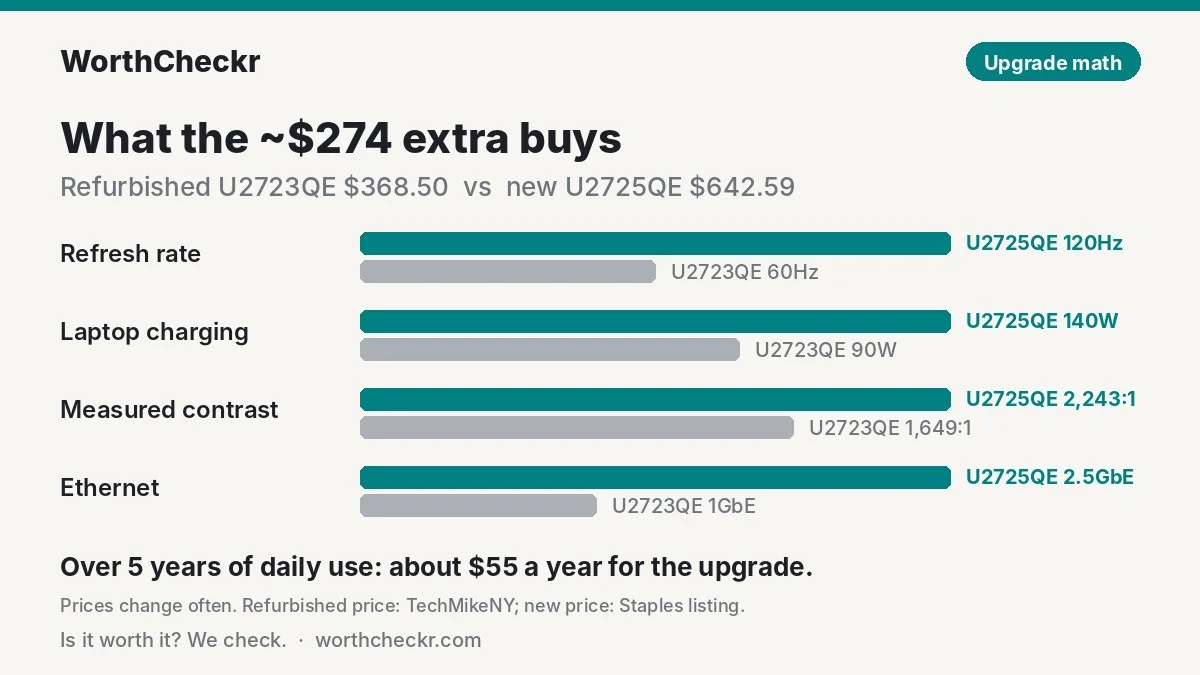
Using a Grade A refurbished U2723QE at $368.50 (TechMikeNY) and a new U2725QE at $642.59 (a recent Staples listing), the gap is about $274. Here’s what that buys:
| Feature | U2723QE | U2725QE | Change |
|---|---|---|---|
| Refresh rate | 60Hz | 120Hz | 2x |
| Laptop charging | 90W | 140W | +50W (about 56% more) |
| Measured contrast (ITPro) | 1,649:1 | 2,243:1 | About 36% higher |
| Ethernet | 1GbE | 2.5GbE | 2.5x |
| Ambient light sensor | No | Yes | New |
| Warranty | Depends on refurbisher | 3-year Dell warranty when bought new | Clearer coverage |
For a monitor you’ll use eight hours a day for five years or more, $274 works out to about $55 a year. If you’d use the 120Hz, the extra charging or the warranty, the U2725QE is the better buy. If you wouldn’t, the refurbished U2723QE gets you the same sharp 4K IPS Black experience for much less.
Prices change often; check current listings before buying.
Our take: why the U2725QE gets the edge
- It’s the model you can actually buy new. With the U2723QE discontinued, new stock is unpredictable and often costs as much as the U2725QE.
- 120Hz is a daily upgrade. It’s the one change you’ll notice every time you scroll.
- 140W future-proofs your desk. If your next laptop is a 16-inch, the U2725QE already covers it.
- Better contrast and a better coating for bright rooms, even with the pink-tinted reflections RTINGS points out.
- Clear warranty. A new U2725QE comes with Dell’s 3-year warranty; refurbished coverage varies by seller.
The U2723QE isn’t a bad monitor. Reviewers still rate its sharpness and color highly. It’s simply a refurbished-deal purchase now, not a first choice.
Which should you buy? U2723QE vs U2725QE by setup
| If you… | Buy |
|---|---|
| are buying new and want the best 27-inch dock monitor | Dell U2725QE |
| use a 16-inch MacBook Pro or a big workstation laptop | Dell U2725QE (140W) |
| work at a desk that faces a window | Dell U2725QE (matte coating) |
| switch between a work laptop and a personal PC | Either; both have a KVM. U2725QE is easier to set up |
| have a MacBook Air or ultrabook and a tight budget | Refurbished Dell U2723QE |
| do color-critical photo work on a budget | Refurbished Dell U2723QE (more accurate white point and more even backlight in ITPro’s tests) |
| see a “new” U2723QE priced above $450 | Dell U2725QE |
Thinking about a bigger screen instead? See 27 vs 32-inch monitors for work, or the 32-inch matchups U3226Q vs U3225QE and HP 732xk vs Dell U3225QE. Mac users weighing a 5K screen should read 4K vs 5K monitors for Mac.
Check Dell U2725QE price → Check refurbished U2723QE price →
Buying a refurbished U2723QE: 5 checks
- Warranty first. Look for at least 90 days of seller warranty; longer is better. Dell’s own warranty on a used unit may have expired.
- Stand included. Some refurbished monitors ship without the stand. A replacement or monitor arm adds cost.
- Cosmetic grade. Grade A usually means light marks only. Avoid units with any panel scratches.
- Check the screen on arrival. Show a full black screen in a dark room to look for backlight bleed, and a full white screen for dead pixels or tinted patches.
- Test the hub. Plug in your laptop over USB-C and confirm charging, 4K at 60Hz and the USB ports all work in the mode you need (see the USB-C mode trap above).
U2723QE vs U2725QE FAQ
Is the U2725QE worth upgrading to from a U2723QE?
Only if you want 120Hz or need more than 90W of charging. If you already own a U2723QE and it works with your laptop, the upgrade is a nice-to-have, not a must. The image is equally sharp, and contrast is better but not dramatically different in daily office use.
Is the Dell U2723QE discontinued?
Yes. CDW lists it as discontinued on May 16, 2025, after Dell launched the U2725QE as its replacement. You’ll mostly find it refurbished, open box or as leftover new stock at varying prices.
Does the U2723QE support 120Hz?
No. The U2723QE runs at 60Hz. The U2725QE supports 120Hz over Thunderbolt 4, DisplayPort 1.4 and HDMI 2.1.
Can the U2723QE charge a MacBook Pro?
Yes, up to 90W, which is plenty for a 14-inch MacBook Pro in everyday work. A 16-inch MacBook Pro under heavy load wants more than 90W, so the U2725QE’s 140W is the better match for it.
Which has better picture quality for office work?
The U2725QE, mainly for contrast (2,243:1 vs 1,649:1 in ITPro’s tests) and the smoother 120Hz motion. The U2723QE measured slightly better out-of-the-box white balance and uniformity, which matters more for photo editing than for documents.
Do both monitors have a KVM switch?
Yes. Both let you control two computers with one keyboard and mouse. The U2725QE adds an on-screen setup wizard, so you don’t need Dell’s software to configure it.
Final verdict
Winner: Dell UltraSharp U2725QE. In the U2723QE vs U2725QE matchup, the newer monitor wins for anyone buying new: 120Hz, 140W Thunderbolt 4, higher contrast, a matte coating and 2.5Gb Ethernet, at a price new U2723QE stock often matches. The U2723QE is still a very good 27-inch 4K screen, but it now belongs on your list only as a refurbished deal around $350 to $450. We’ll update this comparison as prices shift and more U2725QE owner feedback comes in.
Check Dell U2725QE price → Check refurbished U2723QE price →
More monitor comparisons and guides: Monitors · Comparisons · How to choose a monitor for working from home
Sources: ITPro (Dell U2725QE review) · ITPro (Dell U2723QE review) · RTINGS (U2723QE vs U2725QE) · RTINGS (U2725QE reflections) · CDW (U2723QE status) · RiverPrice · TechMikeNY · Staples · Dell U2723QE user guide · Greentoe · MacRumors Forums · Reddit r/Monitors